Multiple Faces Detected


 June 5th, 2024
In today’s digital age, security is a top concern for individuals and businesses alike. With the increasing number of cyber attacks and data breaches, it’s more important than ever to protect our online accounts and sensitive information. One effective way to do this is by using multi-factor authentication (MFA). In this blog post, we will discuss what MFA is, why it’s important, and how to use it effectively.
What is Multi-Factor Authentication?
Multi-factor authentication is a security process that requires users to provide two or more forms of identification in order to access their accounts. This adds an extra layer of security beyond just a username and password. The most common forms of identification used in MFA are:
- Something you know (such as a password or PIN)
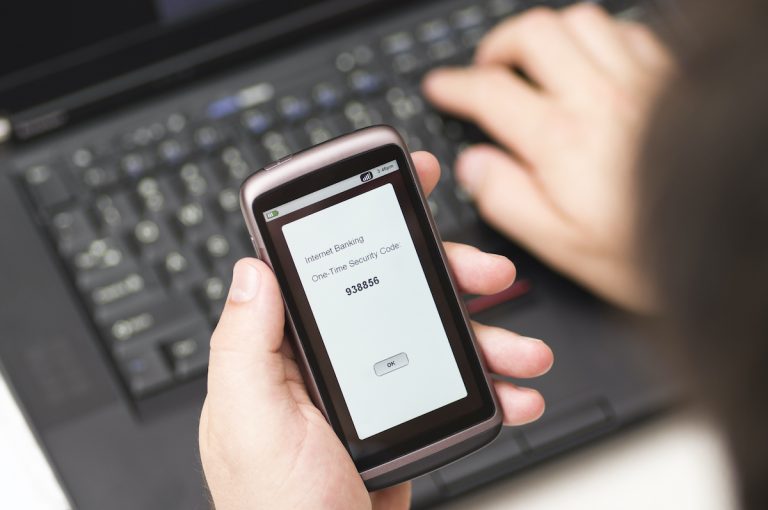
- Something you have (such as a smartphone or security token)
- Something you are (such as a fingerprint or facial recognition)
By requiring multiple forms of identification, MFA makes it much more difficult for hackers to gain access to your accounts, even if they manage to obtain your password.
Why is Multi-Factor Authentication Important?
Passwords are no longer enough to keep our accounts secure. With the rise of data breaches and password leaks, it’s become clear that relying on a single form of identification is not sufficient. MFA adds an extra layer of protection and significantly reduces the risk of unauthorized access to your accounts.
Additionally, many online services and platforms now require the use of MFA, especially for sensitive information or financial transactions. This means that if you don’t have MFA enabled, you may not be able to access certain websites or services.
Steps for Implementing MFA in Businesses
Implementing MFA in a business setting requires a structured approach to ensure it is both effective and user-friendly. First, businesses should conduct a risk assessment to identify which systems and data require the most protection. This assessment will help prioritize the implementation of MFA where it is needed most. Once critical areas are identified, businesses can start integrating MFA with their existing security infrastructure.
Training employees is also a crucial step in the implementation process. Employees need to understand the importance of MFA and how to use it correctly. This can be achieved through regular training sessions and clear communication about the benefits of MFA. Additionally, businesses should select MFA methods that are convenient for their employees, such as biometric authentication or mobile apps, to encourage adoption and compliance.
How to Use Multi-Factor Authentication Effectively
Now that we understand the importance of MFA, let’s discuss how to use it effectively. Here are some tips to help you make the most out of multi-factor authentication:
1. Enable MFA on all your accounts
The first step to using MFA effectively is to enable it on all your accounts that offer this feature. This includes your email, social media, banking, and any other online accounts that contain sensitive information. Most websites and services now offer MFA as an option, so take advantage of it.
2. Use different forms of identification
When setting up MFA, try to use different forms of identification for each account. For example, if you use a password and a security token for one account, use a password and a fingerprint for another. This adds an extra layer of security and makes it more difficult for hackers to access your accounts.
3. Use a password manager
With MFA, you may end up with a lot of different passwords and security codes to remember. This is where a password manager can come in handy. It securely stores all your passwords and can even generate strong, unique passwords for each account. This way, you only need to remember one master password to access all your accounts.
4. Keep your devices secure
Since MFA often involves using a smartphone or other device, it’s important to keep these devices secure. Make sure to set a strong password or PIN on your phone and enable biometric authentication if available. Also, be cautious of phishing scams and never share your MFA codes with anyone.
5. Regularly review your MFA settings
It’s a good idea to regularly review your MFA settings and make any necessary updates. This includes removing any old or unused devices from your MFA settings and updating your contact information in case you need to reset your MFA settings in the future.
Understanding Different MFA Methods
Biometric Authentication
Biometric authentication is one of the most secure MFA methods available today. It involves using unique biological characteristics, such as fingerprints, facial recognition, or iris scans, to verify a user’s identity. Unlike passwords or PINs, biometric data cannot be easily stolen or replicated, making it a highly effective security measure. Many modern devices, including smartphones and laptops, now come equipped with biometric scanners, making this method both accessible and user-friendly.
Implementing biometric authentication can greatly enhance security, especially for high-risk accounts and sensitive data. However, it is important to address privacy concerns associated with the collection and storage of biometric data. Businesses and individuals should ensure that biometric data is encrypted and stored securely, and that they comply with relevant privacy laws and regulations.
Hardware Tokens
Hardware tokens are physical devices that generate time-sensitive codes used for MFA. These tokens can take the form of USB keys, smart cards, or key fobs. When logging into an account, the user must enter the code displayed on the hardware token in addition to their password. This method is highly secure because the token must be physically present to access the account, making it difficult for remote attackers to compromise the system.
Hardware tokens are particularly useful for securing high-value assets and accounts that require an additional layer of protection. They are commonly used in corporate environments and by individuals who handle sensitive information. While hardware tokens offer strong security, it is important to have policies in place for lost or stolen tokens to ensure that users can still access their accounts without compromising security.
By adding these subtopics—implementing MFA for business security and understanding different MFA methods—you can further enhance the comprehensiveness of the blog post and provide valuable insights for both individual users and businesses looking to improve their online security.
Conclusion
In conclusion, multi-factor authentication is a crucial tool for protecting our online accounts and sensitive information. By using different forms of identification and regularly reviewing our MFA settings, we can effectively secure our accounts and reduce the risk of unauthorized access. Remember, it’s better to be safe than sorry when it comes to online security.
Thank you for reading our blog post on using multi-factor authentication effectively. We hope you found it informative and helpful. Stay safe and secure online!