Multiple Faces Detected


 June 26th, 2023
In today’s fast-paced digital world, mobile email has become an integral part of our personal and professional lives. With the convenience of accessing emails on the go, it is crucial to prioritize the security of sensitive information transmitted through mobile devices. This blog post aims to explore the importance of securing mobile emails and provide actionable tips to protect sensitive data while on the move.
Mobile email usage has skyrocketed in recent years, with people relying on their smartphones and tablets to stay connected and productive. However, this convenience comes with inherent risks. Mobile devices are vulnerable to various threats such as data breaches, phishing attacks, and unauthorized access. The consequences of a compromised mobile email account can be severe, leading to identity theft, financial loss, or reputational damage.
To mitigate these risks, it is essential to implement robust security measures that safeguard sensitive information. By adopting best practices and leveraging advanced technologies, individuals and organizations can fortify their mobile email security and maintain confidentiality, integrity, and availability of their data.
In the following sections, we will delve into the threat landscape of mobile email security, explore effective security practices, discuss the significance of employee education, and highlight secure email apps and services. By following these guidelines, you can enhance the security of your mobile emails and protect sensitive information from potential threats. Let’s delve deeper into securing your mobile emails and ensure peace of mind while accessing emails on the go.
Understanding the Threat Landscape
To effectively secure mobile emails, it is crucial to have a comprehensive understanding of the threat landscape. By being aware of the potential risks and vulnerabilities, individuals and organizations can take proactive measures to protect sensitive information. Here are some key aspects to consider:
Common vulnerabilities and threats to mobile email security
- Malware and malicious apps: Mobile devices are susceptible to malware and malicious apps that can compromise email accounts and steal sensitive data.
- Phishing attacks: Cybercriminals often use phishing techniques to trick users into revealing their login credentials or personal information.
- Man-in-the-middle attacks: Hackers may intercept data transmitted between mobile devices and email servers, gaining unauthorized access to emails and attachments.
- Lost or stolen devices: When a mobile device is lost or stolen, unauthorized individuals can potentially access confidential emails and data.
Potential consequences of compromised mobile emails
- Unauthorized access to sensitive information: Hackers gaining access to mobile emails can read confidential messages, view attachments, and access personal and financial data.
- Identity theft and fraud: Compromised mobile emails can lead to identity theft, where attackers impersonate individuals to carry out fraudulent activities.
- Reputational damage: If sensitive information, such as client data or proprietary information, is exposed, it can tarnish the reputation of individuals or organizations.
- Legal and compliance issues: Breaches of sensitive data through mobile emails can result in legal consequences and non-compliance with data protection regulations.
The need for proactive measures to safeguard sensitive information
- As the usage of mobile email continues to grow, it is imperative to proactively implement security measures to protect sensitive information.
- Relying solely on built-in security features of mobile devices may not be sufficient. Additional layers of security are necessary to mitigate risks effectively.
- By understanding the potential threats and consequences, individuals and organizations can take proactive steps to secure their mobile email communication and prevent data breaches.
In the next section, we will explore best practices for securing mobile emails, which can serve as a foundation for protecting sensitive information on the go.
Best Practices for Securing Mobile Emails
To ensure the security of your mobile emails and protect sensitive information, it is essential to implement best practices. By following these guidelines, you can minimize the risk of unauthorized access, data breaches, and other security threats. Here are some key practices to consider:
Strong Passwords and Biometric Authentication
- Use strong and unique passwords: Create passwords that are long, complex, and include a combination of uppercase and lowercase letters, numbers, and symbols. Avoid using easily guessable information like names or birthdays.
- Enable biometric authentication: Take advantage of biometric features such as fingerprint scanning or facial recognition available on your mobile device. Biometrics provide an additional layer of security and make it harder for unauthorized individuals to access your emails.
Two-Factor Authentication (2FA)
- Activate 2FA: Enable two-factor authentication for your email accounts. This adds an extra layer of security by requiring a secondary verification step, such as a unique code sent to your mobile device, in addition to your password.
- Use authenticator apps: Consider using authenticator apps like Google Authenticator or Microsoft Authenticator instead of relying solely on SMS-based verification. Authenticator apps provide a more secure method of generating verification codes.
Encryption Techniques
- Enable email encryption: Use email encryption protocols like Transport Layer Security (TLS) or Pretty Good Privacy (PGP) to encrypt the content of your emails. Encryption ensures that the information remains secure during transit and can only be accessed by authorized recipients.
- Encourage recipients to use encrypted channels: When sending sensitive information, encourage recipients to use encrypted email services or secure file-sharing platforms to maintain the confidentiality of the data.
Mobile Device Security Measures
- Keep your device up to date: Regularly update your mobile device’s operating system, applications, and security patches. Updates often include bug fixes and security enhancements that address known vulnerabilities.
- Enable device encryption: Activate the encryption feature on your mobile device to protect stored data. This ensures that even if your device is lost or stolen, the information remains encrypted and inaccessible to unauthorized users.
- Set up remote wipe capabilities: Enable remote wipe functionality on your device. This allows you to erase all data on your device remotely if it is lost or stolen, preventing unauthorized access to your emails and sensitive information.
Avoiding Public Wi-Fi and Using VPNs
- Beware of public Wi-Fi networks: Avoid connecting to unsecured public Wi-Fi networks when accessing your mobile emails. These networks can be easily exploited by hackers to intercept your email communication.
- Use a VPN (Virtual Private Network): Utilize a reputable VPN service when connecting to the internet. A VPN encrypts your internet traffic, providing a secure connection and protecting your emails from potential eavesdropping.
By implementing these best practices, you can significantly enhance the security of your mobile emails. In the next section, we will explore the importance of employee education and awareness in maintaining robust mobile email security.
Employee Education and Awareness
While implementing strong security measures is crucial, it is equally important to educate and raise awareness among employees about mobile email security. Employees play a vital role in maintaining the security of sensitive information and safeguarding against potential threats. Here are key aspects to consider when it comes to employee education and awareness:
Importance of educating employees about mobile email security
- Communicate the significance: Emphasize the importance of mobile email security and its direct impact on the confidentiality, integrity, and availability of sensitive information.
- Raise awareness about risks: Educate employees about common threats such as phishing, malware, and data breaches, and the potential consequences of compromised mobile emails.
Conducting training sessions and awareness campaigns
- Provide comprehensive training: Conduct regular training sessions to educate employees about best practices for mobile email security. Cover topics such as password hygiene, identifying phishing attempts, and secure email usage.
- Promote a security-conscious culture: Foster a culture of security awareness by organizing campaigns, sharing security tips, and encouraging employees to report any suspicious activities or security incidents.
Encouraging employees to report suspicious activities
- Establish reporting channels: Create clear channels for employees to report any suspicious emails, potential phishing attempts, or security incidents they encounter.
- Encourage a proactive approach: Motivate employees to report any unusual or suspicious activities promptly. This enables swift action to be taken to investigate and mitigate potential risks.
By investing in employee education and awareness, organizations can empower their workforce to become the first line of defense against mobile email threats. A well-informed and vigilant employee base contributes significantly to the overall security posture of the organization.
In the next section, we will explore secure email apps and services that can further enhance the protection of mobile emails and sensitive information.
Secure Email Apps and Services

In addition to implementing best practices and educating employees, utilizing secure email apps and services can provide an extra layer of protection for your mobile emails. These apps and services prioritize security and offer advanced features to safeguard sensitive information. Here are key points to consider when selecting a secure email app or service:
Secure email apps and services offer enhanced protection for your mobile emails by prioritizing encryption, authentication, and privacy. They employ end-to-end encryption, ensuring that only the sender and recipient can access the content of the email. This encryption ensures that even if the emails are intercepted, the information remains secure and unreadable to unauthorized individuals. Additionally, many secure email apps and services support two-factor authentication, which adds an extra layer of security by requiring a secondary verification step, such as a unique code sent to your mobile device.
When choosing a secure email app or service, it is essential to evaluate the features and security measures they offer. Look for apps or services with robust privacy policies and data protection measures that align with your security requirements. Compatibility with your mobile device and user-friendly interfaces are also important factors to consider to ensure a seamless integration into your workflow. Reading user reviews and seeking recommendations can provide valuable insights into the performance and reputation of different apps and services, helping you make an informed decision.
By utilizing secure email apps and services, you can significantly enhance the security of your mobile emails and protect sensitive information. These tools offer an added layer of protection, ensuring that your emails are encrypted and accessible only to authorized recipients. Take advantage of free trials or demos to assess the usability and effectiveness of different apps and services before committing to a subscription. Choosing the right secure email app or service based on your specific security requirements will go a long way in safeguarding your mobile email communication.
Conducting Regular Security Audits and Updates
To maintain robust mobile email security, it is crucial to conduct regular security audits and updates. The threat landscape is constantly evolving, and new vulnerabilities may emerge over time. By staying proactive and vigilant, you can identify and address potential security gaps before they are exploited. Here are key considerations for conducting regular security audits and updates:
Regular Security Audits
Regularly assess the security measures in place for your mobile email systems and processes. Conduct comprehensive audits to identify any vulnerabilities or weaknesses that may exist. This includes reviewing access controls, encryption protocols, and authentication mechanisms. Engage with security professionals or external auditors to perform thorough assessments and provide recommendations for improving your mobile email security.
Patch Management
Keep your mobile devices, email apps, and operating systems up to date with the latest security patches. Software vendors regularly release updates to address newly discovered vulnerabilities and enhance security features. Establish a process for regularly checking for updates and promptly applying them to your devices and apps. This helps ensure that you have the latest protections against emerging threats.
Employee Training and Awareness
Include ongoing training and awareness programs as part of your mobile email security strategy. Educate employees about the importance of staying vigilant, recognizing potential threats, and following best practices. Encourage reporting of any suspicious activities or security incidents promptly. Regularly remind employees about the risks associated with mobile email usage and reinforce security protocols.
Data Backup and Recovery Strategies
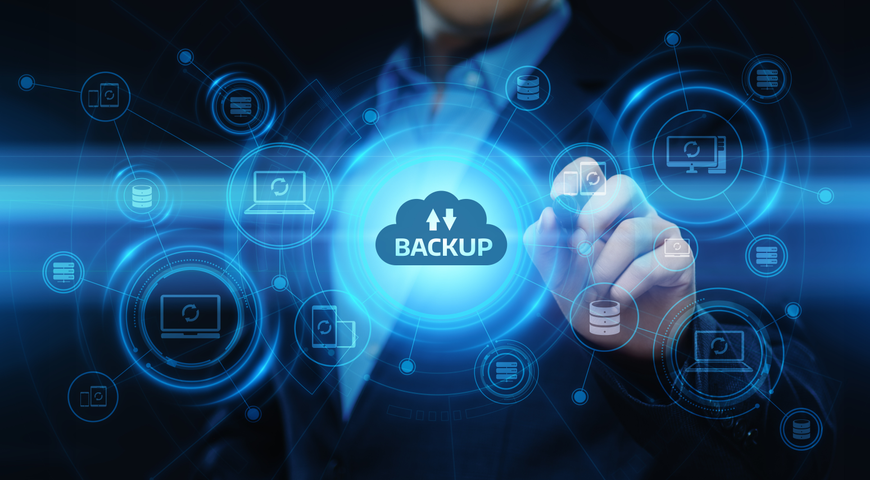
In the realm of mobile email security, data backup and recovery strategies play a critical role in safeguarding against potential data loss or breaches. Despite the implementation of robust security measures, unforeseen incidents such as device theft, hardware failure, or human error can still occur. By having reliable data backup and recovery mechanisms in place, you can ensure the availability and integrity of your mobile email data.
Establish a routine backup schedule for your mobile email data. This includes emails, attachments, contacts, and any other important information stored on your mobile device or email server. Consider leveraging cloud-based backup solutions that offer automatic and encrypted backups. Regularly verify the integrity of the backed-up data to ensure its recoverability when needed.
Store backup data in secure, offsite locations. Offsite storage minimizes the risk of data loss due to physical damage or theft of your mobile device. Cloud-based storage solutions provide convenient and reliable offsite backup options. Ensure that the chosen storage provider employs strong encryption and security measures to protect your backup data.
Regularly test your data recovery processes to verify their effectiveness and reliability. Perform mock data recoveries to ensure that the backup data can be successfully restored in case of an actual data loss event. Testing your data recovery processes allows you to identify and address any potential issues or gaps, providing peace of mind that your mobile email data can be restored when needed.