Multiple Faces Detected



 February 18th, 2026
That perfect profile photo seems too good to be true. The attractive stranger who messaged you has only a few images online. Your gut tells you something’s off, but you can’t put your finger on it.
You’re not paranoid. You’re smart.
In a world where romance scams cost Americans over $672 million in 2024 and fake profiles flood dating apps, that suspicious feeling might be your best protection. But feelings aren’t enough. You need proof.
Enter reverse image search, your digital detective tool that can unmask stolen photos, fake profiles, and scammers in minutes. Whether you’re investigating a potential romantic interest, protecting yourself from oil rig scams, or simply trying to find where a photo originated, learning how to reverse image search could save you from heartbreak, financial loss, or worse.
Most people don’t realize they’re carrying this powerful investigative tool in their pocket. With just a few taps, you can discover if that stunning profile photo belongs to a model in Russia, an Instagram influencer in California, or, hopefully, the person you’re actually talking to.
Ready to become your own digital detective?
Run a reverse image search on Social Catfish
What Is a Reverse Image Search?
A reverse image search flips traditional searching on its head. Instead of typing words to find images, you upload an image to find information about it.
Here’s how it works: Advanced algorithms analyze visual patterns, colors, shapes, and unique identifiers in your uploaded photo. Then they scour billions of web pages, social media profiles, and databases to find matches or similar images. It’s like facial recognition technology, but for any image on the internet.
The technology reveals where photos appear online, who originally posted them, and what context surrounds them. This makes reverse photo lookup invaluable for spotting catfish and identifying romance scammers.
How to Run a Reverse Image Search on Google (Desktop)
Google Images offers the most basic reverse image search functionality. Here’s the reverse image search step-by-step process:
Step 1: Open Google Images (images.google.com) in your web browser
Step 2: Click the camera icon in the search bar (it’s next to the microphone icon)
Step 3: Choose your upload method:
- Click “Upload an image” to select a file from your computer
- Paste an image URL if the photo is already online
- Drag and drop an image directly into the search box
Step 4: Review the results carefully:
- Look for “Pages that include matching images”
- Check “Visually similar images” for variations
- Note the websites where the image appears
Pro tip: Pay attention to the earliest dates the image appeared online. If someone claims a photo is recent, but it’s been circulating for years, that’s a red flag.
How to Reverse Image Search on Mobile (iPhone & Android)
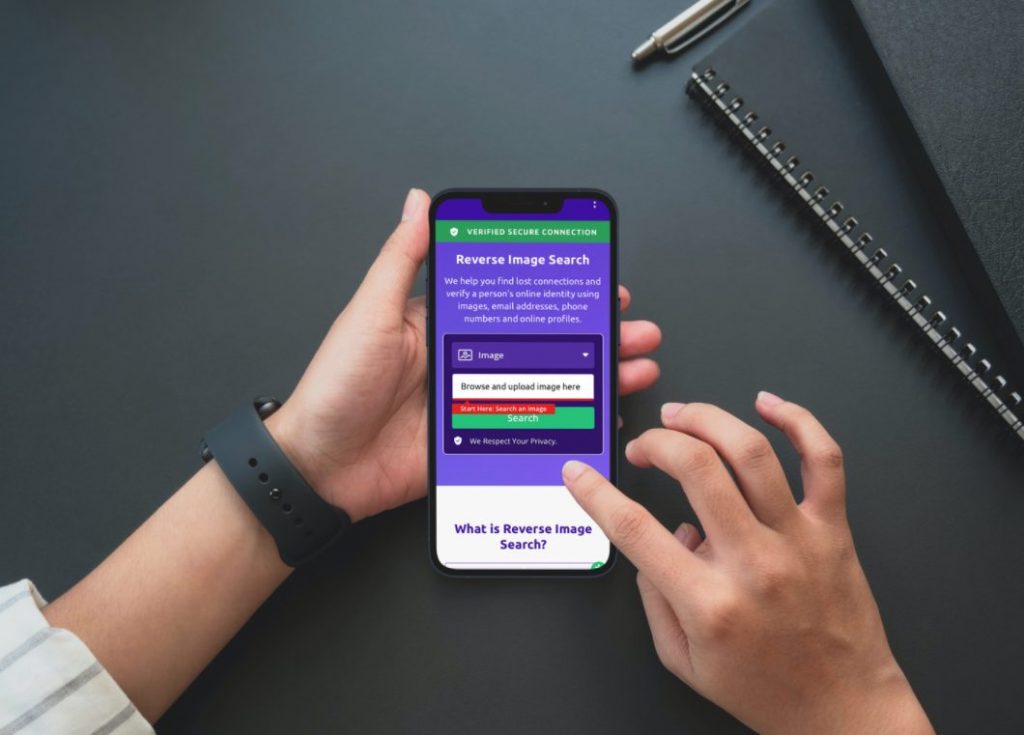
Learning reverse image search on phone devices is crucial since most online interactions happen on mobile devices. The process varies slightly between iPhone and Android, but both are straightforward.
iPhone Reverse Image Search:
Method 1 (Safari):
- Open the image in Safari
- Long-press the image until a menu appears
- Select “Search Google for This Image”
- Review the results
Method 2 (Google Lens):
- Download the Google Lens app
- Open the app and point your camera at the image
- Tap the search icon
- Browse the results
Android Reverse Image Search:
Method 1 (Chrome):
- Open the image in the Chrome browser
- Long-press the image
- Select “Search Google for This Image”
- Analyze the results
Method 2 (Google Lens Integration):
- Open Google Photos or Google Lens
- Select the image or take a new photo
- Tap the Lens icon
- View matching results
While these mobile methods work for basic searches, they have significant limitations compared to specialized tools.
How to Run a Reverse Image Search with Social Catfish
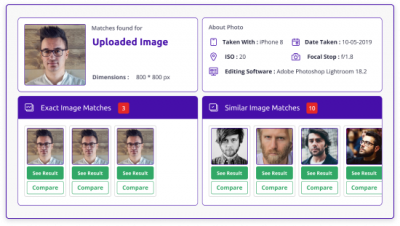
Here’s where reverse image search gets powerful. While Google finds where images appear online, Social Catfish’s reverse image search digs deeper into social media profiles, dating sites, and scam databases.
What makes Social Catfish different:
- Searches dating profiles across multiple platforms
- Identifies hidden social media accounts
- Cross-references known scammer photo databases
- Provides context about profile authenticity
- Reveals multiple Instagram accounts linked to the same person
Step-by-step Social Catfish search:
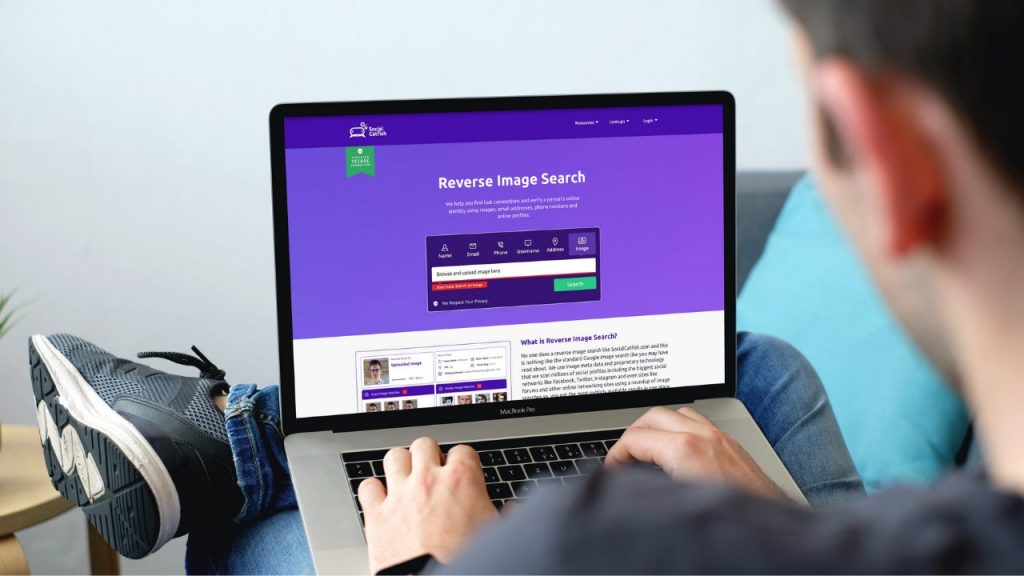
- Upload your photo → Visit Social Catfish and select reverse image search
- Run the search → Advanced algorithms scan social networks and dating platforms
- Review detailed results → See profiles, dates, and authenticity indicators
Why Use Reverse Image Search? (Top Use Cases)
1. Spotting Fake Dating Profiles
Dating profile searches reveal if photos are stolen from models, influencers, or other dating profiles. If you’re wondering how to tell if someone is on dating sites, reverse image search provides concrete evidence.
2. Protecting Yourself From Romance Scams
Romance scammers often use photos of attractive people to build trust. Social Catfish’s database includes known scammer photos, helping you avoid common romance scam scenarios.
3. Investigating Social Media Connections
Before accepting friend requests or engaging with new social media contacts, reverse image search social media accounts to verify authenticity. This helps prevent social media scams and identity theft.

4. Verifying Professional Photos
If someone claims professional photos are recent or original, reverse searches reveal if they’re stock photos or stolen from portfolios.
5. Finding Original Image Sources
Reverse searches help identify copyright ownership and original contexts for images you encounter online.
Reverse Image Search Tools Compared
| Tool | What It Finds | Pros | Cons | Best For |
| Google Images | Similar images, websites | Free, fast | No social profiles | Quick checks, copyright issues |
| TinEye | Exact matches | Highly accurate | No dating/social data | Finding exact duplicates |
| Social Catfish | Social profiles, dating sites, scam indicators | Deep database, scam prevention | Paid service | Verifying people & preventing scams |
Best Reverse Image Search Tool for Different Situations
For Dating and Relationship Verification:
Social Catfish stands out as the best reverse image search tool for romantic contexts. Unlike general search engines, it specifically targets:
For Copyright and General Web Searches:
Google Images works well for basic searches and identifying widespread image usage.
For Exact Match Detection:
TinEye excels at finding exact duplicates and tracking image usage across the web.
For Social Media Investigation:
Social Catfish’s specialized databases make it superior for finding someone on Instagram, locating hidden profiles, and verifying social media authenticity.
When Reverse Image Search Reveals the Truth
Real Success Stories:
- The “Military Officer” Scam: A woman used reverse image search to discover her online boyfriend’s photos belonged to a real soldier whose identity was stolen by oil rig scammers.
- The Instagram Catfish: A teenager found their crush’s photos belonged to a model in another country, preventing emotional manipulation and potential sextortion.
- The Investment Fraud: A businessman discovered promotional photos used by a fake investment advisor were stolen from a legitimate financial website.
These stories highlight why reverse image search of dating profiles and social media accounts has become essential for online safety.
Advanced Reverse Image Search Techniques
Search Multiple Variations:
- Crop the image to focus on faces
- Search screenshots from video calls
- Try different image qualities and sizes
Cross-Platform Verification:
Don’t rely on one search engine. Use multiple tools:
- Google Images for web presence
- Social Catfish for social media and dating sites
- TinEye for exact matches
Context Analysis:
Look beyond just finding the image. Consider:
- When and where it first appeared online
- The context surrounding its original use
- Whether multiple versions exist with different details
Common Reverse Image Search Mistakes to Avoid
1. Stopping at the First Result
Just because an image appears on one website doesn’t mean that’s its origin. Dig deeper to find the earliest usage.
2. Ignoring Similar (But Not Exact) Matches
Scammers often modify images slightly. Pay attention to “visually similar” results, not just exact matches.
3. Not Checking Multiple Platforms
Each reverse image search tool has different strengths. Social Catfish specializes in social media and dating verification, while Google covers general web content.
4. Forgetting to Save Evidence
Screenshot your results before confronting someone or making decisions based on your findings.
Protecting Yourself Beyond Reverse Image Search
While reverse image search is powerful, combine it with other verification methods:
Video Call Verification:
Request live video calls and watch for signs of fake video chat.
Social Media Deep Dive:
Use Social Catfish to find hidden social profiles and verify Instagram authenticity.
Background Checks:
For serious relationships, consider dating background checks to verify identity beyond just photos.
Phone Number Verification:
Cross-reference with phone number lookups to ensure consistency across platforms.

FAQs About Reverse Image Search
Yes! Both iPhone and Android support reverse image search through Safari/Chrome browsers and the Google Lens app. However, for comprehensive social media and dating profile searches, Social Catfish’s mobile-optimized platform provides superior results.
Basic reverse image search through Google Images and TinEye is free, but these tools have significant limitations. Social Catfish offers free initial searches with comprehensive paid options for detailed social media and dating profile verification.
Google Images searches general web content and finds where images appear online. Social Catfish specializes in social media profiles, dating sites, and scam prevention databases – making it far more effective for personal safety and relationship verification.
General tools like Google Images rarely find dating profiles since most dating sites don’t allow search engine indexing. Social Catfish specifically searches dating platforms and social media sites to reveal profile usage across multiple platforms.
Several factors can limit search results:
• Image quality or resolution issues
• Photos that haven’t been shared publicly online
• Platform-specific privacy settings
• Images that have been significantly modified
• Limited database coverage by the search tool
For comprehensive results, especially for social media and dating verification, use specialized tools like Social Catfish rather than relying solely on general search engines.
Your Digital Safety Starts Here
Reverse image search isn’t just about satisfying curiosity; it’s about protecting yourself in an increasingly deceptive digital world. Whether you’re investigating a potential romantic partner, verifying social media connections, or simply trying to identify the source of a suspicious image, these skills are essential for modern online safety.
The internet is full of catfish, romance scammers, and identity thieves. But armed with reverse image search knowledge and the right tools, you can protect yourself from becoming another statistic.
Remember: Free tools like Google Images provide basic functionality, but when your safety and heart are on the line, invest in comprehensive verification. Social Catfish’s specialized databases and social media expertise make it the superior choice for personal safety and relationship verification.
Don’t let stolen photos and fake profiles fool you. Take control of your digital safety today.
Start Your Reverse Image Search with Social Catfish