

 Multiple Faces Detected


 April 27th, 2025
Honey is a free browser extension that claims to save you money by automatically applying coupon codes at checkout. It’s used by over 17 million people worldwide and promoted by big names like MrBeast, PewDiePie, and Marques Brownlee (MKBHD).
But some reports suggest Honey is doing more than helping you save. It’s been accused of tracking user data, overriding affiliate links, and quietly benefiting at the expense of both users and influencers.
Honey has also been restricted or removed in certain countries due to privacy concerns and compliance issues.
With so many questions and red flags, it’s important to understand the risks before trusting Honey with your data. Let’s look at what’s really going on behind the extension.
What Is the Honey Extension and How Does It Work?
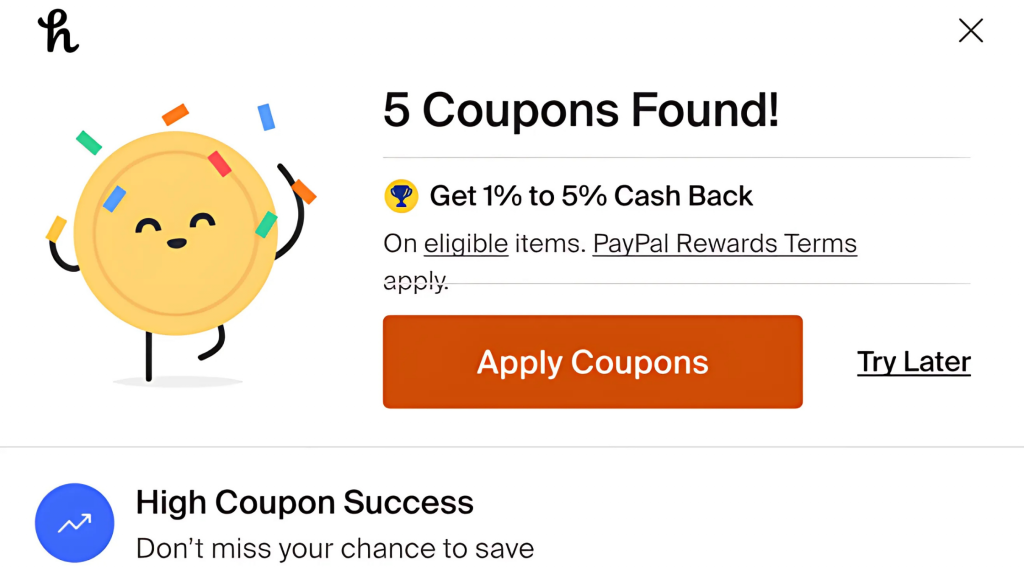
Honey is a free browser extension that helps users find coupon codes automatically when they shop online. Instead of manually searching for promo codes, Honey scans the internet and tries available ones at checkout to see if any apply.
It also tracks price drops on items you’re interested in and offers a rewards system called Honey Gold, which lets you earn points for certain purchases and redeem them for gift cards.
The extension works on thousands of websites, including major retailers like Amazon, Walmart, Target, and Best Buy. It’s available for browsers like Chrome, Firefox, Safari, and Edge, and once installed, it quietly runs in the background while you shop.
In 2020, PayPal acquired Honey for $4 billion. That deal brought new attention to how the extension handles its users’ online privacy. Since PayPal is heavily involved in financial services and data analytics, some experts raised concerns about the potential for Honey to collect detailed shopping behavior.
Major Controversies of the Honey Extension
Even though Honey seems helpful, there are serious concerns about its work. These two major controversies have made people question whether Honey is safe to use.
Amazon Warned People About Honey
In 2020, Amazon warned users that Honey was a security risk.
The message said that Honey could track what you do while shopping, see your order history, and even read or change data on any website you visit. That means it might be able to look at more of your online activity than you realize.
This warning came shortly after PayPal bought Honey for $4 billion. Many people thought it was strange that Amazon, one of the biggest online stores, was telling people not to use it.
Honey responded by saying they don’t do anything harmful and that the warning wasn’t true. Still, the fact that Amazon blocked it made many users nervous.
Influencers Say Honey Hurts Their Income
Big YouTubers like MrBeast, PewDiePie, and MKBHD have promoted honey. These influencers told their viewers to use Honey to save money, and in return, they expected to earn a small fee through affiliate links (special links that give them a commission when you buy something).
But some influencers now say Honey was replacing their affiliate links with its own. This means the influencers didn’t get paid when people shopped through their videos, even though Honey did.
Some of them feel tricked and say they were never told this would happen. There’s even talk of lawsuits from creators who feel Honey took away their earnings.
Types of Honey Scams

The word “Honey scam” might sound harsh for a popular extension like Honey, but several shady practices have caused people to question its honesty.
Data Collection Without Clear Consent
When you install Honey, it asks for permission to “read and change all your data on the websites you visit.” That’s a lot of access. Most users don’t realize how much of their browsing behavior is being tracked.
This includes what you search for, what you click, and what you buy. Honey says it uses this info to improve its service, but some people feel tricked into giving away too much data without knowing how it might be used later for cyber attacks.
When it comes to protecting your data, a quick background check now could prevent bigger problems later. For this, you can use reverse lookup by Social Catfish for verifying who’s behind a company, site, or service before you hand over your personal information.
Affiliate Link Hijacking
One of the biggest complaints is that Honey replaces other people’s affiliate links, like those used by YouTubers or bloggers, with its own.
So even if you clicked a creator’s link to support them, Honey might secretly swap it out and take the commission for itself. This is frustrating for both users and creators and feels dishonest, especially since most people don’t realize it’s happening.
Fake or Expired Coupons
Many users have reported that Honey often tests coupon codes that don’t actually work, and are more like online fraud. It may run through 10 or 15 codes before finding one or none that apply. Sometimes, it says you “saved money” even if it didn’t change the price.
This gives users a false sense of value and makes the extension seem more helpful than it really is.
Restricts Access to Better Deals
Honey may not always present you with the best available coupon codes.
MegaLag explained in his video that Honey has agreements with certain retailers to prioritize specific discounts, potentially withholding better deals that are available elsewhere.
This means users might miss out on greater savings because Honey is promoting offers that benefit its retail partners more than the consumers.
How to Stay Safe While Using PayPal Honey
Using Honey means sharing a lot of personal information, like your name, email, location, PayPal profile, device ID, and browsing habits. While many shopping tools collect similar data, recent controversies have made users question how safe that really is.
If you still want to use Honey but stay protected, here’s how:
- Understand what data Honey collects and how it’s used by reading their privacy statement.
- Scammers may pretend to be Honey or PayPal. Don’t click suspicious links—go to their official website to verify messages.
- Turn on 2FA for your PayPal and email accounts to keep them secure from unauthorized access.
- Use Ad blockers to avoid risky links, but they might interfere with Honey. If needed, temporarily disable them during checkout.
Final Word
Honey may still work for some shoppers, but it’s clear that behind the promise of “free savings” are some serious questions about transparency, data collection, and fairness.
That’s why it helps to have someone who knows what to look for. At Social Catfish, our Search Specialists can help uncover hidden risks behind websites, free browser extensions, emails, or even people.
When it comes to protecting your privacy and peace of mind, it’s always better to double-check than regret.
Words from one of our valued customers:
“Erin was courteous and professional. I was worried about receiving wrong info, and she provided good guidance. I appreciate her help.” – Lois Rannick











