

 Multiple Faces Detected


 October 2nd, 2025
Every time you open a browser, you leave behind a trail of digital breadcrumbs. Advertisers use them to target you with ads, data brokers sell them, and cybercriminals exploit them to commit fraud. In fact, research shows that 94% of websites use some form of hidden trackers, meaning your activity is being monitored almost everywhere you go online.
That’s why anonymous browsing and privacy browsers are becoming essential in 2025. They help you mask your identity, block invasive trackers, and reduce the digital footprint scammers or hackers can exploit. In this guide, you’ll learn how to browse safely, protect your personal information, and stay in control of your privacy online.
If you’re worried about what’s already out there, start by running a Social Catfish search to see where your data may be exposed.
What Is Anonymous Browsing (and Why It Matters in 2025)?
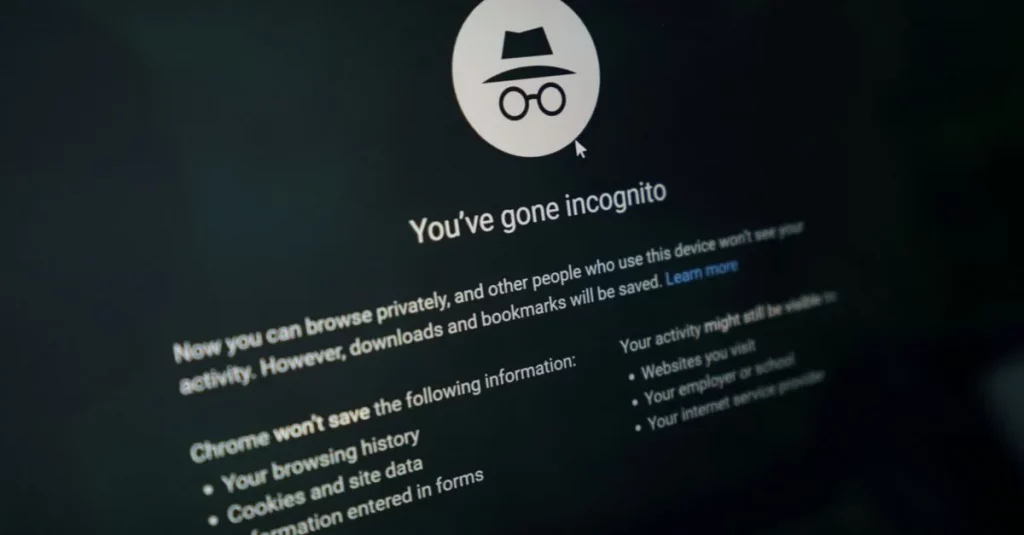
Anonymous browsing means using tools and methods that hide your identity and online activity from trackers, advertisers, and potential scammers. Unlike private browsing mode (such as Chrome’s Incognito or Safari’s Private mode), which only stops your device from saving history or cookies locally, true anonymous browsing goes further by masking your IP address, encrypting traffic, and blocking trackers at the network level.
This matters more than ever in 2025 because the risks of being tracked online go beyond annoying ads:
- Identity Theft – Criminals can piece together personal data from your browsing habits and use it to steal your identity.
- Scams & Phishing – Scammers target individuals whose data is exposed, making their schemes more convincing.
- Data Leaks – Companies and apps you use may suffer breaches, exposing your digital footprint without your knowledge.
By practicing anonymous browsing, you reduce your exposure to these threats and gain more control over who sees your data. To see what information might already be at risk, run a Social Catfish search and check your digital footprint today.
The Best Tools for Anonymous Browsing
No single tool guarantees complete anonymity, but combining several gives you stronger protection. Here are the most effective options in 2025:
- VPNs (Virtual Private Networks)
Pros: Encrypt your internet traffic, hide your IP address, and bypass geo-restrictions.
Cons: Some providers log activity; free VPNs can be risky or slow. - Private Browsers (Brave, Tor, Firefox with Privacy Add-ons)
Pros: Block trackers, auto-erase cookies, and in Tor’s case, route traffic through multiple servers for anonymity.
Cons: Can slow browsing speed; some sites block Tor users. - Anonymous Search Engines (DuckDuckGo, Startpage)
Pros: Don’t track your searches, strip identifying information, and avoid personalized ads.
Cons: Results may feel less “tailored” than Google; limited extra features. - Proxy Servers
Pros: Hide your IP address temporarily, simple setup, and can be useful for quick browsing.
Cons: Often lack encryption; traffic may still be visible to the proxy owner. - Secure Messaging & Privacy Extensions
Pros: End-to-end encrypted apps (like Signal) protect communication, while extensions (like uBlock Origin or Privacy Badger) block ads and trackers.
Cons: Requires setup and updates; not all extensions are trustworthy.
Using a combination of these tools helps reduce your digital footprint and strengthens your defenses against scams, trackers, and data leaks.
Best Privacy Browsers in 2025
Not all browsers are built for privacy. Some balance speed with security, while others focus entirely on anonymity. Here are the best options to consider in 2025:
Brave
Brave comes with built-in ad and tracker blocking, automatic HTTPS upgrades, and even an option to open tabs in Tor for added anonymity. It’s one of the fastest privacy browsers, making it a great choice for everyday browsing. Best for users who want strong privacy with minimal setup.
Tor Browser
Tor offers maximum anonymity by routing your traffic through multiple relays, making it extremely difficult to trace. The tradeoff is slower speeds, and some websites block Tor traffic entirely. Best for high-risk use cases where anonymity is the top priority.
Firefox (with Privacy Extensions)
Firefox is highly customizable, letting you add extensions like uBlock Origin, Privacy Badger, or HTTPS Everywhere for more control. It balances performance with flexibility, but requires some setup. Best for users comfortable tailoring privacy settings to their needs.
DuckDuckGo Privacy Browser (Mobile)
Designed for mobile, the DuckDuckGo Privacy Browser blocks trackers, upgrades connections, and clears history with one tap. It’s lightweight and easy to use, though less feature-rich than desktop options. Best for mobile users who want simple, no-nonsense privacy.
Epic Browser
Epic forces private browsing by default, blocks fingerprinting, and redirects traffic through HTTPS automatically. While some sites may not work properly and extension support is limited, it’s a solid option for those who want minimal tracking without tweaking settings. Best for users who want privacy “out of the box.”
How to Browse Anonymously on Popular Platforms
Even the tools you use every day, from Chrome to Reddit to social media, leave a trail of data. Here’s how to limit what’s collected and what to watch out for.
Google Chrome Privacy Mode
Chrome’s Incognito mode is one of the most widely used privacy features, but it’s not truly anonymous. While it stops your device from saving history, cookies, and form data, your internet service provider (ISP), employer, or the websites you visit can still track your activity. For stronger anonymity, pair Chrome with a VPN or switch to a privacy-focused browser like Brave or Firefox.
Reddit Anonymous Browsing
Reddit allows you to browse in anonymous mode, which hides your activity from your profile and followers. You can also create “throwaway accounts” for added separation. Keep in mind, Reddit still logs activity on its servers, and your ISP can see what you’re accessing. Consider using Tor or a VPN when browsing communities you want to keep private.
Social Media Browsing
Even if you’re using “private mode,” platforms like Facebook, Instagram, and TikTok continue to track behavior for ads and profiling. Every like, follow, and search adds to your digital footprint. Consider privacy-first platforms, limit the personal data you share, and use extensions or tools to block trackers.
Limitations of Anonymous Browsing & Privacy Browsers
While privacy tools can strengthen your online safety, it’s important to know their limits. No single method makes you 100% anonymous.
- Private Browsing ≠ Full Anonymity
Modes like Chrome’s Incognito only hide history on your device. Websites, ISPs, and employers can still see your activity. - VPNs and Proxies Don’t Stop Scams
These tools encrypt traffic and hide your IP, but they won’t protect you from phishing links, fake websites, or online scams. - Browser Fingerprinting Still Tracks You
Even with privacy tools, details like your device type, screen resolution, and browser version can create a “fingerprint” that advertisers and trackers use to identify you. - Layered Privacy Tools Are Essential
The best protection comes from combining tools: a VPN, a privacy browser, strong passwords, and monitoring services like Social Catfish to keep your personal data in check.
Anonymous browsing is a valuable step toward online safety, but it should be part of a larger strategy to protect your identity and digital footprint.
Anonymous Browsing & Scam Prevention
Browsing privately isn’t just about avoiding ads, it’s also a powerful tool for reducing your exposure to scams. Scammers often rely on tracking data, browsing behavior, and personal information leaks to craft highly targeted attacks. The less of your digital footprint they can access, the harder it is for them to manipulate you.
That’s where combining anonymous browsing with identity protection tools becomes key. Social Catfish offers:
- Privacy Lock – Helps monitor your information on the public and dark web. You’ll get instant notifications on changes to your monitored data to take quick action and protect your data.
- Reverse Lookups – Quickly verify if emails, phone numbers, photos, or usernames are tied to fake accounts or scam reports.
- Search Specialist Support – Get expert help if you suspect someone is trying to scam you or if your data may already be compromised.
When anonymous browsing is paired with active monitoring and verification, you can stay ahead of scammers and protect your online identity in 2025.
FAQ Section
What’s the difference between private browsing and anonymous browsing?
Private browsing (like Chrome’s Incognito mode) only hides your history and cookies on your device. Anonymous browsing, on the other hand, hides your identity more broadly by masking your IP, blocking trackers, and encrypting your traffic.
Which browser is best for privacy in 2025?
Brave, Tor, and Firefox are among the top picks. Brave balances speed with built-in tracker blocking, Tor offers maximum anonymity at the cost of speed, and Firefox is highly customizable with privacy extensions.
Do VPNs make me completely anonymous?
No. A VPN encrypts your connection and hides your IP from ISPs and most trackers, but it doesn’t stop phishing attacks, malicious websites, or browser fingerprinting.
Is there a 100% private way to browse the web?
Unfortunately, no method guarantees complete anonymity. But combining tools like a VPN, a privacy browser, secure search engines, and monitoring services gives you the strongest level of protection available.











