Multiple Faces Detected


 June 3rd, 2024
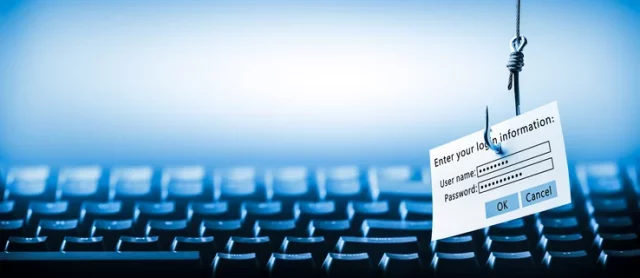
Phishing attacks have become increasingly common in today’s digital age. These attacks involve fraudulent attempts to obtain sensitive information, such as passwords and credit card numbers, by posing as a trustworthy entity. They can occur through various channels, including email, social media, and even text messages. As adults, it is important to be aware of these threats and take necessary precautions to protect ourselves from falling victim to phishing attacks. In this blog post, we will discuss some best practices for avoiding phishing attacks.
Be cautious of suspicious emails
One of the most common ways that phishing attacks occur is through email. Scammers will often send emails that appear to be from a legitimate source, such as a bank or a well-known company, asking for personal information. These emails may contain urgent requests or threats of account closure if the information is not provided. To avoid falling for these scams, it is important to be cautious of any suspicious emails. Some red flags to look out for include:
- Spelling and grammatical errors
- Requests for personal information
- Urgent or threatening language
- Unfamiliar sender or email address
If you receive an email that raises any of these red flags, do not click on any links or provide any personal information. Instead, contact the company directly through their official website or customer service number to verify the legitimacy of the email.
Do not click on unknown links
Phishing attacks can also occur through links in emails, social media messages, or even text messages. These links may lead to fake websites that are designed to look like legitimate ones, tricking users into entering their personal information. To avoid falling for these scams, it is important to never click on links from unknown sources. If you receive a link from someone you do not know, do not click on it. If the link is from someone you do know, but the message seems suspicious, reach out to them directly to confirm if they sent the link.
Verify Websites and Sources
In addition to the strategies already discussed, verifying websites and sources is a critical step in protecting yourself from phishing attacks. Phishers often create websites that look nearly identical to legitimate ones, hoping to trick users into entering their personal information. Before entering any sensitive information on a website, take a moment to verify its legitimacy. Check the URL carefully for slight misspellings or unusual characters that could indicate a fraudulent site. Secure websites typically begin with “https://” and display a padlock icon in the address bar, signifying that the connection is encrypted.
Another effective method to verify a website is to perform a quick search for the company’s contact information and call them directly if in doubt. Many legitimate companies provide contact details on their websites, allowing you to confirm the authenticity of any communications or requests you receive. By ensuring you are interacting with the correct and secure website, you significantly reduce the risk of falling victim to phishing schemes.
Keep your software and devices up to date
Outdated software and devices can leave you vulnerable to phishing attacks. Hackers can exploit vulnerabilities in outdated software to gain access to your personal information. To avoid this, make sure to regularly update your operating system, web browsers, and any other software on your devices. This will ensure that you have the latest security patches and protections against potential threats.
Use strong and unique passwords
Using strong and unique passwords is crucial in protecting yourself from phishing attacks. If a hacker gains access to one of your accounts, they may be able to access other accounts if you use the same password. It is important to use a different password for each account and make sure they are strong and difficult to guess. A strong password should be at least 12 characters long and include a combination of letters, numbers, and special characters.
Enable two-factor authentication
Two-factor authentication adds an extra layer of security to your accounts by requiring a second form of verification, such as a code sent to your phone, in addition to your password. This can help prevent hackers from accessing your accounts even if they have your password. Many websites and apps offer two-factor authentication as an option, so be sure to enable it for added protection.
Be cautious of public Wi-Fi
Public Wi-Fi networks can be a breeding ground for phishing attacks. Hackers can easily intercept information being transmitted over these networks, including login credentials and personal information. It is best to avoid using public Wi-Fi for sensitive activities, such as online banking or shopping. If you must use public Wi-Fi, consider using a virtual private network (VPN) to encrypt your data and protect yourself from potential attacks.
Utilize Anti-Phishing Software
Anti-phishing software is designed to identify and block phishing attempts before they can reach your inbox. Many internet security packages now include anti-phishing tools that can help protect you from these threats. These tools often work by analyzing emails and websites for signs of phishing activity, such as suspicious URLs or known phishing signatures. If a potential threat is detected, the software will either warn you or block access entirely, preventing you from inadvertently compromising your personal information.
Installing and maintaining up-to-date anti-phishing software on your devices adds an extra layer of defense against phishing attacks. It’s also beneficial to use a web browser with built-in phishing protection. Browsers like Google Chrome and Mozilla Firefox have features that alert users when they attempt to visit a suspected phishing site. By leveraging these tools, you can stay one step ahead of cybercriminals and keep your personal information secure.
Educate yourself and others
One of the best ways to protect yourself from phishing attacks is to educate yourself and others about these threats. Stay informed about the latest phishing techniques and share this information with your friends, family, and colleagues. By raising awareness, we can all work together to prevent these attacks and keep our personal information safe.
Conclusion
In today’s digital world, it is important to be vigilant and take necessary precautions to protect ourselves from phishing attacks. By being cautious of suspicious emails, not clicking on unknown links, keeping our software and devices up to date, using strong and unique passwords, enabling two-factor authentication, being cautious of public Wi-Fi, and educating ourselves and others, we can greatly reduce the risk of falling victim to these scams. Remember, when in doubt, always err on the side of caution and never provide personal information unless you are certain of the legitimacy of the request.