Multiple Faces Detected



 July 10th, 2024
Computer viruses and Malware can be scary! They can cause damage by corrupting your files, erasing your documents, and changing your device’s security settings. Some like the WannaCry ransomware can even encrypt your files! And that’s what elicits fear in individuals.
Tech support scam artists use this fear to steal innocent people’s sensitive information, identity, and money. They send warning messages claiming that your device is infected with Malware and needs a cure. Some may request remote access to your computer and use the opportunity to steal from you!
We have made this article to save you from these fraud actors.
The post discusses what tech support scams are, how the scammers identify their targets, how you can spot tech support scammers, and more.
Let’s get started!
How to Tell if You’re Being Scammed
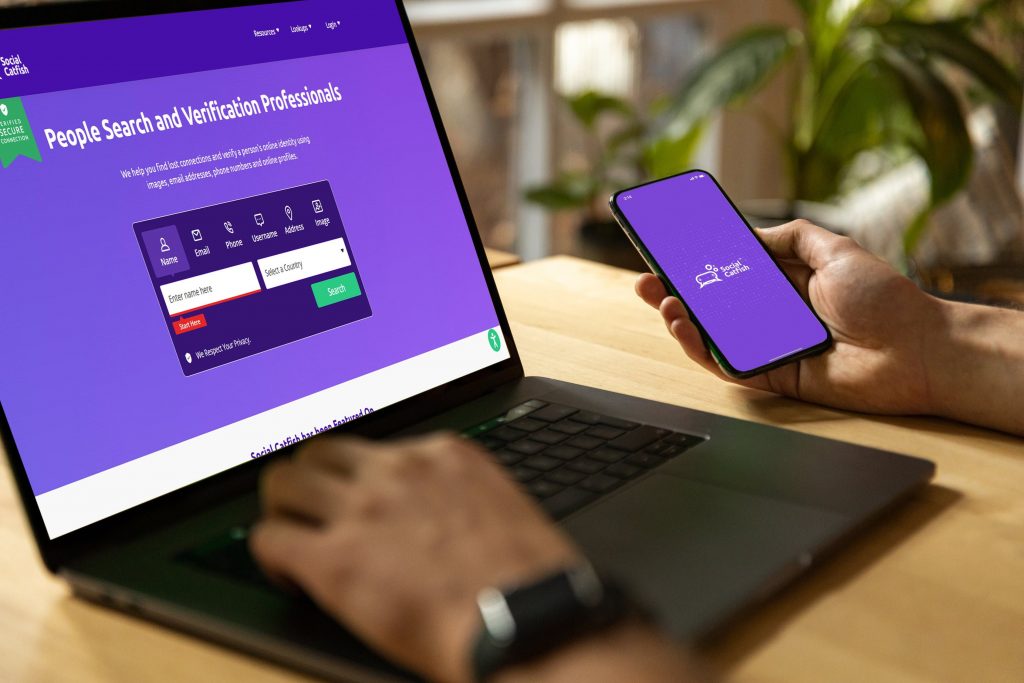
When interacting with someone online, It can be almost impossible to know who’re really dealing with. Social Catfish is here to help. By typing in a piece of information about the person you’re in contact with, you’ll be able to tell exactly who the are. Use the reverse image searh tool bar below to run your first search today!

What are tech support scams?
Tech support scams are fraudulent activities where actors trick people into believing they offer technical support services. They use pop-up texts, emails, and phone calls to fool their victims into paying for fake services or giving remote access.
The fraudsters may even spoof the caller ID so that it appears to be from a legitimate tech support team. Some may also put your browser in full-screen mode and display warning messages of malware infection. They aim to scare you so that you can seek their services.
How do tech support scammers identify their targets?
Although tech support scammers primarily target older people, anyone can become a victim. The scam artists use Google security alert scams, windows defender scams, Microsoft scan alert, etc., to trick you into paying or giving them remote access to your computer.
The threat actors may also pretend to be computer repair firms. They’ll pose as internet service providers, internet security firms, or tech experts such as Apple through Apple phishing scams. The scammers invent fake email addresses or tech support numbers or use spoofing to appear as a legitimate tech support team.
However, whatever method they use to reach you, their main goal is to steal your sensitive information or money. Thankfully, you can spot a tech support scammer and confirm their legitimacy.

Spotting tech support scams
While tech support fraudsters use many different techniques to get their victims, several tactics remain recurring.
Here are six techniques used by tech support scammers:
- Apple phishing
In this scam, the threat actors trick you into giving them your Apple ID and password. Your Apple ID account has all your payment, contact, and security information. Tech support scammers might use such information for malicious purposes, including identity theft.
If you receive an email purporting to be from an Apple technician, don’t share any information with them. Apple advises its users to forward the email to [email protected]. You can also enlist the services of Social Catfish to prove the authenticity of the sender.
NB: And if you’re asking, will apple support call me? Well, Apple will never call you to discuss any issue with your account.
2. Google security alert scam
Google uses the Google Critical Security Alert to warn its users about unauthorized access. Fraudsters take advantage of this feature to scam unwitting individuals. The scammers may use a fake or spoofed email address to ask you to click on a link to check your activity. The link leads you to a malware-infested website.
The email may also tell you that your password has been compromised and needs to be changed. The button on the password reset page leads you to a spoofed website that resembles a legitimate Google login page.
To spot the scam, check for grammatical errors in the email, sender’s email address, or urgency in the message. You may also use the services of a third party to verify the legitimacy of the sender.
3. Windows defender scams
Here, the technical support scammers try to trick Windows users into believing that their computers are infected with Malware. They pose as Windows defender technicians and offer to help you in return for payment. Some will request remote access to your computer and steal your sensitive information.
Again, don’t give remote access to your computer to anyone or pay anyone who has ‘fixed’ your device online. A reverse contact tracing with Social Catfish can also help verify the sender’s identity.
4. Microsoft scam alert
Scammers are also sending scam alerts, stating that your computer has Malware and must be eliminated immediately. They attach a phone number and request you to call for help. Be aware, as this is a scam!
Don’t call the number or share any details if you receive such an alert. Social Catfish can help in verifying the legitimacy of the attached phone number.
5. Windows 10 scams
Scammers also send email attachments claiming to be the Windows 10 upgrade. They may also call you, offering to walk you through the process of upgrading Windows 10.
If you receive an email or a call from an unknown individual claiming to be from Microsoft or any other tech company offering to help with Windows 10 upgrade, don’t do what they say. It’s a scam!
6. Phone calls
Here, the tech support scam actor calls and pretends to be a technician from a known company. They request remote access to your computer and ask for payment after ‘fixing it’. Others use the opportunity to steal your sensitive data.
You’ve been scammed; what’s next?
If you fall victim to tech support scams, you’re not alone. You join a list of thousands of individuals who have become victims of tech support scam artists. The good news is that you can do a few things to minimize or curb the damage.
Here are a few things to do:
- Change passwords
- Report the scam to the relevant authorities
- Run additional anti-virus software
- Get a reverse image/contact tracing
These measures will help reduce the impact of the fraud!
The bottom line
Tech support scams are real and are growing in number! In fact, research shows that tech support scams inflicted almost $150 million in losses in 2020. Luckily, you can detect and avoid falling victim to tech support scams. Specifically, knowing the different tech support scams can save you money, protect your sensitive information, and save your dignity.
If you receive a call or an email purporting to be from the tech support firm, don’t share any information or make any payments. Instead, contact Social Catfish to verify the authenticity of the sender or caller.
Protect Your Privacy with Social Catfish Privacy Lock
In the digital age, safeguarding your personal information is more important than ever. Tech support scams are just one of the many threats that can compromise your privacy and security online. To ensure your information remains secure, consider using Social Catfish Privacy Lock. This powerful tool helps you manage your digital footprint, prevent identity theft, and avoid falling victim to online scams.
Features of Social Catfish Privacy Lock:
- Identity Protection: Keep your personal information secure and out of the hands of scammers.
- Data Monitoring: Receive alerts if your data is found in suspicious locations or used without your consent.
- Comprehensive Security: Enjoy peace of mind with advanced security measures designed to protect your online presence.
- User-Friendly Interface: Easily navigate and manage your privacy settings with an intuitive, user-friendly interface.
By using Social Catfish Privacy Lock, you can take control of your online security and protect yourself from tech support scams and other online threats. Visit Social Catfish Privacy Lock to learn more and start securing your digital life today.