Multiple Faces Detected


 March 10th, 2026
That profile photo looks a little too perfect. The account is new, the photos are suspiciously polished, and something about the story doesn’t add up. Whether you’re verifying someone you met online, tracking down a stolen photo, or trying to confirm an identity before you trust someone with personal information, a reverse image search on Instagram is where you start.
Social Catfish’s reverse image search is the fastest way to find out if an Instagram profile is real. Upload any photo and instantly check whether it’s been used across other platforms, linked to a different name, or flagged in known scam reports.
This guide covers every method for running a reverse image search from Instagram, how to find someone using only a photo, and what to do when standard reverse search tools come up short.
What Is an Instagram Reverse Image Search?

A reverse image search works the opposite way from a regular search. Instead of typing words into a search engine, you upload or paste a photo, and the search engine finds everywhere that image appears online.
For Instagram specifically, a reverse image search can tell you:
- Whether a profile photo has been stolen from someone else’s account
- Whether the same person appears under different names across platforms
- Whether an image has been used in scam accounts or fake profiles
- Where else an image has been posted online and who originally shared it
It’s the most reliable method available for spotting a catfish on Instagram, and it works whether or not you have an Instagram account yourself.
How to Reverse Image Search from Instagram: 3 Methods That Actually Work
Method 1: Google Reverse Image Search
Google Images is the most accessible starting point for a reverse search of Instagram images. It indexes billions of photos across the web and can surface matches you’d never find manually.
How to do it:
- Open the Instagram profile and find the photo you want to search
- On mobile, press and hold the image until the option to save or copy it appears save it to your camera roll
- On desktop, right-click the image and select “Save image as” or take a screenshot
- Go to images.google.com on your browser
- Click the camera icon in the search bar
- Upload the saved image or drag and drop it into the search field
- Google will return every page where that image appears or similar images exist
What Google can tell you: Where the photo has been published, whether it appears on stock photo sites or other social profiles, and whether the image is commonly associated with a different name or identity.
What Google misses: It only surfaces photos indexed by its crawler. Private Instagram posts, recently uploaded images, and photos that haven’t been widely shared may not appear in results. It also won’t cross-reference social media profiles directly or check public records.
Method 2: Social Catfish — Instagram Catfish Checker
When Google returns no results or limited matches, Social Catfish’s reverse image search goes significantly deeper. It functions as a dedicated Instagram catfish checker built specifically to identify fake profiles, stolen photos, and mismatched identities across social platforms.
How to run a reverse image search using Social Catfish:
- Save or screenshot the Instagram profile photo you want to search
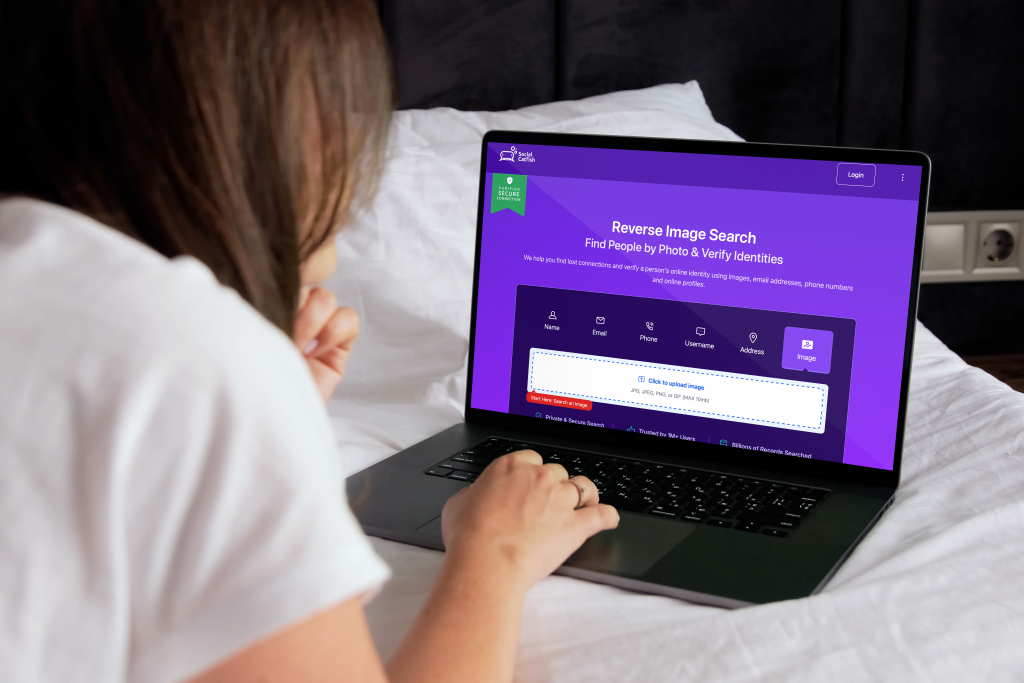
- Go to Social Catfish and select the Image search option
- Upload the photo directly into the search bar
- Social Catfish scans over 1 billion images across social media platforms, public databases, and websites simultaneously
- Results include matching profiles, associated names, linked accounts, and any public records connected to the image
Why it goes further than Google: Social Catfish cross-references image matches against social media accounts, criminal history databases, and public records, not just web pages. So instead of just finding where a photo appears, you get a complete picture of who it’s connected to. This is particularly effective for identifying whether someone is running multiple Instagram accounts under different names or using a photo stolen from a real person.
Method 3: TinEye
TinEye is a dedicated reverse image search engine that tracks the origin and history of photos across the web. It’s a useful complement to Google when you want to know when an image was first published and where it originally came from.
How to use it:
- Go to tineye.com
- Upload the image or paste a direct URL to the Instagram photo
- TinEye returns a list of all known instances of that image, sorted by date
Best use case: Confirming whether a profile photo was uploaded elsewhere before the Instagram account was created is a strong indicator that the photo was taken from another source.
Reverse Search Instagram Images: What to Do When Photo Search Fails
Not every reverse image Instagram search returns a clear match. When standard methods come up empty, these alternative approaches can surface information that image searches miss.
Search by hashtags and captions
If you can see any posts from the account, look at the hashtags and caption style. Niche hashtags can reveal the communities the person belongs to. Specific phrases or writing patterns may appear in other posts or profiles across platforms. Search those hashtags on Instagram and other platforms to find connected accounts.
Check mutual followers and tagged content
If you have any mutual followers with the account in question, browse their follower and following lists. People tend to follow the same circles across accounts. Tagged posts are also searchable if the person has been tagged by others; those tags link directly to their profile, regardless of their display name.
Use image metadata (EXIF data)
Some images retain embedded metadata that includes location, device information, and time stamps. Use a free EXIF viewer tool online, upload the image, and check whether any location or device data is still attached. Note that most social media platforms strip EXIF data on upload, but original files shared directly may still contain it.
Cross-search on other platforms
Most people who maintain a fake Instagram also have a presence on Facebook, TikTok, or Twitter using the same or similar profile photos. Run the same reverse image search on those platforms and search by any name variations you’ve encountered. Social Catfish’s cross-platform search does this automatically, checking Facebook, Twitter, LinkedIn, TikTok, and dozens of other platforms in a single search.
How to Find Someone on Instagram Without an Account Using a Photo
You don’t need an Instagram account to run a reverse image search. Google Images, TinEye, and Social Catfish all work without any Instagram login.
If you have a photo of someone and want to find their Instagram profile without an account:
- Run the photo through Google Images first. Public Instagram profiles are indexed by Google, so a matching photo may surface the profile URL directly
- If Google returns no match, upload the image to Social Catfish’s image search, which searches social platforms directly without requiring you to log in to any of them
- If you find a profile URL through Google, you can view the basic public profile at instagram.com/username in any browser without logging in
How to Tell if Someone is an Instagram Catfish
A reverse image search is the fastest method, but the result alone doesn’t always give you a definitive answer. Here’s how to interpret what you find.
The photo appears on a stock site or unrelated profile — The image was almost certainly stolen. The person behind the account is not who they claim to be.
The photo appears under a different name — The image belongs to a real person, but it’s being used by someone else on this account. Cross-reference the original name with the Instagram account details.
No results come back — This doesn’t mean the account is real. A genuinely original photo won’t show up in reverse search results. Look at the overall account instead: creation date, follower-to-following ratio, posting frequency, and whether comments feel genuine.
The photo appears on multiple accounts — Someone running multiple fake accounts using the same image. Use Social Catfish to identify all accounts associated with that photo.
The account claims to be a public figure but isn’t verified — Search the public figure’s name directly. Most celebrities and influencers have a blue verification checkmark. An unverified account using a public figure’s photos is almost always impersonation.
FAQ
Not natively, Instagram doesn’t have a built-in reverse image search feature. You need to save the photo and run it through an external tool like Google Images, TinEye, or Social Catfish.
Save or screenshot the photo from Instagram. Then open your browser and go to images.google.com, tap the camera icon, and upload the saved image. Alternatively, open Social Catfish and use the image search option, which works on all mobile browsers without requiring an app download.
Google Images and TinEye are free. Social Catfish offers a free trial search that confirms whether matches exist, with full results available through a subscription. For a quick check on a single photo, Google is a good free starting point. For a full identity verification, Social Catfish is more thorough.
It means the photo hasn’t been widely shared or indexed online. This doesn’t confirm the account is real; it just means the specific photo hasn’t appeared elsewhere. Evaluate the account on other signals: account age, follower patterns, content consistency, and communication behaviour.
No. Reverse image searches run through external tools and Social Catfish are entirely private. The account owner receives no notification.
Yes, using Social Catfish’s facial recognition search. Upload any clear photo of the person’s face, and Social Catfish searches across social media platforms for matching images. This works even if the person uses different photos on different platforms.
Accuracy depends on how widely the photo has been used and indexed. For stolen stock photos or images taken from popular public accounts, match rates are high. For original photos used exclusively in a fake profile, reverse image search may return nothing, but Social Catfish can still cross-reference other identity signals like names, locations, and email addresses.
Conclusion
A reverse image search is one of the most reliable tools available for verifying an Instagram identity, but the method you use determines how much you actually find out. Google Images works for widely shared photos. TinEye tracks the origin and history of an image. Social Catfish goes deeper than both, cross-referencing photos against social media accounts, public records, and identity databases simultaneously.
If something about an Instagram profile feels off, trust that instinct. A single photo search takes less than a minute and can tell you everything you need to know before you trust someone with your time, your feelings, or your personal information. [Run a free reverse image search on Social Catfish here.]