Multiple Faces Detected


 July 24th, 2023
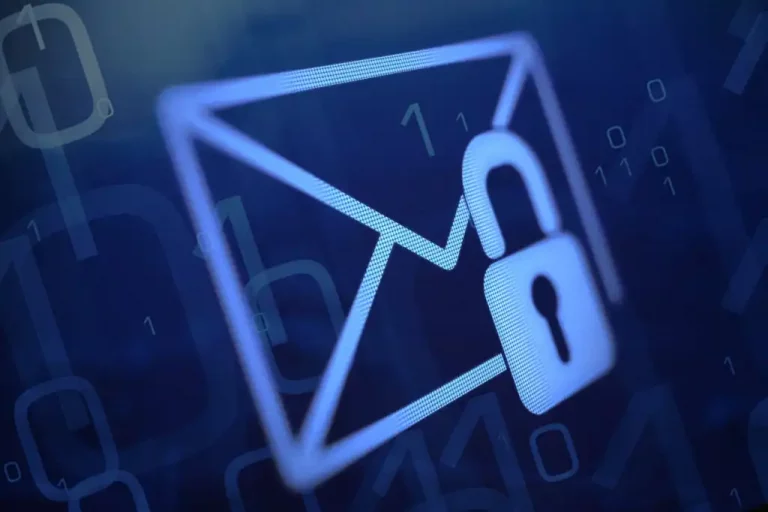
Email has become an integral part of our personal and professional lives. However, with the convenience of email communication comes the risk of cyber threats and breaches of sensitive information. Protecting your email accounts from unauthorized access, phishing attempts, and malware is paramount. In this blog post, we will explore the importance of email security and provide you with essential best practices to safeguard your email accounts. By implementing these strategies, you can enhance the security of your emails and ensure the confidentiality, integrity, and authenticity of your communications. Let’s dive into the world of email security and discover how to keep your accounts protected.
Understanding Email Security
Email has become a fundamental tool for communication, both in personal and professional contexts. However, it is crucial to understand the importance of email security to protect sensitive information, maintain privacy, and prevent unauthorized access. By comprehending the key aspects of email security, you can take proactive measures to safeguard your email accounts.
Email security focuses on ensuring the confidentiality and privacy of your messages. Encryption plays a vital role in securing the content of your emails, preventing unauthorized individuals from intercepting or reading them. By using encryption methods such as Transport Layer Security (TLS) or end-to-end encryption, you can establish a secure communication channel.
Authenticating email senders and verifying the integrity of received emails are essential to prevent phishing attacks and email spoofing. Techniques like Sender Policy Framework (SPF), DomainKeys Identified Mail (DKIM), and Domain-based Message Authentication, Reporting, and Conformance (DMARC) help verify the authenticity of email senders and reduce the chances of receiving spoofed or malicious emails.
Understanding phishing techniques and social engineering tactics is crucial to email security. Phishing emails aim to deceive users into sharing sensitive information or clicking on malicious links. By being vigilant, verifying email sources, and avoiding suspicious requests or attachments, you can protect yourself from falling victim to such attacks.
Email attachments can be a vector for malware and viruses. It is important to exercise caution when opening attachments, especially from unknown or untrusted sources. Using reliable antivirus software, scanning attachments before opening them, and keeping your operating system and security software up to date are essential practices for preventing malware infections.
The security of your email account depends heavily on the strength and confidentiality of your password. It is recommended to use a unique, complex password that includes a combination of uppercase and lowercase letters, numbers, and special characters. Regularly changing your password and avoiding password reuse across different accounts further enhances your email security.
In professional settings, organizations should prioritize email security by providing employee awareness and training programs. Educating employees about email security risks, best practices for recognizing and reporting suspicious emails, and implementing internal policies and procedures helps foster a security-conscious culture and reduces the likelihood of successful email-based attacks.
Securing Your Email Accounts
Ensuring the security of your email accounts is vital to protect your personal and sensitive information from unauthorized access. By implementing robust security measures, you can minimize the risk of email breaches and maintain the confidentiality of your communications. Here are six essential steps to help you secure your email accounts:
- Strong and Unique Passwords: Create strong and unique passwords for each of your email accounts. Avoid using common phrases, personal information, or easily guessable combinations. Include a mix of uppercase and lowercase letters, numbers, and special characters. Regularly update your passwords and avoid reusing them across different accounts to prevent unauthorized access.
- Enable Two-Factor Authentication (2FA): Enable 2FA, also known as multi-factor authentication (MFA), for your email accounts. This adds an extra layer of security by requiring a second form of verification, such as a unique code sent to your mobile device, in addition to your password. It significantly enhances the security of your accounts and prevents unauthorized access even if your password is compromised.
- Be Wary of Phishing Attempts: Stay vigilant and be cautious of phishing attempts aimed at tricking you into revealing your account credentials. Be skeptical of emails asking for personal information or containing suspicious links. Verify the authenticity of emails by checking the sender’s email address and examining any URLs before clicking on them. Report suspicious emails to your email provider.
- Regularly Update Software: Keep your email client, operating system, and antivirus software up to date. Updates often include important security patches that address vulnerabilities and protect against emerging threats. Enable automatic updates whenever possible to ensure you have the latest security enhancements.
- Avoid Public Wi-Fi for Sensitive Emails: Be cautious when accessing your email accounts on public Wi-Fi networks. Public networks can be vulnerable to hackers who may attempt to intercept your communications. If you must access your email on a public network, consider using a virtual private network (VPN) for an added layer of encryption and security.
- Regularly Monitor Account Activity: Regularly review your email account activity and monitor for any suspicious or unauthorized access. Check for any unfamiliar emails, changes in settings, or unexpected sent messages. If you notice any unusual activity, immediately change your password, enable additional security measures, and report the incident to your email provider.
Preventing Phishing Attacks
Phishing attacks continue to be a prevalent threat in the digital landscape, targeting individuals’ sensitive information through deceptive tactics. Protecting yourself from phishing attacks requires awareness and proactive measures. Here are six essential strategies to help prevent falling victim to phishing attacks:
- Develop a cautious mindset when it comes to emails, messages, or pop-ups requesting personal information. Phishing attempts often mimic legitimate organizations, but there are usually telltale signs of deception. Look for spelling errors, generic greetings, urgent requests, and suspicious email addresses. When in doubt, verify the legitimacy of the communication through official channels.
- Exercise caution before clicking on links in emails or messages, especially those received from unknown or untrusted sources. Hover your mouse over the link to reveal the actual URL, and carefully examine it for inconsistencies or misspellings. If the link looks suspicious, avoid clicking on it. Instead, manually enter the website address in a new browser tab.
- Regularly update your operating system, web browser, and antivirus software. Software updates often include security patches that address vulnerabilities exploited by phishing attacks. Enabling automatic updates ensures that you have the latest protection against emerging threats.
- Enable spam filters provided by your email service provider or install a reputable spam filtering software. These filters help detect and block malicious or suspicious emails before they reach your inbox. Although they are not foolproof, they add an extra layer of defense against phishing attempts.
- Stay informed about the latest phishing techniques and educate yourself on how to recognize and avoid them. Share this knowledge with friends, family, and colleagues to create a collective defense against phishing attacks. Awareness is a powerful tool in preventing successful phishing attempts.
- In the event that you do fall victim to a phishing attack, having regular data backups can be a lifesaver. Backing up your important files and documents ensures that you have a secure copy of your data even if your system becomes compromised. This mitigates the impact of phishing attacks and allows for a quicker recovery.
Encryption and Email Privacy
Encryption is the process of converting your email messages into a secure and unreadable format. It involves encoding the content using complex algorithms, making it accessible only to authorized recipients who possess the decryption key. This ensures that even if an attacker intercepts the email, they cannot decipher its contents.
End-to-End Encryption
End-to-end encryption is a robust encryption method that ensures only the sender and intended recipient can access the message. With end-to-end encryption, the email is encrypted on the sender’s device and remains encrypted until it reaches the recipient, making it virtually impossible for anyone else to intercept or view the message.
Secure Email Protocols
Implementing secure email protocols such as Transport Layer Security (TLS) adds an additional layer of protection to your email communications. TLS encrypts the connection between mail servers, preventing unauthorized parties from intercepting or tampering with the emails while in transit.
Encrypted Email Providers
Consider using email service providers that prioritize user privacy and offer built-in encryption features. These providers offer end-to-end encryption or provide options for secure email protocols, giving you greater control over the privacy of your messages. Research and choose a provider that aligns with your security requirements.
Public Key Infrastructure (PKI)
Public Key Infrastructure is a framework that enables secure communication through the use of public and private key pairs. When someone sends you an encrypted email, they use your public key to encrypt the message. Only you, with your private key, can decrypt and read the email. PKI enhances the security and privacy of your email communications.
Importance of Email Privacy
Email privacy is crucial for protecting sensitive information, personal conversations, and confidential data. It helps prevent unauthorized access, surveillance, and the potential misuse of your personal or professional information. By ensuring email privacy through encryption, you maintain control over your digital communications.