Multiple Faces Detected



 January 21st, 2026
Ever wondered who’s behind that perfect profile picture on a dating app? Or maybe you’ve seen an image online and wanted to know where it came from? A backwards image search can give you those answers in seconds.
This powerful tool allows you to upload any photo and discover where else it appears online. And trust me, the results might surprise you.
What Is Backwards Image Search?
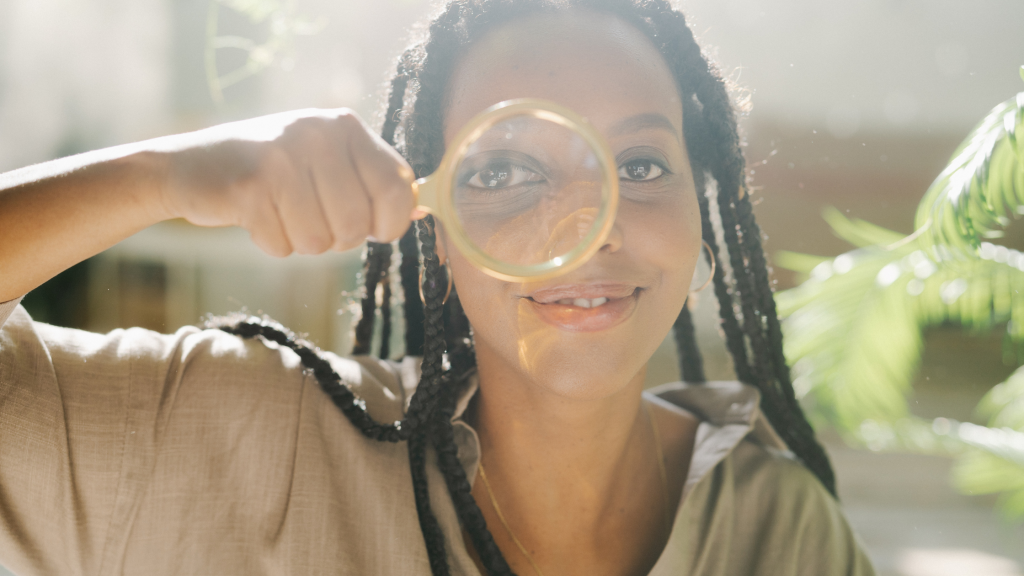
A backwards image search (also called reverse image search) flips traditional searching on its head. Instead of typing words to find images, you use an image to find information.
Here’s how it works: You upload a photo, and the search engine scans billions of images across the web to find matches. The technology behind this utilizes a technique known as Content-Based Image Retrieval (CBIR), which analyzes visual elements such as shapes, colors, and pixel arrangements to identify similar or identical images.
Modern backwards image search tools use artificial intelligence and machine learning to get incredibly accurate results. They can even spot images that have been cropped, filtered, or slightly edited.
How Backwards Image Search Actually Works
The process happens in four main steps:
1. Image Upload
You drag and drop your image or paste a URL into the search tool.
2. Feature Analysis
The AI examines your image, looking at colors, shapes, textures, and patterns. It’s like giving the image a digital fingerprint.
3. Database Matching
The system compares your image’s “fingerprint” against billions of other images online, including social media posts, websites, and image databases.
4. Results Display
Within seconds, you receive a list of matches, showing where the image appears online, similar images, and often the original source.
The technology has gotten so advanced that it can find matches even when images have been heavily edited or manipulated.
Why You Should Use Backwards Image Search
Catch Catfish and Romance Scammers
This is probably the most important reason to be aware of backward image search. Romance scams cost Americans $547 million in 2021 alone, and catfishers often use stolen photos of attractive people to fool their victims.
If someone you met online seems too good to be true, run their photos through a backwards image search. You might discover their “selfies” are actually stock photos or stolen from someone else’s social media account.
Verify Image Authenticity
In our age of deepfakes and AI-generated images, it’s harder than ever to know what’s real. A backwards image search can help you identify fake or manipulated photos by showing you the image’s history online.
Find Higher Quality Versions
Found a great image, but need a higher resolution? Backwards image search can locate the same photo in different sizes and qualities across the web.
Protect Your Own Images
If you’re a photographer, artist, or content creator, you can use backwards image search to monitor where your images appear online and catch unauthorized use.
Identify Unknown Objects or Places
Seen something interesting but don’t know what it is? Upload the photo and let the search engine help you identify plants, landmarks, products, or anything else in the image.
Best Tools for Backwards Image Search
Google Images
The most popular free option. Just go to images.google.com, click the camera icon, and upload your image. Google’s massive database makes it great for general searches.
Social Catfish
Specifically designed for catching catfish and verifying online identities. Their reverse image search is particularly effective at identifying dating profiles and social media accounts that use the same photos.
TinEye
One of the first reverse image search engines, TinEye excels at finding exact matches and can even detect edited versions of images.
Bing Visual Search
Microsoft’s offering provides solid results and sometimes finds images that Google misses.
Specialized Tools
For more advanced searches, tools like facial recognition search engines can help you find specific people across multiple platforms.
Red Flags That Backwards Image Search Can Reveal
When you run a backwards image search on someone’s photos, watch out for these warning signs:
Multiple Profiles Using the Same Image
If the same photo appears under different names on various dating sites or social media platforms, you’re likely dealing with a fake profile.
Professional-Looking Photos with No Source
Images that resemble professional headshots or model photos but lack a clear source may have been stolen from stock photo sites.
Images Appearing on Scammer Databases
Some photos are so commonly used by scammers that they appear on databases of known scammer photos.
Reverse Image Search Results Show Different People
If your search reveals the same image associated with completely different identities, that’s a major red flag.
How to Protect Yourself Online
Always Verify Before You Trust
Before getting emotionally invested in someone you met online, run their photos through a backwards image search. It takes two minutes and could save you from heartbreak or financial loss.
Look for Consistency
Real people have multiple photos from different angles, settings, and time periods. Fake profiles often rely on just a few professional-looking shots.
Ask for Real-Time Photos
If someone refuses to send you a current selfie or won’t video chat, that’s suspicious. Scammers can’t produce new photos of themselves because they’re using someone else’s identity.
Trust Your Instincts
If something feels off about someone’s photos or story, investigate. The Federal Trade Commission reports that romance scams are at record highs, so your caution is justified.
Advanced Backwards Image Search Techniques
Search Multiple Engines
Different search engines have different databases. Try your image on Google, Bing, and TinEye for the most comprehensive results.
Crop and Edit
If you don’t get results with the full image, try cropping it to focus on faces or specific objects. Sometimes this reveals matches that the full image missed.
Use Specific Search Categories
Some tools allow you to search specifically for faces, places, or objects, providing more targeted results.
Check Social Media Directly
You can also upload images directly to Facebook or Instagram’s search functions to see if they appear on those platforms.
The Future of Image Verification
As AI technology advances, backwards image search is becoming even more powerful. New tools can detect deepfakes, identify AI-generated images, and even track how images have been manipulated over time.
This technology is crucial as online deception becomes more sophisticated. The same AI that facilitates the creation of fake images also facilitates their detection.
Taking Action on Your Results
Finding suspicious results doesn’t automatically mean someone is a scammer, but it should make you more cautious. Here’s what to do:
If You Find Multiple Profiles
Ask the person directly about it. There might be an innocent explanation, but their response will tell you a lot.
If Images Appear on Scammer Lists
This is a major red flag. Consider ending contact and reporting the profile to the platform where you met them.
If You Can’t Find Any Results
This doesn’t guarantee the person is real, but it’s a good sign. Some scammers use private photos or images from less-indexed parts of the web.
Your Digital Detective Tool
Backwards image search isn’t just about catching catfish, though that’s certainly important. It’s about taking control of your online safety and making informed decisions about who you trust.
In a world where anyone can be anyone online, this tool empowers you to verify what you’re seeing. Whether you’re dating online, shopping, or simply curious about an image, a reverse image search helps you separate fact from fiction.
The next time you see a photo that makes you wonder, don’t just wonder – search. Your future self might thank you for taking those extra two minutes to verify what you’re looking at.
Remember: in the digital age, a healthy dose of skepticism isn’t paranoia – it’s a smart approach. With backward image search in your toolkit, you’re equipped to navigate the online world more safely and confidently.