Multiple Faces Detected


 February 14th, 2024
A reverse image search is one of the most powerful tools on the internet. lt allows you to find anything or anyone online using just a photo. In this article, we’ll share with you this little-known tool that will help you find whatever you’re looking for online.
But Not All Image Searches Are Created Equal
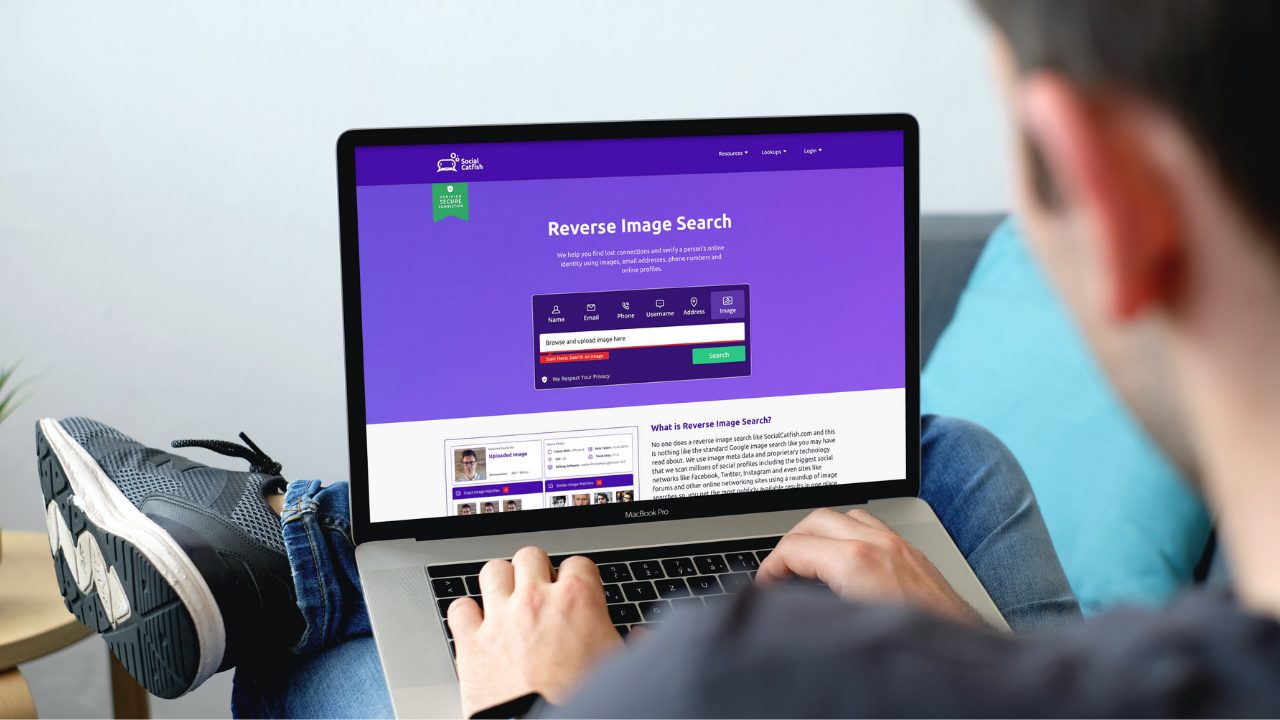
Social Catfish is one of the most advanced image search tools publicly available on the internet. WIth socialcatfish.com, running a reverse image search is easy. Simply click the image tab and upload the image you want to find into the search bar below.

What is a Reverse Image Search Used For?
A reverse image search can be used in many different ways. Because a reverse image search finds similar images, many people use them to find items like clothes, electronics, and people. Different search engines are better at returning results than others. Social Catfish is one of the most advanced facial recognition search engines on the internet. making finding people fast and easy. In fact, you can people on Instagram, Twitter, Facebook, dating apps and Tinder with just a photo.
Can You Reverse Image Search a Screenshot?
You can perform a reverse image search on a screenshot just as you would with any other image.
There are several search engines that allow you to perform a reverse image search, including Google Images, Bing Images, and TinEye. To perform a reverse image search using Google Images, follow these steps:
- Go to Google Images on your web browser.
- Click on the camera icon in the search bar.
- Select “Upload an image.”
- Choose the screenshot file you want to search, and then click “Open.”
- Google will search for similar images and provide you with the results.
It is worth noting that the effectiveness of the reverse image search may depend on the quality and resolution of the screenshot, as well as the prevalence of the image online. For more things you should know about reverse image search, click here.
How to Run a Reverse Image Search Instagram
Reverse image search/Instagram: Instagram is a prime place to search since it is a media giant that mainly uses images to foster connections; people freely comment on them. And profile photos, or past pics, are available in your target account is private. With Social Catfish, where you freely edit information on your account and use photos you have already scanned or uploaded. (Crop out extraneous info from other sites) Be careful: Instagram reverse-image search can get tricky if you’re seeking a suspected scammer or a fellow Catfish.
Since they can also freely edit their information, their online photos/Instagram may be suspect. Here, use photos they gave you if you have them; and review both similar and exact matches. Social Catfish displays all of the information in a way that is easy to understand, with clickable links to take you exactly where you need to go.
Another trick to track the potential scammer, fellow catfish, or even cheating spouse is to locate followers. They might have public social media accounts that have images of the person you are seeking. This is especially helpful if their Instagram account is private, or fake (called Finsta—fake Instagram account).
With Facebook searches, the process is similar: start with Social Catfish, use photos that are scanned or uploaded (cropping out unneeded info), and run the image search. (Some past photos are not privacy-protected, and so can be accessed more easily.)

How to Read Results Form A Reverse Image Search
Review all matches—because a person can have several Facebook accounts, and there could be a fake or stolen one in there! To this end, verify the listed account belongs to the person you’re seeking—for example, if the photos match, but there are different name (s), you will need to check further. As with Instagram reverse search, checking Google can yield a matching URL that helps track.
A sign that your person of interest could be a Catfish scammer is that the photos may have been seen before across sites; this signals that they aren’t original, but stolen.
Even if these pictures don’t match any you’ve seen, they still could be stolen—and if you still have your suspicions, use the reverse email, name, or phone number search to gain more information. In this way, you have another tool to verify whether the info you have and the person’s identity, are true—or not.
Twitter reverse-image searches are also facilitated by Social Catfish, and can be a tool to help with Instagram and Facebook; since many people use different social media accounts. With Twitter reverse-image searches, the photo or image is tracked across different websites, plus links and a description; and, like Social Catfish, related images can be found. #twitterreverseimagesearches.
Reverse Image Search Dating Apps
By now, you may be asking: can I do reverse image searches on dating apps? I’m looking for romance, and I found this really nice guy—but is he really good for me, or just a good actor? The answer is yes, you can do Reverse Image searches on dating apps like Tinder and Bumble.
#reverseimagesearchdatingsites. But ‘Reverse Image Search’ on dating sites generally can’t be done on the app itself. Social Catfish is your friend here, too—just screen-shot photos, crop out any unneeded info, and upload them; then let the catfish swim across the sites. For verifying info, you can do reverse phone number, name, or email searches from another app; and even adjust what you’re looking for (ie, location, gender preference, age, and usernames). Then see if the details match. You can even adjust your GPS setting if you know where a potential mate lives, and thus narrow your search! The ‘Reverse-image search dating sites’ plan can also have a positive use: seek potential mates. Adjust your browser for details and preferences, then go for it!
Twitter reverse-image searches. ‘Reverse-image search’ dating sites. Reverse-image search Instagram. All are pieces of the puzzle that come together to create the picture you need. Pictures are truly worth a thousand words— that one grainy image could save Mom or Dad thousands, or lead to your wedding! Best of luck!