
 Multiple Faces Detected


 June 26th, 2024
Are you tired of seeing the same old memes and viral photos on your social media feeds? Do you ever come across a picture and wonder where it came from or who the original creator is? Well, my friends, it’s time to learn about the magic of reverse image searches.
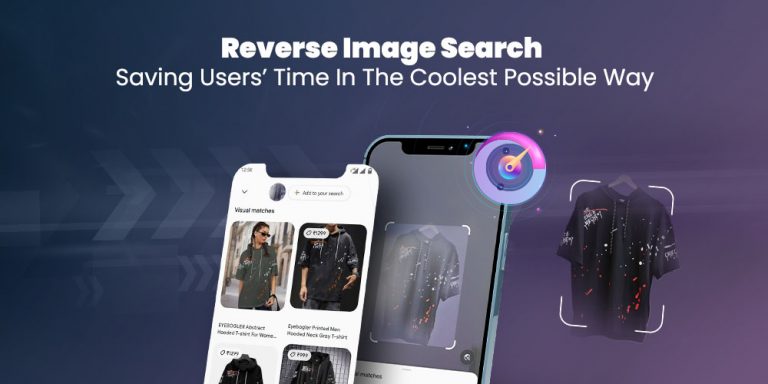
Reverse image searches are a handy tool that allows you to find the original source of an image or similar images on the internet. It’s like playing detective, but instead of solving crimes, you’re solving the mystery of where that cute cat picture came from.
Step 1: Choose Your Search Engine
The first step in performing a reverse image search is choosing which search engine to use. There are several options out there, but the most popular ones are Google Images, TinEye, and Bing Images. For the purpose of this tutorial, we will be using Google Images.
Step 2: Upload or Paste the Image URL
Once you have chosen your search engine, it’s time to upload the image or paste the image URL. To upload an image, simply click on the camera icon in the search bar and select the image from your computer. If you have the image URL, you can paste it directly into the search bar.
Pro tip: If you’re using Google Chrome, you can right-click on an image and select “Search Google for image” to skip the first step.
Step 3: Analyze the Results
After you have uploaded the image or pasted the URL, the search engine will provide you with a list of results. These results will include websites that have the same image or similar images. Take some time to browse through the results and see if you can find the original source of the image.
But be warned, sometimes the results can be a bit…unexpected. You may come across some strange and hilarious images that have nothing to do with your original search. Don’t worry, it happens to the best of us.
Step 4: Refine Your Search
If you’re not satisfied with the results, you can refine your search by using keywords. Simply add a keyword or phrase related to the image in the search bar and hit enter. This will narrow down the results and hopefully lead you to the source you’re looking for.
For example, if you’re searching for the source of a funny cat picture, you can add keywords like “cat”, “funny”, or “meme” to your search.
Step 5: Try Different Search Engines
If you’re still having trouble finding the original source, don’t give up just yet. Try using a different search engine, as each one may have different results. You never know, you may strike gold on the second or third try.
Step 6: Have Fun with It
Reverse image searches can be a fun and entertaining way to spend your time. You never know what kind of weird and wonderful images you may come across. So don’t be afraid to experiment and see where your searches take you.
And there you have it, folks. You are now equipped with the knowledge and skills to perform reverse image searches like a pro. So go forth and impress your friends with your newfound detective abilities. Happy searching!
Step 7: Verify the Authenticity of the Image
Once you find the source of the image, it’s crucial to verify its authenticity, especially if you’re planning to use it for any professional or academic purposes. Check the context in which the image is used on various websites. Look for credible sources or websites that provide detailed information about the image. Cross-reference this information with other sources to ensure that the image is not misrepresented or taken out of context.
Step 8: Use Advanced Search Filters
Most search engines offer advanced search filters that can help you refine your results further. For example, Google Images allows you to filter results by size, color, usage rights, type, and time. These filters can help you find images that meet specific criteria or are more likely to be the original source. To access these filters, click on “Tools” below the search bar after performing your initial search.
Step 9: Explore Reverse Image Search Apps
In addition to web-based tools, several mobile apps specialize in reverse image searches. Apps like “Reversee” for iOS or “Search By Image” for Android can make the process even more convenient, especially when you’re on the go. These apps often integrate with your phone’s camera and photo gallery, allowing you to perform searches directly from your device.
Step 10: Respect Privacy and Copyright
When using reverse image search, always be mindful of privacy and copyright issues. If you find an image that is personal or private, respect the individual’s privacy and avoid using or sharing the image without permission. Similarly, if you find an image you want to use, make sure it is either in the public domain, covered by a Creative Commons license, or you have obtained permission from the copyright holder. Using images responsibly ensures that you respect the rights of the original creators and maintain ethical standards in your work.
Disclaimer: Use with Caution
While reverse image searches can be a fun and useful tool, it’s important to use it responsibly. Make sure to respect the copyright of the original image and give credit where credit is due. And please, for the love of all things holy, do not use it to catfish people. That’s just not cool.
Now go forth and search, my friends. The internet is your oyster.