

 Multiple Faces Detected


 February 7th, 2023
Phishing is one of the most common forms of cyber attacks that aim to steal sensitive information, such as passwords and financial data, by posing as a trustworthy entity. With the increasing sophistication of phishing techniques, it’s becoming more challenging for individuals to detect and avoid these attacks. In this blog post, we will provide a comprehensive guide on Phishing 101, including what phishing is, how it works, and practical tips on how to recognize and avoid phishing attacks. By understanding the nature of phishing and taking proactive measures, you can protect yourself and your information from these malicious attacks.
What is Phishing: A Definition and Overview
Phishing is a form of cyber attack that aims to steal sensitive information, such as passwords, credit card numbers, and financial data, by posing as a trustworthy entity. It is a malicious attempt to trick individuals into divulging confidential information through various means, such as email, text message, or phone call.
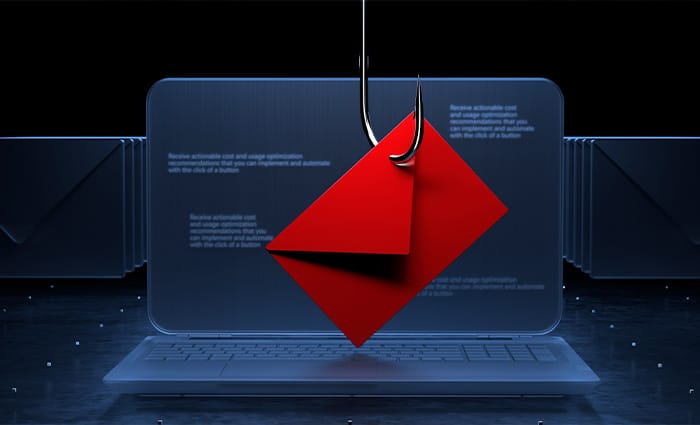
The term “phishing” comes from the analogy of fishing, where the attacker casts a wide net in hopes of catching unsuspecting victims. In the case of phishing attacks, the attacker sends out mass emails or messages in the hope of tricking someone into providing sensitive information.
The goals of phishing attacks can vary, but the most common ones include stealing financial information, such as credit card numbers and bank account details, gaining access to sensitive company information, and spreading malware to compromise computer systems.
Phishing attacks can have serious consequences for both individuals and organizations. For individuals, the loss of sensitive information can lead to financial losses, identity theft, and damage to their credit score. For organizations, a successful phishing attack can result in data breaches, loss of intellectual property, and reputational damage.
How a Phishing Attack Works: Understanding the Tactics and Methods

Phishing attacks rely on social engineering tactics to trick individuals into divulging sensitive information. The attacker may pose as a trusted entity, such as a bank, government agency, or well-known company, in order to gain the victim’s trust.
One common method used by phishing attackers is to send an email or text message that appears to come from a legitimate source, such as a bank, asking the recipient to update their account information. The message may contain a link that leads to a fake login page where the victim is prompted to enter their username and password.
Another tactic used in phishing attacks is to send an email or message that contains an attachment that, when opened, infects the victim’s computer with malware. The malware may be used to steal sensitive information or to gain control of the victim’s computer for malicious purposes.
Phishing attackers may also use voice phishing (vishing), where they call individuals and impersonate a trusted entity in order to trick them into providing sensitive information. The attacker may ask the victim to verify their account information or to take some other action that requires them to reveal confidential information.
Another tactic used in phishing attacks is to create fake websites that appear to be legitimate, but are actually designed to steal sensitive information. The attacker may send an email or message that contains a link to the fake website and ask the victim to enter their username and password.
The success of phishing attacks often relies on the attacker’s ability to make the victim feel a sense of urgency. For example, the attacker may claim that there is a problem with the victim’s account and that immediate action is required. This can increase the likelihood that the victim will provide sensitive information without thinking twice. It is important for individuals to be aware of these tactics and to take the time to verify the legitimacy of any requests for sensitive information.
Type of Phishing Attack: Identifying the Most Common Scenarios

- Email Phishing: This is the most common type of phishing attack, where the attacker sends an email that appears to come from a trusted source, such as a bank, in an attempt to steal sensitive information. The email may contain a link to a fake website or an attachment that, when opened, infects the victim’s computer with malware.
- SMS Phishing (Smishing): This type of phishing attack uses text messages to trick individuals into divulging sensitive information. The attacker may send a text message that appears to come from a trusted source, such as a bank, and ask the recipient to provide their account information.
- Voice Phishing (Vishing): This type of phishing attack uses phone calls to trick individuals into providing sensitive information. The attacker may impersonate a trusted entity, such as a bank, and ask the victim to verify their account information or take some other action that requires them to reveal confidential information.
- Spear Phishing: This type of phishing attack is targeted towards a specific individual or organization. The attacker may gather information about the target, such as their name and workplace, and use that information to make the attack seem more credible.
- Clone Phishing: This type of phishing attack involves creating a copy of a legitimate email or message and sending it to the victim with a different intention, such as asking them to click on a malicious link or download an attachment.
- Deceptive Phishing: This type of phishing attack involves creating a fake website or login page that appears to be legitimate, but is actually designed to steal sensitive information. The attacker may send an email or message that contains a link to the fake website and ask the victim to enter their username and password.
It is important for individuals and organizations to be aware of these common types of phishing attacks and to be vigilant when opening emails or messages from unknown sources. By understanding the nature of phishing attacks and being proactive in protecting themselves, they can reduce their risk of falling victim to these malicious attacks.
Signs of a Phishing Attack by Email: Tips for Recognizing Phishing Attempts
Urgent or Threatening Language
Phishing emails often contain language that creates a sense of urgency or threatens the recipient with dire consequences if they don’t take immediate action. This language is meant to make the recipient act quickly without thinking.
Typos and Grammatical Errors
Phishing emails are often hastily written and contain typos and grammatical errors that are not typical of emails from trusted sources. This can be a sign that the email is not genuine.
Suspicious Sender Information
Phishing emails may have a sender address that appears to be from a trusted source but is slightly altered, such as a misspelling of the name or an additional character in the email address.
Requests for Personal Information
Phishing emails often ask the recipient to provide personal information, such as their username and password, or to click on a link that leads to a fake website. These requests should always be viewed with suspicion.
Unusual Attachments
Phishing emails may contain attachments that, when opened, infect the recipient’s computer with malware. The attachment may be disguised as a document, image, or other file, but should not be opened if it is unexpected or from an unknown source.
Odd Link Destinations
Phishing emails often contain links that appear to go to a trusted website, but actually lead to a fake website designed to steal sensitive information. It is important to hover over links in emails to view the URL they lead to, and to not enter sensitive information on websites if they appear suspicious.
By being aware of these signs of a phishing email, individuals and organizations can take steps to protect themselves from these attacks. They should also be vigilant about opening emails from unknown sources and be cautious about providing sensitive information in response to an email request.
What to Do If You Fall for a Phishing Attack: Steps for Recovery and Prevention

If you suspect you have fallen for a phishing attack, the first step is to change your passwords for any affected accounts. Use strong, unique passwords for each account and consider using a password manager to store them securely.
If you have provided sensitive information, such as your credit card number or social security number, you should notify the relevant parties as soon as possible. This may include your bank, credit card company, or the company that provides your email or other online services.
Keep a close eye on your bank and credit card accounts for any suspicious activity. If you notice any unauthorized transactions, report them immediately.
Where possible, enable two-factor authentication on your accounts. This provides an extra layer of security and makes it more difficult for attackers to access your accounts, even if they have your password.
Take the time to learn from your experience and educate yourself and your employees on how to recognize and avoid phishing attacks in the future. Regular training and reminders can help prevent similar incidents from happening again.
If you are unable to recover from a phishing attack on your own, or if the attack has resulted in significant financial loss or identity theft, consider seeking professional help. This may include contacting a cybersecurity expert or an identity theft recovery service.
By following these steps, individuals and organizations can mitigate the damage of a phishing attack and take steps to prevent similar incidents from happening in the future. With the right knowledge and preparation, it is possible to recover from a phishing attack and maintain the security of sensitive information.











