

 Multiple Faces Detected


 October 12th, 2023
Our phones have become essential tools for communication and information access. However, this convenience comes with its share of challenges, including unwanted calls from restricted or blocked numbers. These mysterious and often unnerving calls can disrupt your peace of mind and leave you wondering about the caller’s intentions. Whether it’s persistent telemarketers, anonymous harassers, or potential scams, this blog post is here to help you navigate the perplexing world of restricted calls. We’ll provide valuable insights, strategies, and tips to empower you in handling these calls with confidence and reclaiming control over your phone experience.
Cracking the Mystery of Restricted Calls
Restricted calls have a way of piquing our curiosity and stirring up intrigue. That anonymous caller on the other end of the line can leave you wondering who’s trying to reach out and why they’re choosing to stay hidden. In this blog post, we’ll take a closer look at these mysterious calls, shedding light on what restricted calls are, why they occur, and the common reasons behind them.
First, let’s clarify what restricted calls are. A restricted call, also known as a blocked or private call, is one where the caller intentionally conceals their identity by preventing their phone number from displaying on the recipient’s caller ID. Instead of seeing a phone number, you’re greeted with “Restricted” or “Private” on your screen.
One primary reason for restricted calls is privacy. Some individuals may wish to keep their phone number hidden when making calls to protect their personal information or maintain anonymity. It’s a legitimate choice, especially when contacting businesses or organizations that may misuse or share your contact details.
However, restricted calls aren’t always benign. Telemarketers and spammers often use this method to shield their identities when making unsolicited calls. While some telemarketing calls are legal, many individuals prefer not to entertain such calls, leading to frustration and the desire to unmask these hidden callers.
In certain cases, restricted calls may be employed for legitimate reasons. Emergency responders, law enforcement agencies, and social services may use restricted numbers when contacting individuals in sensitive situations. This practice helps protect the privacy and security of those involved.
Now that you have a better understanding of restricted calls, it’s essential to know how to handle them, especially when they become unwanted or bothersome. In the following sections, we’ll explore strategies and tools to help you manage and address these calls effectively.
By unraveling the mystery behind restricted calls, we aim to empower recipients with knowledge and solutions to navigate these often enigmatic interactions. Whether it’s preserving your privacy or dealing with unwanted calls, being informed can make a significant difference in your phone call experiences.
Identifying Unwanted Callers
Our smartphones have become an integral part of our lives, serving not only as communication tools but also as gatekeepers to our personal space. However, unwanted calls can disrupt our daily routines and invade our privacy. Identifying these unwanted callers is the first step in regaining control over your phone. In this blog post, we will explore various methods and strategies to help you recognize and deal with unwanted callers effectively.
The simplest way to identify unwanted callers is through your phone’s caller ID. Modern smartphones display the caller’s number or name (if it’s in your contact list) when a call comes in. If you see a number you don’t recognize, it’s a potential red flag. Many spam and telemarketing calls come from unfamiliar numbers.
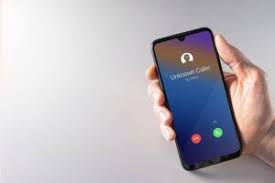
Unknown or restricted calls, where the caller’s number is intentionally concealed, can be a common source of unwanted communication. If your caller ID shows “Unknown” or “Restricted,” it’s a strong indicator that the caller is hiding their identity. While there may be legitimate reasons for such calls, exercise caution.
A variety of third-party apps and services can enhance your ability to identify unwanted callers. These apps often maintain extensive databases of known spam or scam numbers. When a call comes in, they cross-reference the number against their database and alert you if it’s associated with unsolicited or fraudulent activity.
Reverse phone lookup services allow you to investigate the owner of a specific phone number. You can use these services to search for information about the caller associated with an unknown or suspicious number. Keep in mind that some services may charge a fee for detailed reports.
Modern smartphones come equipped with call-blocking and filtering features. These tools enable you to block specific numbers or types of calls, such as those from private or restricted numbers. By configuring your phone to automatically block or send these calls to voicemail, you can minimize unwanted disruptions.
Many online communities and websites focus on tracking and reporting unwanted or suspicious phone numbers. Websites like “WhoCallsMe” and apps like “Truecaller” rely on user-generated reports to identify spam and scam callers. By contributing to these platforms, you help create a shared repository of information that benefits everyone.
Effective Strategies for Dealing with Restricted Calls
Restricted calls, often associated with blocked or hidden numbers, can be a source of frustration and concern for many individuals. While some restricted calls are legitimate, others may come from telemarketers, scammers, or individuals with less-than-honorable intentions. Dealing with these calls requires a combination of proactive measures and effective strategies to protect your privacy and maintain control over your phone. In this blog post, we’ll explore six effective strategies for handling restricted calls.
1. Do Not Answer Unrecognized Numbers The simplest and most effective strategy is to avoid answering calls from unknown or restricted numbers. If a call is important, the caller will often leave a voicemail or send a text message. By ignoring unfamiliar numbers, you reduce the chances of falling victim to potential scams or unwanted solicitations.
2. Enable Call Screening Many smartphones come with built-in call screening features that allow you to filter out restricted or unidentified calls. You can configure your phone to automatically send these calls to voicemail or display a warning before answering. Enabling these features provides an extra layer of protection.
3. Use a Call Blocking App Various call blocking apps are available for both Android and iOS devices. These apps enable you to create custom lists of blocked numbers, including restricted ones. They also often include community-based databases of known spam and scam numbers, automatically blocking calls from such sources.
4. Register on the Do Not Call List In several countries, including the United States, there is a National Do Not Call Registry. Registering your phone number on this list can help reduce the number of unsolicited calls you receive, including restricted ones. Telemarketers and spammers are legally obligated to refrain from contacting numbers on the list.
5. Investigate Using Reverse Phone Lookup Reverse phone lookup services can be a valuable tool for identifying restricted callers. While they may not always provide detailed information, you can often uncover the general location or carrier associated with the number. This can help you decide whether or not to answer the call.
6. Report Suspicious Calls If you receive restricted calls that seem suspicious or threatening, consider reporting them to your local authorities or your phone carrier. Document any harassing or unwanted calls, including the date, time, and content of the call. Reporting such incidents can help authorities take action against malicious callers.
Protecting Your Privacy
Limit Personal Information Sharing
The less personal information you share online and offline, the less exposed you are to potential privacy breaches. Be cautious about sharing sensitive details like your phone number, home address, or financial information unless it’s absolutely necessary.
Use Strong, Unique Passwords
Maintaining strong and unique passwords for your online accounts is crucial. Avoid using easily guessable information like your birthdate or common phrases. Consider using a password manager to generate and store complex passwords securely.
Enable Two-Factor Authentication (2FA)
Two-factor authentication adds an extra layer of security to your accounts. By requiring both a password and a secondary verification method, such as a text message or app notification, it makes it significantly harder for unauthorized individuals to access your accounts.
Be Wary of Phishing Attempts
Phishing is a common tactic used by cybercriminals to trick individuals into revealing personal information. Be cautious when clicking on links or opening email attachments, especially if they come from unknown sources. Verify the authenticity of websites and emails before providing any personal details.
Regularly Update Your Software
Keeping your devices and software up to date is crucial for security. Developers frequently release updates that patch vulnerabilities and protect against new threats. Failing to update leaves your devices and data exposed to potential exploits.
Educate Yourself and Stay Informed
Staying informed about the latest privacy threats and best practices is essential. Regularly check for news and updates related to privacy and cybersecurity. Learning how to recognize and respond to potential threats can help you proactively protect your privacy.











