Multiple Faces Detected



 June 10th, 2026
Finding a specific person on Discord can be challenging. With millions of users and no public search directory, locating someone with just a username, partial tag, or vague memory feels nearly impossible.
Whether you’re reconnecting with an old friend, verifying someone’s identity, or investigating a suspicious account, knowing how to search for Discord users effectively is essential.
Social Catfish provides powerful search tools that help you find Discord users through username searches, reverse image lookups, phone number searches, and email searches. Combined with Discord’s built-in features, these methods make finding anyone on Discord simple and efficient.
In this guide, we’ll show you exactly how to find someone on Discord using multiple proven techniques.
How to Find Someone on Discord by Username

The most direct method. Discord’s Add Friend feature lets you search by exact username, but it requires a precise match.
How to search:
- Open Discord and click the Friends icon in the left sidebar
- Click Add Friend at the top of the screen
- Type the person’s full username (example: @username)
- Press Send Friend Request
Important: Discord moved away from the old username#1234 discriminator format in 2024. Most accounts now use a single unique @username with no tag number. If you are searching for someone with an older account, they may still have a discriminator; enter the full handle including the # and four digits.
Limitations: This only works if you have their exact username. One wrong character returns no results. If the person has disabled friend requests from non-server members, your request will not go through even if the username is correct.
If you share a mutual server: Go to the server, open the member list, and search their display name. Click their profile to send a message or friend request directly, no tag required.
Discord Username Lookup: Search by Display Name or Tag

Display names and usernames are not the same thing on Discord. A display name is what others see in chat and can be changed at any time. A username is the unique handle tied to the account and cannot be duplicated.
This matters because searching a display name inside Discord will not reliably surface a specific person — especially in large servers where multiple users may share similar names.
What to do when you only have a display name:
- Search inside any shared server using the member list search bar
- Use Discord’s message search filters (from:displayname) inside channels where you have previously interacted
- Check your DM history — past conversations show both the display name and username
If the account uses the old discriminator format (Username#1234): Enter both the username and the four-digit number exactly as given. Discord’s system treats this as a unique identifier, so even a common username like “John” is findable if you have the full tag.
How to Find Someone on Discord with a Phone Number
Discord allows users to sync their phone contacts, which means if someone has linked their phone number to their Discord account and enabled contact discoverability, you can find them this way.
How to search by phone number inside Discord:
- Open the Discord mobile app and go to the Friends tab
- Tap Find Your Friends
- Grant Discord permission to access your contacts
- Discord will show all contacts who have linked their phone number to a Discord account and enabled the sync feature
Limitation: This only works if the person has both linked their phone number to Discord and turned on the “Allow contacts to add me” setting. Many users have not done this, which means the in-app phone search will come up empty even if you have the right number.
When in-app search fails: Social Catfish’s phone number search lets you run the number against public records and linked social profiles across multiple platforms, often surfacing the person’s Discord identity through cross-referenced accounts even when Discord’s native tool returns nothing.
How to Find a Discord Account by Email
Discord does not offer a native email search for finding other users. There is no search bar inside the app that accepts an email address to locate a profile.
However, there are two approaches worth trying:
1. Use Discord’s Add Friend with an email (limited): In some cases, Discord’s Add Friend feature will accept an email address associated with an account. This is inconsistent and depends on the user’s privacy settings, but worth attempting before moving to external tools.
2. Social Catfish email lookup: Enter the email address into Social Catfish’s email search. This cross-references the address against public records, social media registrations, and linked accounts and can surface a Discord username or connected profiles tied to that email even when Discord’s own tools return nothing.
This is particularly useful when someone has given you a contact email but not their Discord handle, or when you want to verify whether the email someone provided matches the identity they claim to have.
Discord Reverse Lookup: Find Who’s Behind Any Account
A reverse lookup works in the opposite direction. You start with a username, profile picture, or partial information and work backward to identify the real person behind the account.
Reverse image search: If you have the person’s Discord profile picture or any image they have shared, upload it to Social Catfish’s reverse image search. This reveals where else that image appears online, other social media profiles, dating sites, or websites linked to the same identity. This is the most effective method for identifying fake accounts or verifying that a profile picture belongs to who they claim to be.
Username reverse search: Enter their Discord username into Social Catfish’s username search. Discord users frequently reuse the same handle across platforms, gaming accounts, Twitter, Reddit, and Instagram. A username search cross-references the handle across hundreds of platforms and returns linked accounts, giving you a broader picture of the person’s online identity.
Discord reverse search use cases:
- Verifying someone you met in a Discord server before meeting in person
- Identifying whether a suspicious account is a scammer or catfish
- Reconnecting with someone when you only have an old profile picture
- Confirming that a person’s claimed identity matches their actual online presence
Discord Account Finder: What to Do When Built-In Search Fails
Discord’s native tools have hard limits. If the person has strict privacy settings, no shared servers, no linked phone number, and no discoverable email, Discord’s built-in search returns nothing. This is by design; Discord prioritizes user privacy over discoverability.
When that happens, Social Catfish is the most thorough option available.
Social Catfish cross-references whatever information you have, a username, a phone number, an email address, or a profile picture, against public records and social media databases across multiple platforms simultaneously. Because most people reuse usernames and profile images across accounts, this approach regularly surfaces connected identities that Discord alone cannot reveal.
What Social Catfish can find from a Discord search:
- Linked social media profiles (Instagram, Twitter, TikTok, Reddit)
- Phone numbers and email addresses tied to the same identity
- Other platform accounts using the same username or profile image
- Public records that confirm or contradict the person’s claimed identity
If you are dealing with a suspicious account, a potential scammer, or someone whose identity you need to verify before engaging further, start your search at Social Catfish.
FAQ
Yes, but it requires an alternative identifier. If you share a mutual server, search the member list by display name. If you have their phone number or email, use Social Catfish’s reverse search tools to cross-reference those details and surface their Discord identity.
No. Discord does not allow searches by real name. The platform uses usernames as primary identifiers, not legal names. To find someone using a real name, you would need to use an external tool like Social Catfish that cross-references names against public records and social profiles.
Several reasons: the person may have changed their username, they may have disabled friend requests from non-server members, or their privacy settings may restrict discoverability. If you are certain the username is correct, try searching inside any mutual servers first.
Only if you have linked your phone number to your Discord account and enabled the “Allow contacts to add me” setting. If that setting is off, your phone number cannot be used to locate your account.
Discord does not offer a native email search for locating other users. The most reliable method is to run the email address through Social Catfish’s email lookup, which cross-references it against linked accounts and public records across multiple platforms.
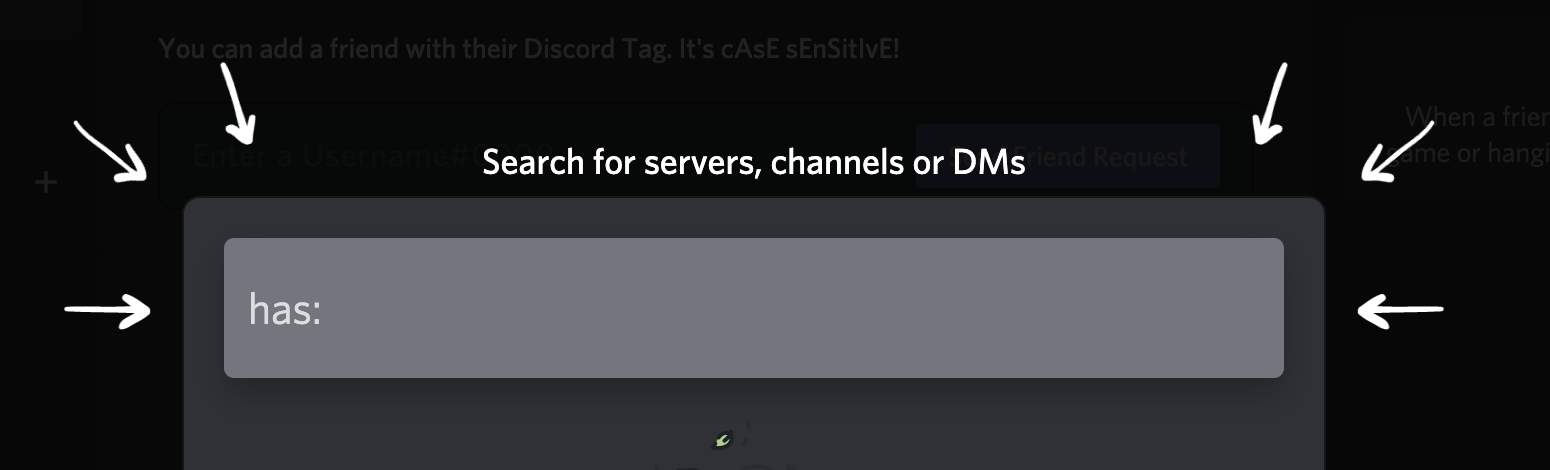
Discord Search For Server
Finding someone on Discord doesn’t have to be complicated. Whether you’re using Discord’s built-in search bar, adding them as a friend, applying search filters, or leveraging reverse search methods, each approach offers different advantages depending on what information you have available.
For the most comprehensive and reliable results, Social Catfish’s search tools provide the edge you need. When Discord’s native features fall short, Social Catfish helps you locate users through reverse image search, username lookup, phone number search, and email search, giving you the power to find anyone and verify their identity across multiple platforms.
Don’t waste time searching blindly or risk engaging with fake accounts. Use these proven methods to find the Discord users you’re looking for quickly, safely, and effectively. Start your search with Social Catfish today and discover who you’re really talking to online.