Multiple Faces Detected


 January 21st, 2026
You get an email from someone you met online. They seem genuine. But something feels off.
Maybe they’re using a temporary address. Or their email looks weird. You’re not sure if you should trust them.
Here’s the thing: scammers love fake email generators. They use them to hide their identity, run phishing schemes, and steal your money. And most people have no idea it’s happening until it’s too late.
Let’s talk about what a fake email generator actually is and how criminals use these tools to target people like you. More importantly, we’ll show you how to spot the red flags and protect yourself.
What Is a Fake Email Generator?
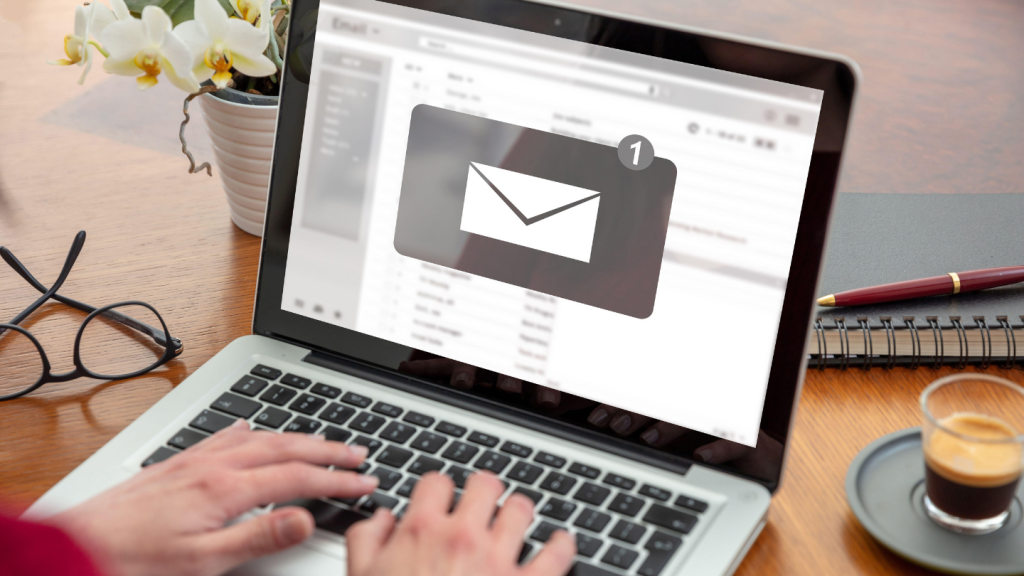
A fake email generator creates temporary, disposable email addresses. These addresses work like real ones. You can receive messages. But they self-destruct after a short time.
Some people use them for legitimate reasons. Testing apps. Avoiding spam. Signing up for newsletters without cluttering their inbox.
But scammers? They use them differently.
They generate fake email addresses to create anonymous accounts. To send phishing emails. To scam people on dating sites, e-commerce platforms, and social media. And because these addresses disappear, it’s hard to trace them back.
According to the Federal Trade Commission, phishing scams cost Americans billions each year. Many of these scams start with a fake email address.
How Scammers Use Fake Email Generators
Creating Fake Accounts
Scammers generate fake email addresses to sign up for dating sites, social media, and online marketplaces. They build fake profiles. They message potential victims. And they disappear before anyone can report them.
If you’re trying to find all accounts associated with an email, a temporary address makes that nearly impossible.
Running Phishing Schemes
Phishing emails trick you into giving up personal information. Your password. Your credit card number. Even your Social Security number.
Scammers use fake email generators to send these messages. They pretend to be your bank. A government agency. Even your boss. The FBI warns that spoofing and phishing attacks are on the rise, with criminals using AI to make their scams more convincing.
One common trick? The DocuSign email scam. You get an email that looks like it’s from DocuSign. It asks you to review a document. But the link leads to a fake site designed to steal your login credentials.
Business Email Compromise
This one targets companies. Scammers generate fake email addresses that look almost identical to real ones. They might change one letter. Or use a similar domain name.
Then they email employees. They pretend to be the CEO or a vendor. They request wire transfers or sensitive data. And by the time anyone realizes it’s a scam, the money’s gone.
Business email compromise schemes cost businesses millions every year.
Romance Scams
Scammers create fake profiles on dating sites using temporary email addresses. They build relationships with victims. Gain their trust. Then ask for money.
If you’re wondering how to know if someone is on dating sites, checking their email address is a good start. But if they’re using a fake email generator, it’s harder to verify their identity.
Avoiding Spam Filters
When scammers send mass phishing emails, spam filters often catch them. But by using multiple temporary addresses, they can bypass these filters. Each fake email looks new. Fresh. Less suspicious.
That’s why email filtering and spam detection tools are so important.
Red Flags: How to Spot a Fake Email Address
Not all temporary emails are scams. But there are warning signs.
Strange Domain Names
Legitimate emails come from recognizable domains. Gmail. Yahoo. Outlook. Company websites.
Fake email generators use random domains. Things like “tempmail.com” or “10minutemail.net.” If someone’s email address looks weird, be cautious.
Generic or Random Usernames
Real people use their names in email addresses. Or something personal.
Scammers? They use random strings of letters and numbers. Like “[email protected].” That’s a red flag.
Short Lifespan
Temporary email addresses expire. If you try to email someone back and the address no longer exists, that’s suspicious.
No Response to Follow-Up Questions
Scammers avoid giving real information. If you ask for a phone number or a different way to contact them, they’ll make excuses. Or disappear.
Too Good to Be True
If someone you just met online is offering you money, a job, or a relationship that seems perfect, slow down. Scammers use urgency and emotion to manipulate victims.
How to Protect Yourself
Verify Email Addresses
Before you trust someone, verify their email. Social Catfish offers reverse email lookup tools that can help you trace an address back to its owner. You can also find someone’s email address if you need to confirm their identity.
Don’t Click Suspicious Links
Phishing emails often include links to fake websites. Hover over the link before clicking. Check the URL. If it looks off, don’t click it.
The McAfee scam email is a perfect example. Scammers send fake renewal notices with links to malicious sites.
Use Two-Factor Authentication
Even if a scammer gets your password, two-factor authentication adds an extra layer of security. It makes it harder for them to access your accounts.
Be Skeptical of Urgent Requests
Scammers create a sense of urgency. “Your account will be closed!” “You need to act now!” Real companies don’t operate that way.
Check for Spelling and Grammar Errors
Professional companies proofread their emails. Scammers often don’t. If an email is full of typos, it’s probably fake.
Look for Signs of Phishing
Does the email ask for personal information? Does it threaten you? Or does it promise something too good to be true? Those are all signs of a scam.
Use Reverse Lookup Tools
If you’re suspicious of someone’s email, use a reverse lookup tool. Social Catfish can help you verify whether an email address is legitimate or part of a scam. You can also search for hidden profiles on social networks to see if the person is who they claim to be.
Report Suspicious Emails
If you receive a phishing email, report it. Forward it to the FTC. Or report it to the company being impersonated.
Educate Yourself
The more you know about scams, the easier it is to spot them. Read up on common scam tactics. Stay informed.
What to Do If You’ve Been Scammed

If you’ve already fallen for a scam, act fast.
Change Your Passwords
If you gave out your password, change it immediately. Use a strong, unique password for each account.
Contact Your Bank
If you shared credit card or banking information, call your bank. They can freeze your account and issue a new card.
Report the Scam
File a report with the FTC. Contact your local police. The more people who report scams, the easier it is to catch the criminals.
Monitor Your Accounts
Keep an eye on your bank statements and credit reports. Look for unauthorized transactions.
Use Social Catfish
If you were scammed by someone you met online, Social Catfish can help. Our tools can trace email addresses, phone numbers, and social media profiles. We can help you find out who’s behind the scam.
Why Social Catfish Is Your Best Defense
Scammers are getting smarter. They use AI to create convincing fake profiles. They know how to manipulate people.
But you don’t have to face them alone.
Social Catfish specializes in uncovering online scams. We help you verify identities, and we trace fake email addresses. We find hidden social media accounts and provide you with the information you need to protect yourself.
Whether you’re dealing with a romance scam, a phishing email, or a suspicious online profile, we’re here to help. Don’t let scammers win. Take control of your online safety today.
Staying One Step Ahead
Scammers will always find new ways to trick people. But if you know what to look for, you can protect yourself.
Be skeptical. Verify email addresses. Don’t click suspicious links. And if something feels off, trust your gut.
And remember: you’re not alone. Social Catfish is here to help you stay safe online. Because everyone deserves to know who they’re really talking to.