

 Multiple Faces Detected


 July 10th, 2024
Tech support scams are becoming increasingly common these days, and they can be incredibly damaging to individuals and businesses alike. These scams often involve fraudsters posing as legitimate tech support professionals and using various tactics to convince victims to hand over sensitive information or to pay for unnecessary services. Unfortunately, these scams can be difficult to spot, and many people fall prey to them each year. In this blog post, we’ll take a closer look at tech support scams, how they work, and what you can do to protect yourself and your business from falling victim to these dangerous and costly scams.
Signs of a Tech Support Scam: How to Spot the Red Flags
Here’s seven signs to look out for tech support scams:
- If you receive an unsolicited phone call or a pop-up window appears on your computer, claiming that your computer has a virus or other problem, it may be a sign of a tech support scam.
- Scammers often use pressure tactics to try to get victims to act quickly. They may claim that urgent action is required to fix the supposed problem and pressure you into paying for their services.
- Legitimate tech support services typically do not charge upfront fees for their services. If the scammer requests payment before providing any services, it may be a sign of a scam.
- Scammers often request remote access to your computer to fix the supposed problem. Once they have remote access, they can install malware or steal sensitive information from your computer.
- If you receive an unsolicited email or text message that claims to be from a tech support company, it may be a sign of a scam. Legitimate companies typically do not contact customers in this way.
- Scammers often use poor grammar or spelling in their communications, which can be a sign that the communication is not from a legitimate company.
- Scammers often use URLs that are similar to legitimate tech support websites but contain slight variations, such as misspellings or different top-level domains. Always double-check the URL before entering any personal information or downloading any software.
- Scammers often claim to represent well-known tech companies, such as Microsoft or Apple, to gain the trust of their victims. Always verify the identity of the company before providing any personal information or paying for services.
What to Do if You’ve Fallen Victim to a Tech Support Scam
As soon as you realize that you’ve fallen victim to a tech support scam, disconnect your computer from the Internet. This will prevent the scammers from accessing your computer remotely and stealing any sensitive information.
Once you’ve disconnected from the Internet, run a full system scan with your anti-virus software. This will help you identify any malware or other malicious software that the scammers may have installed on your computer.
If you’ve shared any passwords or other sensitive information with the scammers, change your passwords immediately. Use strong, unique passwords that are difficult to guess and enable two-factor authentication wherever possible.
Reporting the scam to the appropriate authorities can help prevent others from falling victim to the same scam. You can report the scam to your local police department, the Federal Trade Commission (FTC), and the Internet Crime Complaint Center (IC3).
If you’ve shared your banking or credit card information with the scammers, contact your bank or credit card company immediately. They can help you cancel any fraudulent charges and take steps to protect your accounts from further fraud.
If you’re not comfortable handling the aftermath of a tech support scam on your own, consider seeking professional help. A cybersecurity expert or IT professional can help you identify and remove any malicious software from your computer and take steps to protect your accounts from further fraud.
Types of Tech Support Scams: A Closer Look
Here is a list of some common types of tech support scams:
- Cold calls: Fraudsters may make unsolicited phone calls, posing as tech support professionals from a legitimate company, and tell the victim that their computer has been infected with a virus or malware.
- Pop-up windows: Scammers may create pop-up windows that look like legitimate system messages or error notifications, and then urge the victim to call a phone number to get help with the supposed problem.
- Phishing emails: Cybercriminals may send phishing emails, posing as tech support representatives from a legitimate company, and ask the victim to click on a link or download an attachment to fix a supposed issue with their computer.
- Fake websites: Scammers may create fake websites that look like legitimate tech support websites, and then offer to help the victim with a supposed issue with their computer.
- Malicious software: Fraudsters may trick victims into downloading and installing malicious software, such as remote access tools or fake antivirus software, which can then be used to steal sensitive information from the victim’s computer.
- Fake refund scams: Scammers may contact victims, pretending to be tech support representatives from a legitimate company, and offer a refund for a supposed overcharge. They may then ask for remote access to the victim’s computer to process the refund, and then steal sensitive information or install malware.
How to Protect Yourself: Best Practices for Avoiding Tech Support Scams
Be cautious of any unsolicited phone calls, emails, or pop-up windows that claim to be from tech support companies. Always verify the identity of the company before providing any personal information or granting remote access to your computer.
If you need tech support, use trusted sources such as the official website or customer support phone number of the company in question. Don’t rely on search engines or third-party websites to find tech support services.
Make sure your computer is protected by a reputable anti-virus software and firewall. Enable security features such as two-factor authentication and automatic updates to ensure that your computer is protected against the latest threats.
Keep your computer and software up-to-date with the latest security patches and updates. This will help protect your computer against known vulnerabilities that can be exploited by scammers.
Educate yourself about the latest tech support scams and how to spot the red flags. Stay informed about the latest trends in online scams and take steps to protect yourself from them.
When it comes to tech support, use common sense. If something seems too good to be true, it probably is. Don’t give out personal information or grant remote access to your computer unless you are absolutely certain that you are dealing with a legitimate tech support company.
Tools and Resources for Protecting Yourself from Tech Support Scams
Anti-virus software
Use reputable anti-virus software to protect your computer from malware and other online threats.
Firewall
A firewall can help prevent unauthorized access to your computer and block malicious traffic.
Browser extensions
There are several browser extensions available that can help block pop-ups and warn you of potential scams. Examples include Adblock Plus, uBlock Origin, and Malwarebytes Browser Guard.
Tech support scam reporting websites
If you encounter a tech support scam, you can report it to websites such as the Federal Trade Commission (FTC) or the Internet Crime Complaint Center (IC3).
Scam call blockers
There are several call blocking apps available that can help you avoid unwanted calls from scammers. Examples include Truecaller and Hiya.
Online security resources
There are many online resources available that can help you stay informed about the latest online security threats and how to protect yourself from them. Examples include the FTC’s OnGuard Online and the National Cyber Security Alliance’s Stay Safe Online.
Staying Up to Date: How to Keep Yourself Informed about Tech Support Scams
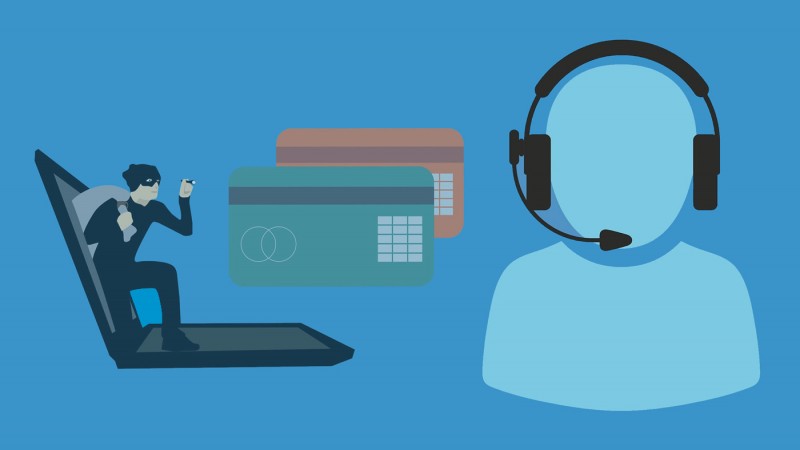
Staying informed about tech support scams is essential to protecting yourself against them. Subscribe to security newsletters from reputable sources, such as the Cybersecurity and Infrastructure Security Agency (CISA), the FTC, or your preferred anti-virus software provider. These newsletters often include information about the latest online security threats and how to protect yourself from them.
Follow security experts and organizations on social media platforms such as Twitter, Facebook, and LinkedIn. These experts often share information about the latest online security threats and how to protect yourself from them.
Attend security CONferences, such as the Black Hat and DEF CON conferences, which focus on cybersecurity topics. These conferences often feature presentations and workshops on the latest online security threats and how to protect yourself from them.
Join online security communities, such as Reddit’s r/cybersecurity or the Security Stack Exchange. These communities provide a platform for discussing online security threats and sharing information on how to protect yourself from them.
Watch security webinars from reputable sources, such as security vendors or industry organizations. These webinars often provide valuable information about the latest online security threats and how to protect yourself from them.
Follow tech support scam alerts from reputable sources, such as the FTC’s scam alert page or Microsoft’s security blog. These alerts provide up-to-date information about the latest tech support scams and how to protect yourself from them.
Promoting Social Catfish Privacy Lock
To further protect your personal information and ensure your privacy online, consider using the Social Catfish Privacy Lock. This tool helps you manage your digital footprint, secure your online presence, and avoid falling victim to online scams. By utilizing comprehensive privacy features, you can safeguard your personal information from scammers and other malicious actors. Visit Social Catfish Privacy Lock to learn more and start protecting yourself today.
By staying informed and following these best practices, you can protect yourself and your business from falling victim to tech support scams. Remember, vigilance and caution are your best defenses against these increasingly sophisticated threats.











