Multiple Faces Detected


 November 11th, 2025
You need to convert a PDF file to a Word document. Or maybe combine a few images into one file. So you Google “free PDF converter,” click the first link, and upload your document.
Simple, right?
But what if that website wasn’t what it claimed to be? What if you just handed over your personal information to a criminal? And what if that download you just clicked secretly installed malware on your computer?
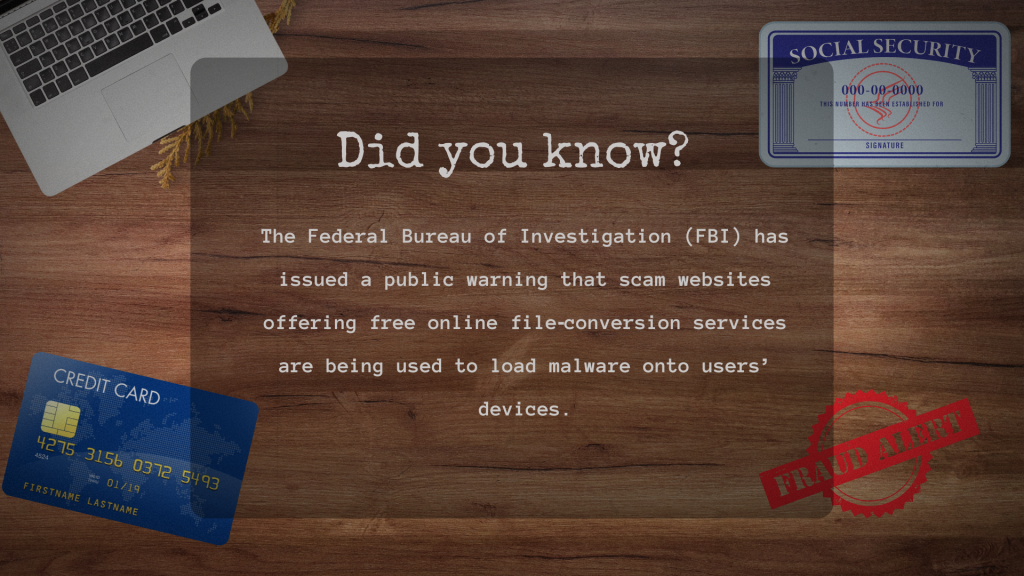
According to the FBI, this is happening more often than you think. Fake online file converter scams are on the rise. Hackers are creating websites that look legitimate, but they’re designed to steal your data or infect your device with ransomware.
The worst part? These tools actually work. They convert your files just like they promised. But in the background, they’re doing something much more sinister.
Why These Scams Work So Well
Everyone uses file converters. Students converting homework assignments. Professionals preparing presentations. People applying for jobs or handling taxes. The demand is massive, and criminals know it.
A 2024 report from Palo Alto Networks found that over 30% of phishing sites were disguised as productivity tools. PDF converters topped the list.
Why are these scams so effective?
People trust these tools. They seem harmless. You upload a file, download the converted version, and move on. No software to install. No account to create. It feels safe.
But it’s not.
How Fake Online File Converter Scams Actually Work
The FBI’s Denver Field Office has been tracking these attacks closely. They’ve identified several tactics criminals use to trick victims.
Search Engine Manipulation
Scammers create fake websites that mimic legitimate file converter services. They buy domain names that look almost identical to trusted brands. Sometimes they swap one letter. Other times, they use different extensions like “.net” instead of “.com.”
Then they manipulate search results. Using paid ads and SEO tricks, these fake sites often appear at the top of search results. When you search “convert Word to PDF,” you might click a scam site without even realizing it.
“The scammers try to mimic URLs that are legit, so changing just one letter, or ‘INC’ instead of ‘CO,'” FBI spokesperson Vikki Migoya told BleepingComputer. “Users who in the past would type ‘free online file converter’ into a search engine are vulnerable, as the algorithms used for results now often include paid results, which might be scams.”
Malicious File Downloads
Here’s how the scam unfolds. You upload your document. The site processes it and gives you a download button. You click it.
The file you download might look like a normal PDF or Word document. But hidden inside is malware. Sometimes it’s a keylogger that tracks everything you type. Other times, it’s ransomware waiting to lock up your entire system.
In some cases, the download button doesn’t give you a document at all. It triggers an executable file with a name like “converter.exe” or “PDFtool.exe.” If you open it, the malware installs immediately.
Data Scraping From Uploaded Files
Even if you don’t download anything, you’re still at risk. When you upload a document to one of these fake converters, the site stores it on a server controlled by criminals.
If that file contains sensitive information like tax forms, legal documents, medical records, or job applications with your Social Security number, the scammers now have it.
They can use that data for identity theft, financial fraud, or even blackmail.
Real Cases of Fake Online File Converter Scams
These aren’t just theoretical threats. Real people have lost money, data, and privacy because of fake online file converter scams.
The DocuFlex and Pdfixers Scams
In late 2024, cybersecurity researchers identified two malicious websites, DocuFlex and Pdfixers, that claimed to offer free document conversion services. Instead, they distributed Trojan malware that tracked banking logins and accessed victims’ webcams. Over 12,000 users were affected before the sites were shut down.
The Gootloader Campaign
Hackers used fake PDF-to-Word converter sites to spread Gootloader malware. Victims thought they were downloading a converted document. Instead, they got a JavaScript file that installed banking trojans and ransomware. Some of these attacks escalated into full corporate network breaches.
Lee Enterprises Ransomware Attack
The FBI believes fake file converters may have been behind a February 2025 ransomware attack on Lee Enterprises, a major U.S. newspaper publisher. The attack disrupted business operations, delayed product distribution, and potentially compromised sensitive data.
Warning Signs You’re On a Fake Converter Site
Not all file converters are scams. But you need to know what to look for before you upload anything.
Watch out for these red flags:
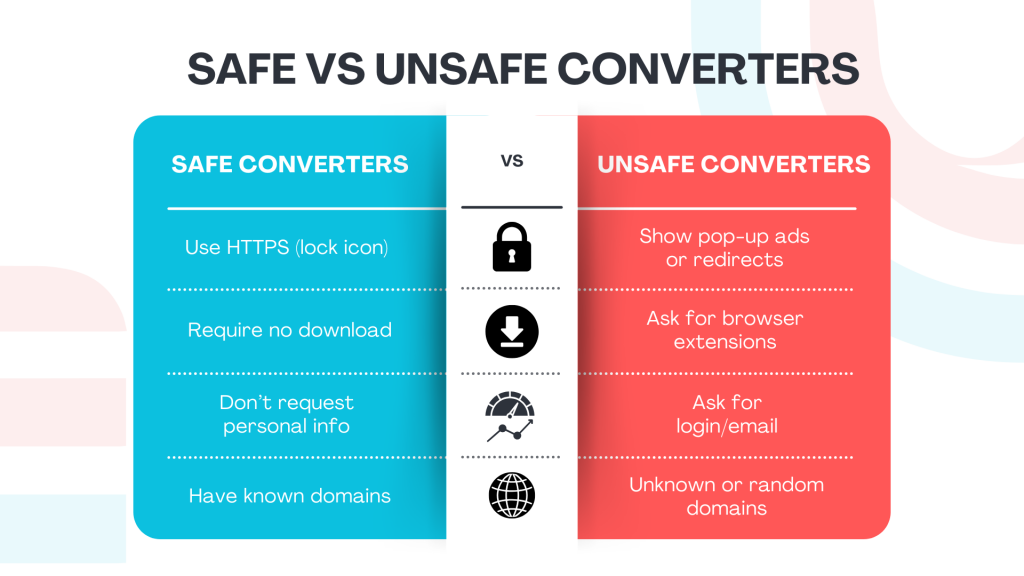
No HTTPS encryption. Legitimate sites use “https://” in the address bar. If you see “http://” without the “s,” don’t use the site.
Excessive pop-ups and ads. Scam sites are often flooded with aggressive advertising and redirect buttons.
No clear ownership information. Check the “About Us” section. If there’s no company name, contact information, or physical address, be suspicious.
Missing privacy policy. Legit services explain how they handle your data. If there’s no privacy policy or terms of service, don’t upload anything.
Requests to install browser extensions. Some fake converters ask you to install browser add-ons. These extensions can read all your data on every website you visit.
Files that download as .exe instead of .pdf. If you’re expecting a document and get a program file instead, delete it immediately.
How to Safely Convert Files Without Getting Scammed
You don’t have to avoid file converters entirely. You just need to be smarter about which ones you use.
Use Trusted Services Only
Stick with well-known brands that have been around for years. Adobe Acrobat Online, Smallpdf, and ILovePDF are established services with strong security practices.
Before using any site, look it up. Check reviews. Make sure the URL is correct and not a knockoff.
Convert Files Offline
The safest option is to use software installed on your computer. Adobe Acrobat Pro, Foxit PDF Editor, and LibreOffice all offer offline conversion tools. Your files never leave your device, so there’s no risk of data theft.
Never Upload Sensitive Documents
Think twice before uploading anything that contains personal information. Tax forms, bank statements, medical records, government IDs, and legal contracts should never be converted using free online tools.
If you must convert sensitive documents, use offline software or trusted paid services with clear privacy policies.
Scan Every Downloaded File
Even if you trust the site, scan every file you download with antivirus software before opening it. Tools like Windows Defender, Malwarebytes, or VirusTotal can detect hidden malware.
What Fake Online File Converter Scams Steal
These scams aren’t just annoying. They can destroy your financial security and steal your identity.
According to the FBI, fake file converters target:
- Social Security numbers
- Banking and credit card information
- Cryptocurrency wallet addresses and seed phrases
- Email addresses and passwords
- Personal identifying information like birthdates and phone numbers
Once criminals have this data, they can drain bank accounts, open fraudulent credit cards, steal cryptocurrency, and sell your information on the dark web.
What to Do If You Think You’ve Been Targeted
If you used a fake file converter or downloaded a suspicious file, act fast.
Run a full antivirus scan immediately. Use a reputable antivirus program to check for malware. Don’t wait.
Change all your passwords. Start with your email, banking, and any accounts that might be linked to the uploaded document. Use a different device to change passwords if possible.
Clear your browser cache and extensions. Remove any browser extensions you don’t recognize. Clear your browsing history and cookies.
Enable two-factor authentication. Add an extra layer of security to all your accounts. Even if your password is stolen, 2FA can prevent unauthorized access.
Monitor your credit and bank accounts. Check for unauthorized transactions. If your ID or tax documents were compromised, monitor your credit reports at Equifax, Experian, and TransUnion.
Report the scam. File a report with the FBI at IC3.gov. You can also report scams to the Federal Trade Commission.
How Social Catfish Can Help Protect You
Fake online file converter scams are just one piece of a much larger problem. Scammers are everywhere. They use dating sites, social media, fake phone numbers, and fake websites to steal from unsuspecting victims.
But you don’t have to figure this out alone.
Social Catfish is a powerful tool that helps you verify identities and uncover scams before they happen. Whether you’re checking a suspicious email address, tracing a phone number, or running a reverse image search to see if someone’s using fake photos, Social Catfish gives you the information you need to stay safe.
If you suspect a scammer has targeted you, Social Catfish can help you track down who’s behind it. Our search tools dig deep to uncover hidden profiles, verify identities, and expose fraudsters.
Don’t wait until it’s too late. Use Social Catfish to protect yourself from scams, identity theft, and online fraud.
Staying Safe in a World Full of Scams
Fake online file converter scams are sneaky because they exploit something we do every day. Converting a file seems harmless. But in the hands of criminals, it becomes a weapon.
The FBI’s warning is clear. These scams are increasing. More people are falling victim. And the consequences can be devastating.
But you can protect yourself. Use trusted services. Never upload sensitive documents to unknown sites. Scan every download. And if something feels off, trust your instincts.
Your data is valuable. Don’t hand it over to criminals hiding behind a fake file converter.