Multiple Faces Detected


 May 17th, 2026
Bing Visual Search and Social Catfish both accept an image as input and return results based on it. That is where the similarity ends. Bing Visual Search is a general-purpose image recognition tool built into Microsoft’s search engine. Social Catfish is a people-search and identity verification platform. They are designed for different goals, and knowing which one to use before you start a search saves time and prevents drawing wrong conclusions from empty results.
This guide compares bing visual search vs social catfish across the use cases that matter most, covering what each tool does well, where each falls short, and which one is the better choice when finding or verifying a person is the goal. The honest answer is that Bing Visual Search is genuinely useful for what it was designed to do. For finding people specifically, Social Catfish is the more effective tool by a significant margin.
Bing Visual Search vs Social Catfish: What Is the Core Difference?

The core difference between Bing visual search and social catfish comes down to what each tool is designed to find.
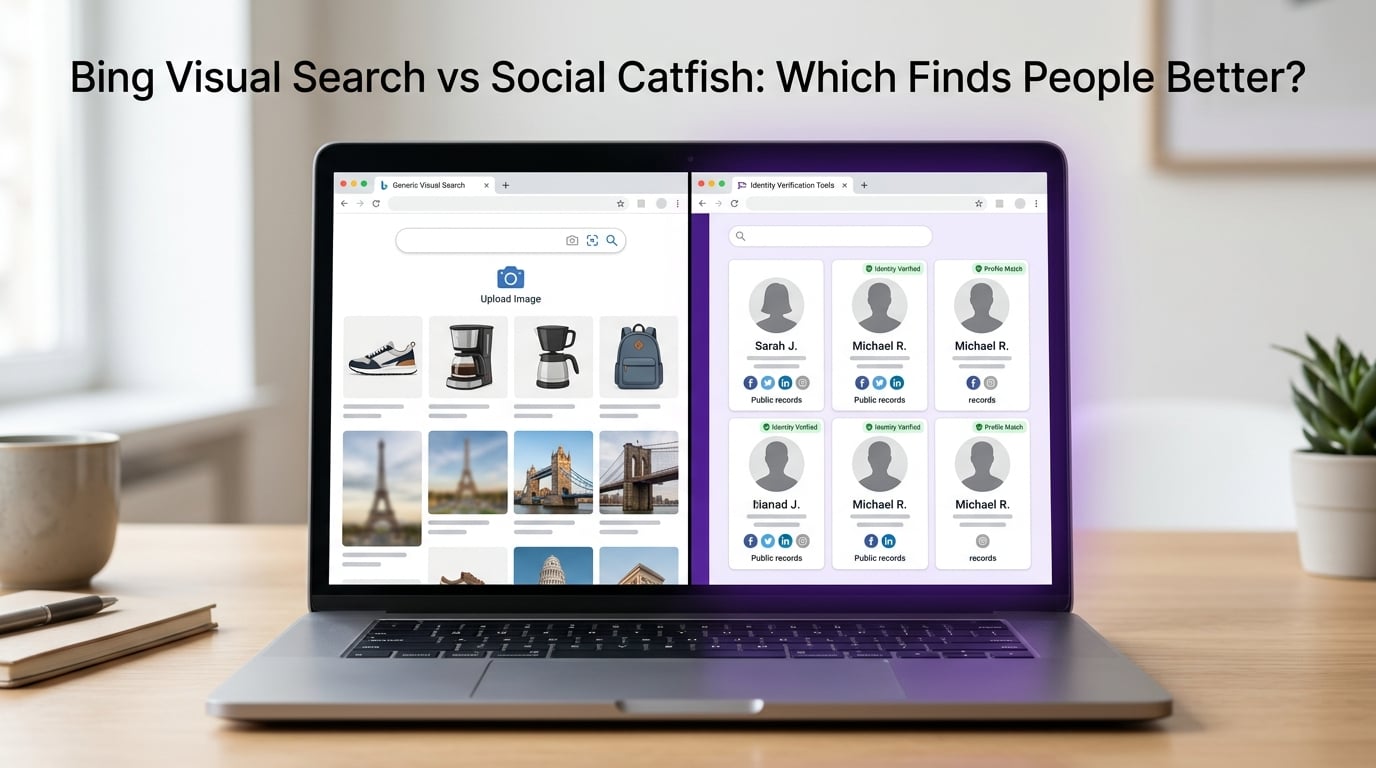
Bing Visual Search is an image recognition and matching tool. Upload a photo and Bing identifies objects, scenes, products, and landmarks in the image, then returns visually similar images and related web content. It is built for general image discovery and product search within Microsoft’s index of publicly crawled web content.
Social Catfish is an identity verification tool. Upload a photo, and Social Catfish uses AI facial recognition to analyze the face and search for that face across social media, dating apps, public records, and identity databases. It does not primarily look for visually similar images. It looks for the person and returns the real name, linked accounts, and identity associated with the face in the photo.
These tools answer different questions. Bing Visual Search answers: what is in this image, and where have similar images appeared publicly? Social Catfish answers: Who is this person, and what is their full online identity?
How Bing Visual Search Works
Bing Visual Search is part of Microsoft’s Bing search engine and is accessible at bing.com/images. It is free, requires no account, and supports both image upload and URL input.
What Bing Visual Search indexes: Bing crawls publicly accessible web pages and indexes images it finds, similar to Google’s image search. Its index covers news sites, public social media pages, product listings, stock photo libraries, and general web content. Bing’s image index has different coverage from Google’s, which means the two tools sometimes surface different results for the same image.
How Bing processes images: Bing Visual Search uses a combination of visual similarity matching and object recognition. It identifies what is in an image, including objects, text, landmarks, products, and people, and returns related search results. For product images, it can identify specific items and find where to purchase them. For general photos, it returns visually similar images from its index.
What Bing Visual Search does well:
- Product identification and shopping, finding where to buy items shown in a photo
- Landmark and location recognition, identifying buildings, monuments, and places
- General image matching across Microsoft’s publicly indexed web content
- Finding identical or visually similar image files on indexed public pages
- Free and unlimited use with no account required
What Bing Visual Search does not do: Bing Visual Search does not perform dedicated facial recognition for identity verification purposes. It does not search dating apps, private social media, or platforms that restrict public indexing. It does not return identity information, names, linked accounts, or contact details for people in photos.
How Social Catfish Reverse Image Search Works
Social Catfish reverse image search was built specifically for identity verification and people search, which makes its technology and data sources fundamentally different from Bing.
Facial recognition rather than visual similarity: Social Catfish analyzes the face in the uploaded photo and searches for that specific face across its database of indexed profiles and images. This means it finds the same person in completely different photos taken at different times, from different angles, and on different platforms. The person is the search object, not the visual content of the image.
What Social Catfish searches: Social Catfish searches across social media platforms, dating apps, adult content sites, public records, and other sources that are not accessible to standard search engine crawlers. This includes platforms like Tinder, Bumble, Hinge, OkCupid, and others that specifically block Bing and Google from indexing their content.
What Social Catfish returns: When a match is found, Social Catfish returns the identity linked to the face, including the real name, linked social media profiles, dating app profiles, contact details, and public records associated with that identity. This is a people-search result rather than an image location result.
What Social Catfish does well:
- Verifying whether a dating profile photo belongs to a real, consistent identity
- Finding where a face appears across multiple platforms and accounts
- Identifying stolen photos used in fake or catfish profiles
- Connecting a photo to a full identity including name, linked accounts, and contact details
- Searching platforms that block standard search engines including Bing
Bing Visual Search vs Social Catfish: Head-to-Head Comparison
Finding visually similar images on the public web: Bing Visual Search is strong at this. Social Catfish is not designed for general image similarity matching.
Product and landmark recognition: Bing Visual Search is excellent. Social Catfish does not cover this use case.
Facial recognition for identity verification: Bing Visual Search does not offer dedicated facial recognition for identity purposes. Social Catfish uses AI-powered facial recognition.
Searching dating apps: Bing Visual Search cannot search dating platforms. Social Catfish searches dating platforms specifically.
Searching private social media: Bing Visual Search cannot access private or restricted social media. Social Catfish covers platforms that restrict public indexing.
Returning identity information: Bing Visual Search returns image matches and related content. Social Catfish returns name, linked accounts, and contact details.
Romance scam and catfish detection: Bing Visual Search is limited for this use case. Social Catfish is specifically designed for it.
Cost: Bing Visual Search is completely free with no account required. Social Catfish offers a free preview with paid options for full results.
Best for finding people: Bing Visual Search is not suited for identity verification. Social Catfish is designed for it.
What Bing Visual Search Does Well
Bing Visual Search is a genuinely useful free tool in several categories where its image recognition and public web indexing are directly relevant.
Product search and shopping. Bing Visual Search is one of the strongest tools available for identifying products from photos and finding where to buy them. Upload a photo of a piece of furniture, a piece of clothing, or any physical product, and Bing identifies it and returns purchase options. This is a use case where Bing excels, and Social Catfish offers nothing comparable.
Landmark and location identification. Upload a photo of a building, monument, or landscape and Bing identifies it and returns related information. This is useful for travel research, journalism, and fact-checking image origins when the subject is a place rather than a person.
General image matching across publicly indexed content. For finding where a specific image file has appeared across Bing’s index of public web content, Bing reverse image search covers different ground from Google and sometimes surfaces results that Google misses. Running both Bing and Google for a file-matching search gives broader coverage than either alone.
Free and unlimited access. Bing Visual Search requires no account and has no search limits. For quick free checks on publicly available images, this accessibility is a genuine advantage.
Where Bing Visual Search Falls Short for Finding People
Bing visual search find people attempts consistently fall short in the scenarios that matter most for identity verification and online safety.
Dating apps are invisible to Bing. Tinder, Bumble, Hinge, OkCupid, and virtually every major dating platform block search engine crawlers, including Bing. Photos that exist only on dating platforms are not in Bing’s index. A Bing reverse image search for a dating profile photo almost always returns no useful results, not because the photo is genuine, but because Bing cannot see the platform the photo was posted on.
Private and restricted social media is not searchable. Most Instagram accounts, many Facebook profiles, and significant portions of other social networks restrict public indexing. Photos from private accounts that have been stolen and used in fake profiles are invisible to Bing because those source accounts were never crawled.
Bing returns no identity information. Even when Bing finds an image match, it returns web pages and visually similar images. It does not return a person’s name, their linked accounts, their contact details, or any cross-platform identity information. For verifying who someone really is, a Bing image match alone tells you only where that file appeared publicly, not who the person is.
File matching misses the same face in different photos. Bing’s visual similarity search finds images that look like the uploaded photo. It does not recognize the same face in a completely different photo. A catfisher who uses the same face but different stolen photos across different platforms will not be connected by Bing’s file-based matching. Facial recognition, which Bing does not offer for identity purposes, is required to make that connection.
When Social Catfish Is the Better Choice

Social Catfish is the right tool when finding or verifying a person is the goal, which covers the majority of reverse image search use cases beyond general image discovery.
Verifying a dating profile photo. When you want to confirm that an OkCupid, Tinder, or Bumble profile photo belongs to a real person with a consistent identity, Social Catfish’s facial recognition searches the platforms and identity sources where that confirmation is findable. Bing cannot search these platforms at all.
Detecting romance scams and catfish profiles. Romance scammers use photos stolen from private social media accounts and other dating apps that Bing cannot index. Social Catfish searches these sources specifically and finds the original owner of stolen photos in cases where Bing returns nothing. If a photo was taken from someone’s private Instagram to use in a fake dating profile, Social Catfish finds the connection where Bing finds nothing.
Finding hidden or secondary accounts. If you want to know whether a person is using the same face across multiple accounts on different platforms, including accounts they have not disclosed, Social Catfish’s cross-platform facial recognition finds those connections. Bing only finds the same file, not the same face in different photos on different platforms.
Full identity verification. When the goal is finding out who the person in the photo really is, Social Catfish returns the identity information, linked accounts, and contact details that Bing simply does not provide. This is the best reverse image search for finding people specifically.
Can You Use Bing Visual Search and Social Catfish Together?
Yes. Using both tools covers different types of databases and different search approaches.
Bing Visual Search searches its publicly indexed web content for visually similar images and matching files. If a photo has been posted on any publicly accessible page that Bing has crawled, it may surface it. This is useful as a quick free check for photos that may have appeared on public websites, news pages, or indexed social media.
Social Catfish uses facial recognition to search across dating apps, private social media, adult platforms, and identity databases that Bing cannot access. These are the most relevant sources when the search involves verifying a person rather than finding where an image file has appeared.
Running both gives you coverage across two different approaches. Bing covers public file matching. Social Catfish covers identity verification from the platforms and databases that go beyond what any standard web crawler can reach.
FAQ
For product search, landmark recognition, and general image matching across public web content, Bing Visual Search is excellent and completely free. For finding and verifying people, particularly in online dating and safety contexts, Social Catfish is significantly more effective. They serve different primary purposes.
Bing Visual Search can find publicly indexed images of people and return visually similar results from its web index. It cannot search dating apps, private social media, or return identity information. For verifying who a specific person is from a photo, Bing Visual Search alone is insufficient.
Dating apps block search engine crawlers including Bing from indexing their content. Photos that exist only on dating platforms are not in Bing’s index. No results from Bing does not confirm a photo is genuine. It means Bing has not indexed that file.
Bing can identify that a person appears in an image and sometimes return related results. However, it does not offer dedicated facial recognition for identity verification purposes in the way Social Catfish does. Social Catfish analyzes the face specifically and searches for that face across identity databases and platforms.
Social Catfish is the better choice for catfish detection. It searches the platforms where stolen photos typically originate, uses facial recognition to find the same face across different photos, and returns identity information alongside matches. Bing Visual Search cannot search dating apps or private social media, which are the most common sources of stolen catfish photos.
Yes. Bing covers public web image matching. Social Catfish covers identity verification from platforms and databases that Bing cannot access. Using both gives you coverage across different types of sources.
Conclusion
Bing Visual Search is a genuinely useful free tool for product identification, landmark recognition, and general image matching across publicly indexed web content. It is fast, free, and requires no account. For those use cases, it is hard to beat.
For finding people, verifying identities, and detecting fake profiles in online dating and safety contexts, Social Catfish is a more effective tool. The AI facial recognition, the coverage of dating apps and platforms that block standard search engines, and the identity information returned alongside matches make it the right choice when a person, rather than a product or a place, is what you are searching for.