Multiple Faces Detected


 October 18th, 2025
You upload a photo. You wait. Then you get a list of faces that might match.
But what happens next? Does a facial match tell you if someone is real? Does it show you their phone number, email, or criminal history? Can it confirm they’re not using stolen photos?
Not really.
That’s the problem with tools that stop at face recognition. They give you a starting point, but not the full story. And when you’re trying to avoid a romance scam or verify someone’s identity online, you need more than a similarity score.
Social Catfish goes further. It doesn’t just scan a face and call it done. It pulls together phone numbers, email addresses, social media profiles, criminal records, and more into one detailed identity report. You get context. You get verification. You get answers.
Let’s break down how these two services compare and why a full identity report beats a facial scan every time.
What FaceCheck.ID Actually Does
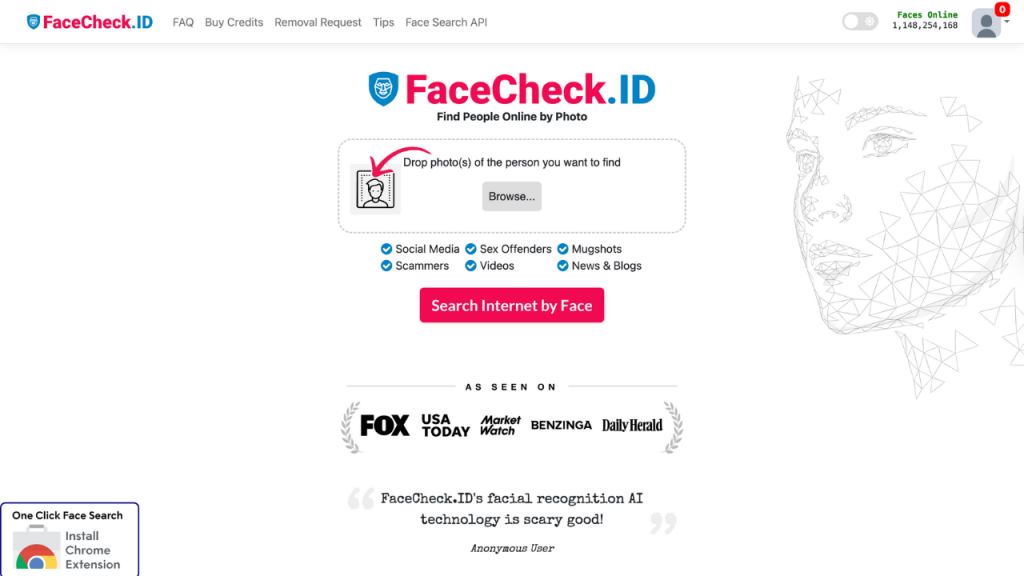
FaceCheck.ID is a facial recognition search engine. You upload a photo, and it scans the web for similar faces. The tool uses AI to map facial features and compare them against a database of publicly available images from social media, news sites, mugshot databases, and scammer lists.
It’s fast. It’s simple. And it works well for what it does.
But here’s the catch. FaceCheck.ID gives you image matches and confidence scores. A score of 90+ means it’s likely the same person. A score of 70 means maybe. Below that, you’re guessing.
You might see that someone’s photo appears on a dating site, a Facebook profile, or even a scammer warning page. But you won’t get their phone number. You won’t see their email. You won’t know if they have a criminal record or if the name they gave you is real.
It’s a clue, not a conclusion.
Why Social Catfish Delivers More
Social Catfish starts with the same reverse image search capability. But it doesn’t stop there.
When you run a search on Social Catfish, the platform cross-references over 200 billion records from public databases, social networks, government records, and professional directories. You get a comprehensive identity report that includes:
- Phone numbers linked to the person
- Email addresses they’ve used
- Social media profiles across multiple platforms
- Address history and current location
- Criminal records and background checks
- Relatives and associates
- Employment and education history
This is the difference between a facial scan and a full identity verification. One tells you a face might match. The other tells you who the person actually is.
Real Verification vs. Visual Matching
FaceCheck.ID relies on visual similarity. It’s good at spotting if a photo has been used elsewhere online. But it can’t tell you if the person behind that photo is using a fake name, a burner phone, or a stolen identity.
Social Catfish digs deeper. It verifies identity through multiple data points. If someone claims their name is “John Smith” but their phone number is registered to “Michael Johnson,” you’ll know. If their email address has been flagged in scam reports, you’ll see it. If they have a criminal history, it shows up in the report.
This multi-layered approach is what makes Social Catfish one of the most powerful identity verification tools in 2025. It’s not just about matching a face. It’s about confirming the entire identity.
When Facial Recognition Falls Short
Facial recognition has limits. Lighting changes, angles, makeup, glasses, and aging can all affect accuracy. FaceCheck.ID acknowledges this with its confidence scoring system, but even a high score doesn’t guarantee you’re looking at the right person.
And then there’s the bigger issue. What if the photo is real, but the person is lying about everything else? What if they’re using their real face but a fake name? What if they’re hiding a criminal past?
A facial scan won’t catch that. But a full background check will.
Social Catfish combines reverse image search with phone lookup, email search, and username tracking to build a complete picture. You’re not just verifying a face. You’re verifying an identity.
Scam Detection That Actually Works
Both tools flag potential scammers, but they do it differently.
FaceCheck.ID shows you if a photo appears on scammer warning sites or mugshot databases. That’s helpful. But it’s reactive. You only get a warning if someone else has already reported that photo.
Social Catfish takes a proactive approach. It checks phone numbers against known scam databases. It flags email addresses tied to fraudulent activity. It cross-references names with criminal records and sex offender registries.
If you’re trying to verify someone on a dating site, Social Catfish gives you the tools to spot red flags before you get scammed. You can see if their phone number matches their name. You can check if their email has been used on multiple dating profiles. You can confirm their location matches what they told you.
That’s the kind of verification that keeps you safe.
Ease of Use and Speed
FaceCheck.ID is straightforward. Upload a photo, wait a few seconds, and get your results. The interface is clean, and the process is fast.
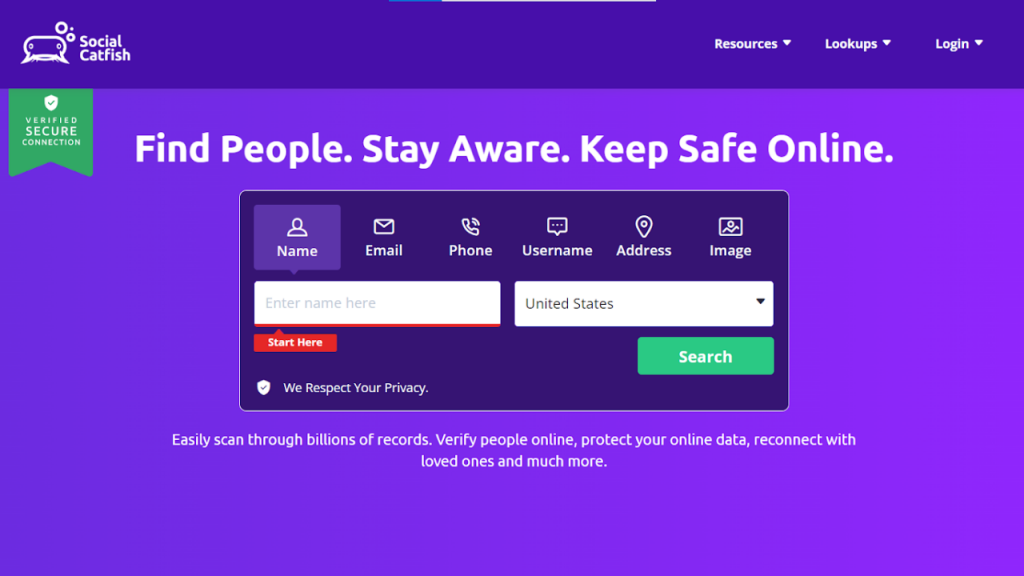
Social Catfish is just as easy. You can search by image, phone number, email, username, or name. Results come back quickly, and the reports are organized into clear sections so you can find what you need without digging through pages of data.
Both platforms are mobile-optimized, so you can run searches from your phone. But Social Catfish gives you more search options and more detailed results, which makes it the better choice if you need real answers.
Privacy and Data Security
FaceCheck.ID states that it deletes uploaded photos within 24 hours and doesn’t store user search data. It only indexes publicly available images and allows users to request the removal of their photos from the database.
Social Catfish follows similar privacy standards. It uses SSL encryption to protect user data and doesn’t sell or share personal information. All searches are private, and the person you’re investigating won’t be notified.
Both platforms comply with privacy laws like GDPR and CCPA, so your searches stay confidential.
Pricing and Value
FaceCheck.ID operates on a credit-based system. A single search costs 3 credits, and pricing starts at $6 for 36 credits. That’s about $0.50 per search.
Social Catfish offers subscription plans starting at $5.73 for a 3-day trial, then $27.48 per month for unlimited social searches. You also get access to phone lookup, email search, username search, and address lookup.
If you’re only running one or two searches, FaceCheck.ID might seem cheaper. But if you need ongoing verification or multiple search types, Social Catfish offers better value. You’re not just paying for facial recognition. You’re paying for comprehensive identity reports.
Real-World Use Cases
Let’s say you meet someone on a dating app. They send you a photo, and you want to verify it’s real.
With FaceCheck.ID, you upload the photo and find out it appears on a few social media profiles. Great. But you still don’t know if the name they gave you is real or if they have a criminal record.
With Social Catfish, you upload the photo and also search for their phone number and email. You find out their real name, see their address history, and discover they’ve been flagged in scam reports. Now you have the full picture.
Or maybe you’re hiring a freelancer online. They seem professional, but you want to be sure.
FaceCheck.ID might show you their LinkedIn photo matches their profile. But Social Catfish shows you their employment history, verifies their email, and confirms they’re not using a fake identity.
That’s the difference. One tool gives you a piece of the puzzle. The other gives you the whole thing.
Why Social Catfish Is the Better Choice
Facial recognition is useful. But it’s not enough.
When you’re trying to verify someone’s identity, you need more than a photo match. You need phone numbers, email addresses, social media profiles, criminal records, and address history. You need context.
Social Catfish delivers all of that in one place. It’s not just a facial scan. It’s a full identity report backed by over 200 billion records.
If you’re serious about staying safe online, verifying identities, or avoiding scams, Social Catfish is the tool you need. It goes beyond the surface and gives you real answers.
Taking Control of Your Online Safety
You don’t have to guess if someone is real. You don’t have to hope a photo match is enough.
With Social Catfish, you get the verification tools you need to make informed decisions. Whether you’re dating online, hiring someone remotely, or just trying to confirm someone’s identity, you deserve more than a facial scan.
You deserve the full story. And that’s exactly what Social Catfish provides.
Start your search today and see the difference a comprehensive identity report makes. Because when it comes to your safety, a face isn’t enough. You need the facts.