

 Multiple Faces Detected


 February 11th, 2026
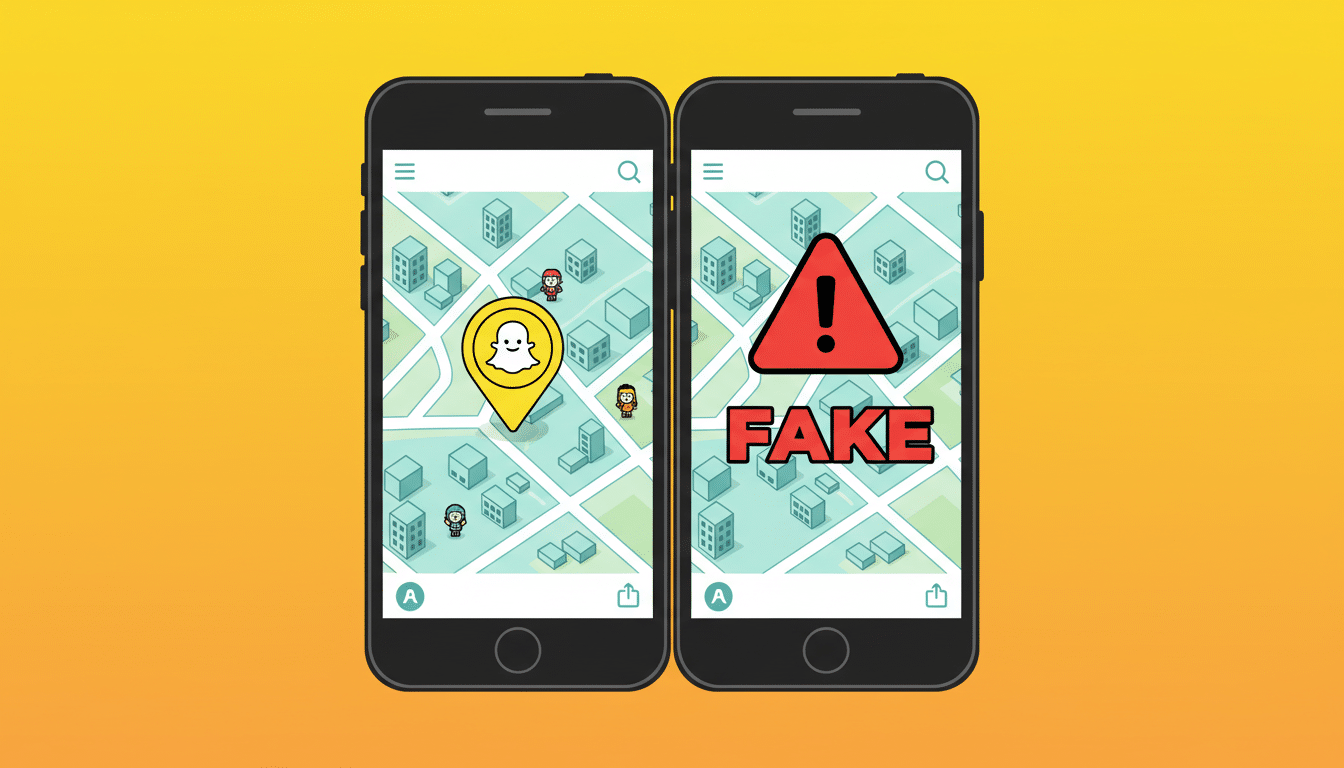
Snapchat’s SnapMap feature lets users share their real-time location with friends, creating a sense of connection and authenticity. But this same feature has become a powerful tool for scammers who fake their locations to build trust, create false narratives, and manipulate victims into believing elaborate lies about where they are and what they’re doing.
According to the Federal Trade Commission, consumers lost $1.9 billion to scams that started on social media in 2024, with Snapchat being a growing platform for romance scams, catfishing, and fraud. Location spoofing on SnapMap adds a layer of false credibility that makes these scams more convincing than ever victims see their scammer’s location on a map and believe they’re real.
Understanding how scammers fake locations on Snapchat helps you recognize manipulation before you’re deceived. Social Catfish provides verification tools, including reverse image search, phone number lookup, and comprehensive identity verification that expose fake profiles regardless of what their SnapMap location shows.
In this guide, we’ll explain how SnapMap works, how scammers fake locations, why this technique is so effective, and how to protect yourself from location-spoofing scams on Snapchat.
What Is SnapMap?

SnapMap is a Snapchat feature that displays users’ real-time locations on an interactive map, allowing friends to see where each other are located when they open the app.
How SnapMap Works
When enabled, SnapMap:
- Shows your location on a map visible to selected friends or all Snapchat contacts
- Updates your location when you open Snapchat
- Displays your Bitmoji avatar at your current location
- Shows if you’re at specific venues, events, or popular locations
- Lets you see where your friends are in real-time
Legitimate Uses of SnapMap
SnapMap serves legitimate purposes:
- Meeting up with friends by seeing their current locations
- Sharing experiences at concerts, events, or travel destinations
- Staying connected with friends’ daily activities
- Safety letting trusted contacts know where you are
- Discovering local events and stories in your area
Privacy Settings
Snapchat offers privacy controls:
- Ghost Mode: Hides your location completely
- My Friends: Shows location only to people you’ve added
- Select Friends: Choose specific friends who can see your location
How Scammers Fake Locations on SnapMap
Scammers use various technical methods to spoof their SnapMap location and create false narratives.
GPS Spoofing Apps
Scammers use apps that fake GPS location on smartphones:
- Fake GPS Location apps available on Android
- Location spoofing tools that override real GPS data
- VPN services combined with location spoofing
- Jailbroken or rooted devices with location manipulation
These tools make Snapchat believe the scammer is in a completely different location, showing them in New York when they’re actually overseas, or displaying them at work when they’re somewhere else entirely.
Computer-Based Location Spoofing
Scammers run Snapchat through emulators on computers with location spoofing software that sets any GPS coordinates they want, allowing precise control over where their SnapMap shows them.
Multiple Devices and Accounts
Some scammers use multiple phones or accounts with different locations to maintain elaborate deceptions, showing different locations to different victims simultaneously.
VPN Combined with GPS Spoofing
Virtual Private Networks (VPNs) combined with GPS spoofing tools create believable location stories, showing IP addresses and GPS coordinates that match the false narrative.
Common Snapchat Location-Spoofing Scams
Scammers use fake SnapMap locations across various fraud types.
Romance Scams with False Locations
Scammers create romantic relationships while faking their location to:
- Appear to live near you: Show SnapMap locations in your city to build trust and seem accessible
- Fake travel stories: Display locations at airports, foreign countries, or business trips that don’t exist
- Create excuses: Show themselves at hospitals, police stations, or other locations to support fake emergency stories
- Prove legitimacy: Use consistent fake locations over time to appear genuine
The Scam: Victims see the scammer’s SnapMap location and believe their stories about where they are and what they’re doing. This false verification makes it easier to request money for travel, emergencies, or other fabricated needs.
Military Romance Scams and Deployment Scams
Scammers pretend to be deployed military personnel, using SnapMap to show locations at military bases, overseas deployment areas, or international conflict zones.
The Scam: Fake military locations add credibility to stories about being deployed, unable to access funds, or needing help with expenses. Victims send money believing they’re supporting deployed service members.
Work and Business Travel Scams
Scammers fake business travel locations to explain:
- Why they can’t meet in person yet
- Why they need money for business expenses
- Why they’re temporarily unavailable
- Why they need help with international transactions
The Scam: SnapMap shows them at business conferences, oil rigs, or international work sites that don’t exist, supporting elaborate stories that lead to financial requests.
Emergency and Crisis Scams
Scammers use fake SnapMap locations to create crisis situations:
- Showing themselves at hospitals for fake medical emergencies
- Displaying locations in dangerous areas requiring rescue
- Appearing at police stations for fabricated legal troubles
- Showing travel locations where they’re supposedly stranded
The Scam: The SnapMap “proof” of their location makes the emergency seem real, pressuring victims to send money immediately.
Catfishing with Location Credibility
Catfishers use SnapMap to appear more legitimate than they are, showing locations at work, home, or social events that match their fabricated identity and lifestyle.
The Scam: Consistent SnapMap locations over time create the illusion of authenticity, making victims less likely to question whether the person is real.
Investment and Business Opportunity Scams
Scammers show SnapMap locations at business offices, financial institutions, or luxury locations to appear successful and credible when pitching investment opportunities or business ventures.
The Scam: Victims see the scammer’s impressive locations and believe they’re legitimate business people with real opportunities.
Why SnapMap Location Spoofing Is So Effective
Fake locations on SnapMap are particularly convincing for psychological reasons.
Visual “Proof” Creates Trust
Seeing someone’s location on a map feels like objective proof of where they are. Victims trust SnapMap more than words because it seems like verifiable evidence.
Consistency Over Time Builds Credibility
When scammers maintain consistent fake locations over days, weeks, or months, victims see patterns that match the stories they’re told: home location at night, work location during the day, travel locations on weekends, all fabricated but appearing authentic.
Location Matches Stories
When a scammer says “I’m at the hospital” and their SnapMap shows a hospital location, victims believe both the story and the person. The correlation between narrative and location creates powerful false validation.
Reduces Skepticism
Victims who might question someone’s identity become less skeptical when they can “see” where the person is. SnapMap reduces natural caution by providing what appears to be independent verification.
Social Proof Through Shared Experiences
Scammers share Snaps from fake locations, creating photo and video content that shows them “there.” Combined with SnapMap, this creates overwhelming false evidence.
Red Flags of Location Spoofing on SnapMap
Despite the technology, location-spoofing scams have warning signs.
Refuses to Video Chat
If someone’s SnapMap shows they’re nearby or claims they’re somewhere specific but refuses to video chat or meet in person with constant excuses, their location is likely fake.
Location Doesn’t Match Time Zones
Watch for inconsistencies:
- They’re supposedly in California but always awake during East Coast hours
- SnapMap shows one country but their phone number is from another
- Their active times don’t match the time zone they claim
Perfect Location Timing
If their SnapMap location always perfectly matches whatever story they’re telling at that moment, too conveniently at hospitals during emergencies, airports during travel dramas, or work sites during business stories, it may be spoofed.
No Location-Specific Details
Ask specific questions about where they are:
- What’s the weather like right now?
- What can you see from where you’re standing?
- What’s the name of the street or building?
- Can you show me a live view?
Scammers struggle with details about places they’re not actually at.
Inconsistent with Other Information
Compare SnapMap location with:
- Their phone number area code
- Their IP address (if you’re communicating through other platforms)
- Background details in their Snaps
- Information about their daily routine
Inconsistencies suggest spoofing.
Never Shares Live Snaps from Location
If they never send Snaps actually showing the places their SnapMap claims they are, or their Snaps show generic indoor locations that could be anywhere, they may be faking their location.
How to Verify Someone’s Real Location
Don’t trust SnapMap alone; use multiple verification methods.
Request Live Video Verification
Ask for live video calls where they:
- Show their surroundings and landmarks
- Display location-specific details (street signs, businesses, newspapers)
- Prove they’re actually where SnapMap shows them
Real people can do this easily. Scammers make excuses.
Ask Location-Specific Questions
Test their knowledge:
- What’s the weather and temperature right now?
- What are popular local restaurants or businesses nearby?
- What’s happening in local news today?
- What’s the traffic like or what can they see?
People actually at a location answer easily. Scammers give vague responses or make mistakes.
Check Multiple Data Points
Use Social Catfish’s verification tools:
- Phone number lookup: Verify their phone connects to their claimed location
- Reverse image search: Check if their Snapchat photos are stolen
- Name and background checks: Confirm they exist where they claim
- Social media verification: Cross-reference location across platforms
- Reverse Address Lookup: Check if their location is accurate
Compare Snap Background Details
Analyze their actual Snap content:
- Do visible details match the claimed location’s architecture, vegetation, weather?
- Are there location-specific elements (languages on signs, local products)?
- Does lighting and weather match the location’s current conditions?
Request Spontaneous Photo or Video
Ask them to take a specific photo showing their surroundings right now with something that proves the current time (today’s newspaper, specific request). Scammers can’t produce these on demand for fake locations.
How Social Catfish Helps Verify Snapchat Users

Professional verification exposes fake Snapchat profiles regardless of SnapMap tricks.
Reverse Image Search
Upload their Snapchat profile pictures and Snap photos to Social Catfish’s reverse image search to check if images are stolen from other sources or used on multiple profiles.
Phone Number Verification
If they share a phone number, Social Catfish’s phone lookup reveals if the number’s location matches their claimed location, if it’s a VoIP or burner number, and what other accounts are connected to it.
Identity Verification
Use Social Catfish’s name search and background checks to verify they exist where they claim, have the background they describe, and aren’t using stolen identities.
Social Media Cross-Reference
Social Catfish’s username and social media search finds all platforms where they’re active, helping verify consistency across accounts and spot fake profiles with limited presence.
Comprehensive Multi-Point Verification
The power of Social Catfish lies in combining verification methods, image search, phone lookup, name verification, and social media checks to expose inconsistencies that reveal fake profiles even when SnapMap shows a location.
Frequently Asked Questions
Yes, scammers use GPS spoofing apps, emulators, and location manipulation tools to fake their SnapMap location. Never trust SnapMap alone; verify through Social Catfish and multiple methods.
Watch for refusal to video chat, time zone inconsistencies, inability to answer location-specific questions, and perfect timing that matches their stories too conveniently. Verify through Social Catfish.
No. SnapMap can be easily spoofed. Use professional verification through Social Catfish including phone number lookup, reverse image search, and identity verification.
Stop communication immediately. Never send money to people you’ve only met online. Use Social Catfish to verify their identity and report them to Snapchat and authorities.
Verify profiles through Social Catfish, insist on video verification with spontaneous actions, never send money, meet in person within reasonable timeframes, and trust your instincts when something feels wrong.
Conclusion
SnapMap provides a false sense of security by showing locations that can be easily faked. Scammers use GPS spoofing to create elaborate deceptions, showing themselves at locations that support their lies while they’re actually somewhere completely different.
Don’t trust SnapMap as verification. Location data can be manipulated as easily as photos, stories, and messages. Social Catfish provides comprehensive verification through reverse image search, phone number lookup, background checks, and identity verification that expose fake profiles regardless of what their SnapMap shows.
Verify thoroughly, insist on multiple forms of proof, never send money based on online-only relationships, and use Social Catfish to confirm identities before trusting anyone on Snapchat, no matter where their SnapMap claims they are.











