Multiple Faces Detected



 April 6th, 2026
You have a username but not much else. Maybe it belongs to someone you met online and want to verify, or maybe an account messaged you, and you want to know who is actually behind it before you respond. Either way, you are starting from the same place: a handle and a question about the person behind it.
Instagram is designed to protect user privacy, which means there is no built-in lookup tool that converts a username into a real name, phone number, or identity. But most Instagram users leave enough of a footprint across the platform and the wider internet that a username is often enough to find out who they are, what other accounts they run, and whether the identity they have presented is real.
This article covers five targeted methods for Instagram username search, from Instagram’s own native tools to cross-platform username searches and full identity lookups. If you want to run a private search right now, Social Catfish lets you search an Instagram username, photo, phone number, or email address and surfaces the identity and connected accounts behind it privately, with no notification to the account holder.
Instagram Username Search: How to Look Up Anyone on Instagram
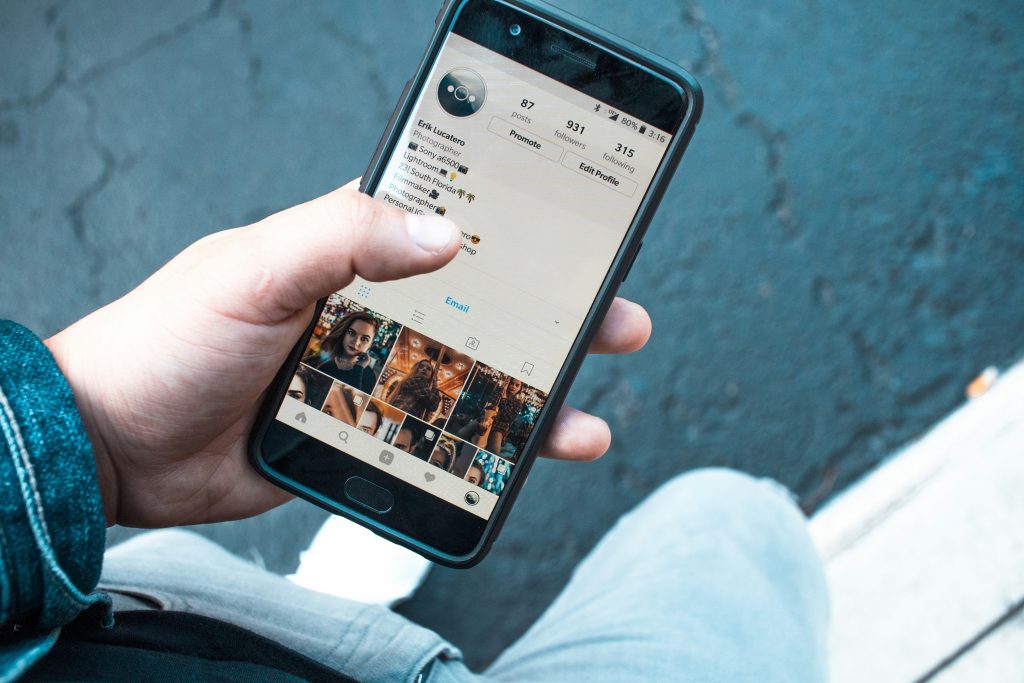
The first step in any Instagram username search is to check what Instagram’s own tools surface before going anywhere else.
Search Directly in the Instagram App
Open Instagram and tap the magnifying glass icon to access Search. Type the username directly into the search bar. Instagram searches both usernames and display names, so if the person uses their real name as their display name, it will appear even if their username is unrelated.
If the exact username does not return results, try variations. Many people add underscores, dots, or numbers when their preferred handle is taken. A username like @sarahjones might appear as @sarah.jones, @sarah_jones_, or @sarahjones92.
Search via Direct URL
Every Instagram profile has a predictable URL: instagram.com/username. Navigate directly to that URL in any browser; you do not need to be logged in to view public profiles. If the account exists, the profile loads. If it does not, Instagram returns a page not found error. This is the fastest way to confirm whether a specific username is active.
Search Google With the Username
Google indexes public Instagram profiles and posts, which means a username search on Google frequently surfaces more information than Instagram’s native search. Enter the username in quotation marks combined with “Instagram,” for example, "username" Instagram, and review all results, including images.
This can surface the profile directly, mentions of the username on other sites, or connected accounts on other platforms that appear in the same search results.
Use Social Catfish Username Search
When the above methods surface the account but not the identity behind it, Social Catfish’s username search cross-references the handle across dozens of platforms, simultaneously surfacing every account where the same username appears, the name and identity attached to those accounts, and any public records data connected to the person.
This is the most thorough available method for going from a username to a verified identity, and it is completely private. The account holder will never know a search was run.
How to Find Someone’s Real Name From an Instagram Username
This is the most searched question in this topic, and the one most articles fail to answer directly. Here is what actually works.
Check the Profile for Display Name and Bio Details
Instagram allows users to set a display name separately from their username. Many people use their real name as their display name even when their username is a pseudonym. Go to the profile and check the name field at the top; it is the text in bold above the bio. If it contains a full name, that is your starting point for verification.
The bio frequently contains additional identifying details, such as a job title, a location, a linked website, or other social media handles. Any of these can be cross-referenced to confirm the real identity behind the username.
Use Google to Connect the Username to a Name
Search the username in quotation marks on Google and look for any results where the username appears alongside a real name. This works because people frequently post their Instagram handle on other platforms, forum profiles, LinkedIn bios, Twitter accounts, and personal websites, where their real name is also visible.
Try the search: "@username" and also site:instagram.com "username" to filter results to the platform specifically.
Run a Reverse Username Search Through Social Catfish
Social Catfish’s reverse username search is the most direct method for finding a real name from an Instagram username. It searches the handle across hundreds of platforms and surfaces any account where the same username appears, including platforms where the person has used their real name alongside the handle.
This works because username reuse is extremely common. Someone who chose @jakemcallister on Instagram is frequently using the same handle on Twitter, Reddit, LinkedIn, or a personal website, and some of those platforms display their real name publicly even when Instagram does not.
How to Find Out Who Someone Is on Instagram
Going beyond the name, there is a range of identity information a username can unlock when the right methods are applied.
Read the Account’s Post History
Active Instagram accounts accumulate identity signals over time, location tags, references to workplaces, schools, local events, friends tagged by name, and life events that provide context about who the person is. Scroll through the post history and look specifically for anything that can be cross-referenced against other information you have.
Even accounts that appear anonymous often contain identifying details that went unnoticed, such as a local business visible in the background, a school uniform in an older photo, or a comment from a tagged friend who uses their real name.
Check Who Tags and Interacts With the Account
The people who tag an Instagram account or comment on its posts frequently address the account holder by name. Go through the comments on public posts and look for any comments where someone uses a name. Tagged photos are particularly revealing. Friends and family who tag an account in personal photos often include the person’s name in the caption.
Cross-Reference the Profile Photo
A reverse image search on the profile photo can surface other platforms where the same image has been used, sometimes under a real name. Upload the profile photo to Google Images or TinEye and check all results.
Social Catfish’s reverse image search goes further, cross-referencing the photo against dating platforms, social networks, and public records databases rather than just indexed web pages. This is particularly effective when the photo has been used on a dating app or a platform with privacy settings that prevent it from appearing in a standard web search.
How to Find Other Social Media Accounts From an Instagram Username
An Instagram username is frequently the entry point to a much broader digital footprint. Most people reuse their username across platforms, and each platform where the same handle appears adds another data point to a verifiable identity.
Manual Cross-Platform Search
Take the Instagram username and search it directly across other platforms. Paste the handle into the search bar on Twitter, TikTok, Facebook, Reddit, LinkedIn, Snapchat, and YouTube. Many people use identical usernames across all their accounts. A consistent username that appears on multiple platforms attached to a real name or additional contact details, confirms the identity quickly.
Pay attention to slight variations, an underscore added, a number appended, a slightly different spelling. People who want a degree of separation between accounts often use modified versions of their usual handle rather than something completely different.
Instagram Fake Account Finder: How to Spot Hidden and Fake Profiles

Fake Instagram accounts leave specific signals that become visible when you know what to look for. These are the most reliable indicators.
The Account Was Created Recently With Minimal History
A real person’s Instagram account accumulates organic history over time, tagged photos from friends, old posts, and a following list that reflects genuine connections. An account created recently with few posts, no tagged photos from other users, and a following list full of accounts with no mutual connections is following a pattern consistent with fabricated profiles.
The Profile Photo Returns Results Under a Different Name
This is the most direct fake account signal available. Run a reverse image search on the profile photo using Google Images or TinEye. If the photo surfaces under a different name on another platform — or appears on a stock image site, the account is using a stolen or fabricated identity.
If the photo returns no results at all, it may be AI-generated. An image that has never appeared anywhere online before is itself a signal when combined with other red flags.
The Post History Is Inconsistent or Implausibly Perfect
Real people post inconsistently, with different lighting, different settings, candid moments alongside curated ones. A profile where every photo looks professionally shot, where the lifestyle depicted is implausibly perfect, or where the photo quality is inconsistent with the supposed context of the account is worth investigating further.
The Account Exists Nowhere Else Online
Search the username across other platforms. A real person with an active Instagram presence almost always has at least some digital footprint on other platforms, even if it is just a mention somewhere. An Instagram account whose username returns absolutely nothing elsewhere is a significant signal that the profile was created specifically for a limited purpose.
Conclusion
An Instagram username is more than just a handle; it is the starting point for finding out who someone really is, what other accounts they run, and whether the identity they have presented is genuine. The methods in this article cover every scenario from a quick native search to a full cross-platform identity lookup.
Start free. Use Instagram’s search, check the profile URL directly, Google the username in quotation marks, and run a reverse image search on the profile photo. In most cases, where someone has an established online presence, these steps surface enough to answer the question.
When they do not, when the username returns no real name, the profile has no verifiable history, or the search results raise more questions than they answer, Social Catfish’s username search, reverse image search, and full identity lookup provide the most thorough cross-platform cross-referencing available. The search is private. The account holder will never know it was run.
Top 5 FAQs
Check the profile’s display name and bio for identifying details. Search the username on Google in quotation marks and look for results where it appears alongside a real name. Run a reverse image search on the profile photo. For a thorough cross-platform search, Social Catfish’s username lookup surfaces the real name and connected accounts behind any Instagram handle.
Start with the profile display name, bio, linked website, and post history, all of which contain identity signals. Search the username across other platforms where real names are more visible. Run a reverse image search on their profile photo. Social Catfish’s username and image search cross-references everything against public records and connected accounts privately.
Search the exact username across Twitter, TikTok, Reddit, Facebook, LinkedIn, and YouTube manually. Most people reuse usernames consistently. Social Catfish’s username search checks dozens of platforms simultaneously and surfaces every connected account, including dating profiles, in a single search.
Run a reverse image search on the profile photo immediately. Check the account creation date and post history for organic activity. Search the username across other platforms; fake accounts rarely exist anywhere else online. A photo that returns results under a different name or no results at all is the clearest available signal.
Not through Instagram’s native search. However, Social Catfish’s phone number lookup and email search cross-reference contact details against social profiles and public records, surfacing any Instagram accounts registered to that number or email, including ones operating under a pseudonym.