

 Multiple Faces Detected


 December 4th, 2025
You open your email. There’s a message from your bank. Looks legit. Sounds urgent. You click.
That’s how fast it happens.
Cybersecurity threats aren’t just headlines anymore. They’re in your inbox, on your phone, and hiding behind voices that sound just like people you trust. Scammers are using new tools. Smarter tools. And they’re not slowing down.
In 2025, cybercrime is expected to cost the world over $10.5 trillion. That’s more than the entire GDP of most countries. But here’s the thing. You don’t need to be a tech expert to protect yourself. You just need to know what’s out there.
This guide breaks down the top 10 cybersecurity threats you should watch for this year. We’ll keep it simple, direct, and useful.
What Are Cybersecurity Threats?
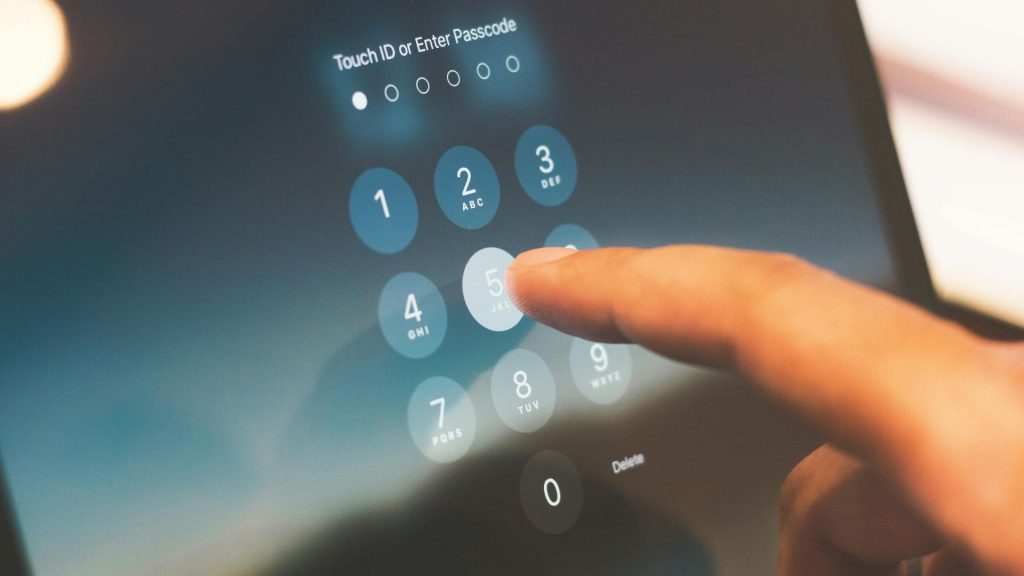
Cybersecurity threats are any attempt to damage, steal, or disrupt your digital life. That includes your personal info, your money, and your online accounts. These threats come in many forms. Phishing emails. Fake video calls. Malicious software. Voice clones. The list goes on.
And now, with AI in the mix, these cybersecurity threats are getting harder to spot.
1. AI-Powered Phishing Attacks
Phishing used to be easy to catch. Bad grammar. Weird links. Generic greetings like “Dear Customer.”
Not anymore.
AI tools like ChatGPT are being used to write phishing emails that look perfect. They’re personalized. They sound like they’re from someone you know. And they work.
Phishing attacks linked to AI surged by 1,265% in recent reports. That’s not a typo. Another study found a 4,151% increase in AI-generated phishing attempts. These emails achieve a 54% click-through rate. Compare that to the old 12% rate for traditional phishing. The difference is huge.
Here’s how an AI cybersecurity threat like this works. Attackers scan your social media. They look at your job title, your recent posts, and even your friends list. Then they craft a message that feels real. It might mention a project you’re working on. Or it could look like it’s from your boss.
If you get a suspicious email, pause. Don’t click anything. Verify the sender through a separate channel. Call them. Text them. Just don’t reply to the email directly.
Social Catfish can help you verify identities and check if someone is who they claim to be online. Whether it’s a suspicious email, a strange phone number, or a questionable social media profile, Social Catfish gives you the tools to investigate before you click.
2. Deepfake Scams
Deepfakes are AI-generated videos or audio clips that look and sound real. They’re not.
In 2024, a finance employee at a global engineering firm lost $25.6 million to a deepfake scam. The attackers used AI to impersonate the company’s CFO and other colleagues on a video call. The employee thought it was real. It wasn’t.
Deepfake scams are on the rise. In just the first quarter of 2025, there were 179 deepfake incidents. That’s 19% more than all of 2024 combined.
Most people can’t spot a deepfake. Research shows that only 0.1% of people can consistently identify them. That’s why this AI cybersecurity threat is so dangerous.
If you receive a video or audio request for money or sensitive info, verify it. Ask a personal question that only the real person would know. Or use another communication method to confirm.
3. Voice Cloning Scams
Voice cloning is exactly what it sounds like. Scammers take a recording of someone’s voice and use AI to mimic it. Then they call you pretending to be that person.
One in 10 adults globally has experienced an AI voice scam. And 77% of those people lost money.
It’s not hard to find voice samples either. You probably post videos online. Maybe you’re on a podcast. Or you left a voicemail. That’s all scammers need.
Adults over 60 are 40% more likely to fall for these scams. But younger people aren’t immune.
If you get a call from a family member or coworker asking for money or personal details, hang up. Call them back using a number you already have saved. Don’t use the number they called from.
You can also use Social Catfish’s reverse phone lookup to verify suspicious numbers and see who’s really calling you.
4. Ransomware Attacks
Ransomware locks you out of your own files. The attackers demand payment to give you access back. Sometimes they pay up. Sometimes they don’t. Either way, you lose.
Ransomware has been around for years. But it’s getting worse. Attackers are now using AI to make their malware harder to detect. They can also target victims more precisely.
Small businesses are especially vulnerable. They often don’t have strong security systems in place. And once they’re hit, the damage can be devastating.
Back up your files regularly. Use strong passwords. And don’t click on suspicious links or attachments. Those simple steps can save you from a huge headache.
5. Business Email Compromise (BEC)
BEC is when a scammer impersonates someone in your company. Usually a CEO or manager. They send you an email asking you to transfer money, share login credentials, or send sensitive data.
These cybersecurity threats are highly effective because they rely on authority and urgency. The email might say, “I need this done ASAP,” or “Don’t tell anyone about this.”
AI has made BEC scams even more convincing. Scammers can now write emails that match the writing style of the person they’re impersonating.
Always verify requests for money or sensitive info through a second channel. If your boss emails you asking for a wire transfer, call them to confirm. It might feel awkward, but it’s worth it.
6. Malware and Polymorphic Code
Malware is malicious software designed to damage or steal from your device. Polymorphic malware is even sneakier. It constantly changes its code to avoid detection.
In 2025, an estimated 76.4% of phishing campaigns use polymorphic tactics. Over 70% of major data breaches involve this type of malware.
Some advanced malware can generate a new version of itself every 15 seconds. That makes it almost impossible for traditional antivirus software to catch.
The best defense? Don’t download files or click links from unknown sources. Keep your software updated. And use reputable security tools.
7. Social Media Scams
Social media is a goldmine for scammers. They create fake profiles, send friend requests, and start conversations. Then they ask for money, personal info, or try to lure you into other scams.
Romance scams are especially common. Scammers build trust over weeks or months. Then they ask for help with a “financial emergency.” In 2021 alone, Americans lost $547 million to romance scams.
If someone you don’t know in real life asks you for money, that’s a red flag. Use Social Catfish’s reverse image search to check if their photos are stolen. You can also search for hidden social media profiles to see if the person is using multiple fake accounts.
8. Password Cracking
Passwords are your first line of defense. But they’re also one of the easiest things for hackers to crack, especially with AI.
AI-powered password-cracking tools can bypass 81% of common passwords within a month. In one study, AI cracked 51% of 15.68 million passwords in under one minute.
The problem? Most people reuse passwords. 94% of passwords are either reused or duplicated across multiple accounts. So if a hacker cracks one, they can access everything.
Use unique passwords for every account. Make them long and complex. And consider using a password manager to keep track of them all.
9. Online Shopping and Payment Scams
Online shopping scams spike during holidays and sales events. Scammers set up fake websites, offer deals that are too good to be true, and steal your payment info.
Cash App scams are also on the rise. Fraudsters pose as sellers, take your money, and disappear. If you’ve been scammed, here’s how to get your money back on Cash App.
Before you buy, research the seller. Check reviews. Look for contact information. And never send money to someone you don’t know through peer-to-peer payment apps.
If a deal seems too good to be true, it probably is.
10. Caller ID Spoofing and Scam Calls
Caller ID spoofing is when scammers fake the number that shows up on your phone. They might make it look like the call is coming from your bank, the IRS, or even a local number.
Scam call numbers are everywhere. Some area codes are more dangerous than others. And when you see “No Caller ID” on your screen, it’s often a sign of a scam.
Don’t answer calls from unknown numbers. If it’s important, they’ll leave a message. And never give out personal information over the phone unless you initiated the call.
Use Social Catfish’s phone lookup tool to identify suspicious callers before you pick up.
How to Protect Yourself from Cybersecurity Threats

The good news? You can protect yourself. Here’s how.
Verify everything. If something feels off, it probably is. Double-check requests for money or personal info through a separate channel.
Use strong, unique passwords. Don’t reuse them. And enable two-factor authentication wherever possible.
Keep software updated. Those annoying update notifications? They patch security holes that hackers exploit.
Think before you click. Don’t open attachments or click links from unknown senders.
Use Social Catfish. Whether it’s a suspicious email, a fake dating profile, or a strange phone number, Social Catfish helps you investigate and verify identities before you engage.
Why Social Catfish Is Your Best Defense
Cybersecurity threats are everywhere. But you don’t have to face them alone.
Social Catfish is built for this. We help you verify identities, uncover hidden social media accounts, and investigate suspicious activity. Whether you’re dealing with a potential catfish, a romance scammer, or just want peace of mind, we’ve got the tools you need.
Our platform offers:
- Reverse image search to check if photos are stolen
- Reverse phone lookup to identify unknown callers
- Reverse email search to uncover who’s behind suspicious messages
- Social media searches to find hidden profiles
Don’t wait until it’s too late. Protect yourself now. Visit Social Catfish and start investigating today.
Stay One Step Ahead
Cybersecurity threats aren’t going away. If anything, they’re getting smarter. AI-powered scams, deepfakes, and voice clones are just the beginning. But now you know what to look for.
Stay alert. Verify everything. And use the right tools.
Because the best way to fight an AI cybersecurity threat is to be prepared before it hits.











