Multiple Faces Detected


 February 9th, 2026
You matched with someone attractive on Zoosk. The conversation starts off great. But something feels off.
Maybe their photos look too professional. Or they’re avoiding your questions. Or they’re suddenly asking for money after a week of chatting.
Zoosk dating has millions of users looking for real connections. But like any popular platform, it also attracts scammers, bots, and fake accounts designed to waste your time or steal your money.
The good news? Fake profiles follow patterns. Once you know what to look for, spotting them becomes second nature. And better yet, some tools can help you verify if the person you’re talking to is actually real before you invest any more time or emotion.
What Makes Zoosk Dating Site Attractive to Scammers?
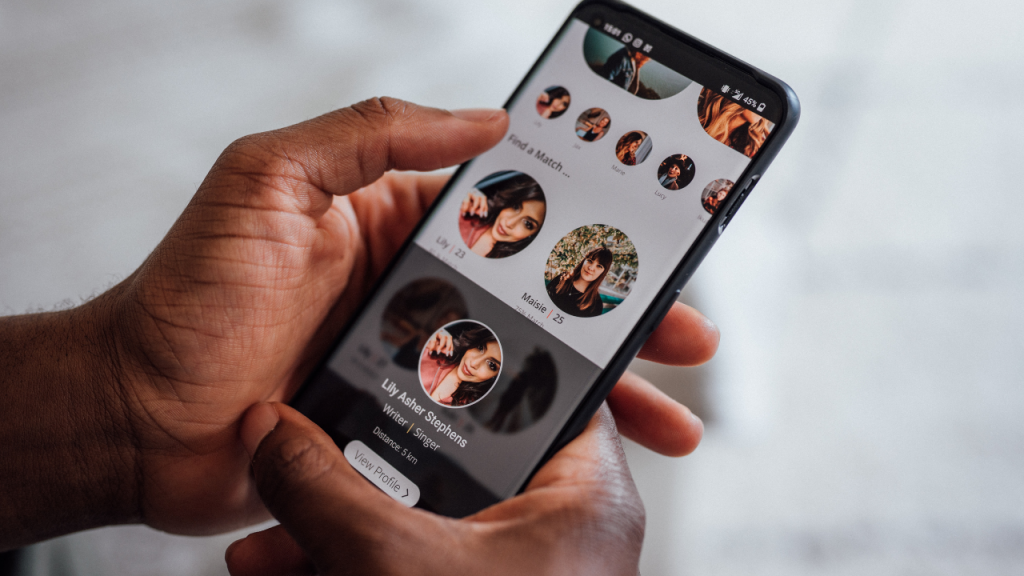
Zoosk dating attracts real people. And real people make easy targets.
According to the Federal Trade Commission, romance scams cost Americans over $547 million in 2021 alone. Dating apps remain a prime target for fraudsters because users are often emotionally vulnerable and trusting.
Why Zoosk dating site specifically? It’s simple. The platform has a massive user base, making it easy for scammers to blend in. Plus, while Zoosk does offer photo verification, not everyone uses it. That gap creates an opportunity for those with bad intentions.
Red Flags: How to Spot a Fake Profile
1. Only One or Two Photos
Real people upload multiple pictures. Scammers usually stick to one or two stolen images.
Check if the photos look overly professional or model-like. Run a reverse image search to see if the image appears elsewhere online.
2. No Profile Verification
Zoosk offers a green checkmark for verified profiles. If someone doesn’t have this badge, proceed with caution. It doesn’t automatically mean they’re fake, but it’s worth noting.
3. Vague or Generic Bio
Fake profiles often have minimal information. No job details. No hobbies. Just generic statements like “I love to travel” or “Looking for someone special.”
Real users put effort into their bios. Scammers don’t.
4. They Move Fast
Love bombing is a classic tactic. They shower you with compliments immediately and say they’re falling for you within days. They want to move off Zoosk dating and onto email or text right away.
Why? Dating platforms monitor suspicious behavior. Scammers want to get you off the app before they get caught.
5. Dodging Video Calls
You suggest a video chat. They make excuses.
“My camera’s broken.”
“I’m too shy.”
“Let’s wait until we meet in person.”
Real people want to connect. Scammers avoid anything that could expose them.
6. Their Story Doesn’t Add Up
Pay attention to inconsistencies. They claim to live locally but provide details that don’t align. Their job description changes. Their age doesn’t align with their life story.
If something feels off, it probably is.
7. Asking for Money or Personal Info
This is the biggest red flag of all.
They need help with medical bills. Their account got frozen. They want to visit you but need money for a plane ticket. They ask for your bank details or Social Security number.
Stop all contact immediately. Report them to Zoosk dating site and block them.
Common Zoosk Scams to Watch Out For
The Romance Scam
This is the classic. They build a relationship over weeks or months. Then comes the sob story. And the request for money.
Never send money to someone you’ve never met in person.
The Phishing Scam
They send you a link. “Check out my photos here.” Or “Let’s chat on this other site.”
That link? It’s designed to steal your login credentials or install malware on your device.
The Verification Scam
They ask you to verify your identity on a third-party site before meeting. The site asks for your credit card info. It’s a trap.
Zoosk handles verification internally. You should never need to verify yourself elsewhere.
How to Verify If Someone on Zoosk Is Real
Wondering if that person you’re chatting with is legitimate? Here’s how to find out.
1. Use a Reverse Image Search
Upload their profile photo to Social Catfish’s reverse image search. This tool scans billions of images across the web to see if the photo is being used elsewhere.
If the same photo appears on multiple dating profiles or belongs to a model or someone else entirely, you’ve caught a fake.
2. Search Their Phone Number
If they’ve given you their number, run it through Social Catfish’s reverse phone lookup. This can reveal if the number is linked to scam reports or other identities.
You can also use this tool to find social media accounts by phone number, which helps verify if they are who they claim to be.
3. Search Their Username or Email
Try searching their Zoosk dating username or email address. Social Catfish provides reverse email search and reverse username search capabilities to uncover hidden profiles and verify identities.
4. Run a Dating Profile Search
Want to see if they’re active on other platforms under different names? Use Social Catfish’s dating profile search to check if the same person appears on multiple sites with conflicting information.
5. Request a Live Selfie or Video Call
Ask them to send a selfie holding up a piece of paper with today’s date or a specific word. Or insist on a video call. Real people will comply. Scammers will make excuses.
6. Google Their Name and Details
Sometimes a simple Google search works wonders. Look up their name along with their job, city, or other details they’ve mentioned. See if anything pops up that contradicts their story.
Why Social Catfish Is Your Best Bet
If you’re serious about protecting yourself on the Zoosk dating site, Social Catfish is the tool you need.
It’s not just about catching catfish. It’s about peace of mind.
Social Catfish offers comprehensive background checks, facial recognition search, and access to billions of public records. Whether you want to find someone on dating sites or verify if someone is on Facebook Dating, Social Catfish has you covered.
Before you invest your heart (or wallet) into someone you met online, verify their identity. It takes minutes and could save you from heartbreak or financial loss.
What to Do If You’ve Been Scammed

Found out too late? Here’s what to do.
1. Stop All Contact
Block them on Zoosk dating. Don’t respond to any further messages.
2. Report Them
Report the profile to Zoosk immediately. Provide screenshots and any information you have.
Also, report the scam to the FTC and your local police if money was involved.
3. Protect Your Accounts
If you shared personal information, change your passwords. Monitor your bank accounts and credit reports for suspicious activity.
4. Document Everything
Save all messages, emails, and transaction records. This evidence can help authorities investigate.
5. Don’t Blame Yourself
Scammers are professionals. They know how to manipulate. It’s not your fault.
Stay Smart, Stay Safe
Zoosk dating can be a great place to meet someone real. But you need to stay vigilant.
Trust your gut. If something feels off, investigate before getting too involved. Use tools like Social Catfish to verify identities. And never, ever send money to someone you haven’t met in person.
Want to dig deeper into someone’s online presence? Check out how to find hidden profiles on social networks or how to search for someone on Tinder, Bumble, or Hinge.
Dating should be fun. Not stressful. With the right precautions and the right tools, you can weed out the fakes and focus on finding something real.